Welcome to NoteMaker and ScriptPlanner

for those who love making notes and for those who wish to microplan their screenplays
... and both are free and downloadable*
(Updated 5:48 am, Tuesday 12 May 2026 AEST).
Feature articles
Review of FileMaker 2025
Book review of Learn FileMaker Pro
2024 by Mark Conway Munro
The
wonderful but difficult While function
Forensic deconstruction of a While function
------------------------------------------------------------------- NEWS ITEMS (Please note: none of our posts has been generated by artificial intelligence).----------------------------------------------
WELCOME TO NOTEMAKER! Thank you for visiting our website. We are the NoteMaker Team, two amateur hobbyists who have created NoteMaker, a superb application for writing and managing notes. NoteMaker is entirely built on FileMaker, a fantastic database-creation platform, owned by Claris, a subsidiary of Apple.
We love the fact that we have brought to the estimated one million around the world who have access to FileMaker version 18, 19, 20, 21 or 22 our wonderful note-making application. Here are nine features why we think NoteMaker is wonderful …
-
NoteMaker’s focus is on text-based notes, thus great for the practice of writing.
-
Each note has up to eight extensions; for example, one of them is a facility for storyboarding or for simply storing images (photographs, illustrations and the like).
-
NoteMaker has a facility called (sorry for the long name, but it describes exactly what it does) AutoCorrectionCompletionExpansion, wherein user-transformations are entered; for example, “wsj” to “The Wall Street Journal”; that means any time “wsj” is written in the Note field, it will transform – upon clicking the Scan button – to “The Wall Street Journal”.
-
The Scan button makes transformations happen, not only those from the AutoCorrectionCompletionExpansion facility but also from its own built-in transformations such as capitalising the first word after a full stop and three consecutive full stops into an ellipsis.
-
The Scan button is found on the Note-Focus card, which is an enlarged version of the Note field; here, not only are there less distractions, but also other enablements such as the facility for creating endnotes.
-
Endnotes are great for source-referencing and making asides; NoteMaker’s facility for this is delicate but nifty; used with care it will work for you in appreciable ways.
-
A useful feature is the Keyword facility whereby the user “tells” NoteMaker to look for key words or phrases in the Note field and to list them in the adjoining Keyword field.
-
One of our latest and greatest features is Personalised Found Sets; here, you can group notes and bring up the group any time you wish; for example, one may create a Personalised Found Set of, say, 13 notes one has written on the topic, “Shakespeare’s King Lear” … useful to have in front of one when responding to an essay question on the topic.
-
Notes can reference each other by way of linking, eventually creating a web of references among notes.
And on it goes, one great feature after another(1). NoteMaker’s workflow is straightforward, but some more esoteric features may need explaining, thus embedded is a c20,000-word User Manual.
All-in-all, NoteMaker is so useful that if you’re not into writing systematic notes, exposure to NoteMaker could make you a regular note-maker in order to store and then easily retrieve valuable knowledge.
Let us turn to the real-world where it matters. “My Notebook” is NoteMaker’s real-world “persona”. It is through us writing serious notes that we are constantly testing NoteMaker in order to improve it and “weed-out” bugs. Over the years we have amassed 1,880 real-world notes (correct as at 12 May 2026). Never so far do we feel that there are too many: 1,880 notes is little different to when there were 800 notes or to when there were 80 or merely eight. We don’t have a problem in finding a particular note or a group of notes. It’s quite amazing. We predict the same for when there should be 18,000 notes.
So, join us in the wonderful world of note-making by downloading a copy of NoteMaker (see bottom of this webpage) – it’s yours forever free! As we often say: “You have nothing to lose but the chains of inaction”.
__________________________________________
(1) Here are nine other wonderful features …
-
Event-Notes, not to be confused with the visual calendar, are specialised notes for diarising important events; though some, many or perhaps most users may argue that since the introduction of the visual calendar, event-notes are redundant; however, we wish to counter-argue that it has enablements that the visual calendar doesn’t, such as a day-before notice at the footer of the home page for an upcoming event.
-
Pull Quotes. Select an attention-grabbing passage from a note and, with the click of a button, place them in the Keyword field. Especially useful for long notes.
-
Oft-Used facility is used to store long or difficult passages that are repeatedly used. For example a source-reference that may be predicted to be used in more than one note.
-
Special notes that may have an element of an emotion for you may be listed in the Marked Special facility.
-
Essay Paragraph Construction theory (for students only). Years ago we formulated a way of writing summaries that, with a tweak or two, can be slotted as body paragraphs in an essay.
-
There was a complaint that the home page is overcrowded; in response, we have created a Hide “Clutter” checkbox.
-
ReOrderAble list. This is another of the up-to eight extensions to the Note field. It is worth mentioning here because we think it’s a great feature. For example, we have a list of the 37 direct-to-video movies from the Scooby-Doo franchise. It is easy to move an item up or down the list.
-
A nifty Task Manager allows users to create a to-do list.
-
Powerful is the Merge function. What it will do is put together a found set of notes inside the current note, but it will nonetheless keep the subsumed notes as separate entities outside of the current note.
We could list another nine fantastic features, but “enough is enough” is the cry we hear. If you can afford to have access to FileMaker version 18, 19, 20, 21 or 22, don’t hesitate to download NoteMaker (please go to the bottom of this webpage). After all, it’s free.
SORRY, NOTEMAKER 2.5.5.1 IS NOW 2.5.5.2 (uploaded 9 May 2026)
Sorry, we’re at it again like the time before update 2.5.4 came along: one update after another. The good news is you don’t have to update to 2.5.5.2: the major thing it does is to make the Personalised Found Set facility on the footer of the Collection layout consistent in look-only to the one on the home page. Already we’re nostalgic for the months-long stability of 2.5.4 – are you too? Another good news: no bug fixes since 2.5.4. Should you be happy with 2.5.4 and don’t care for the expansion popover added to the visual calendar in update 2.5.5, you won’t go wrong staying with 2.5.4.
MINOR UPDATE TO NOTEMAKER: NOW 2.5.5.1 (uploaded 8 May 2026)
From 2.5.5, NoteMaker is now 2.5.5.1 due to the following recent improvements …
-
Regarding pull quotes. When on the Note-Focus card and clicking the Pull Quote button, a message will inform users if the Keyword field on the home page is not empty (ie, may already have a keyword or a reminder note), thus avoiding the possibility of “blindly” replacing (especially) a keyword with a pull quote.
-
The Oft-Used portal on the home page now has an extra row (totalling 10 viewable rows); this does not apply to its counterpart on the Note-Focus card, which remains at eight viewable rows.
Please note that the download version now is 2.5.5.1. It is up to users who have already downloaded 2.5.5 if they wish to go to 2.5.5.1, but we strongly urge all users who have not updated to 2.5.5 to update to 2.5.5.1. The improvement to the visual calendar is too great to miss out on.
WITH IMPROVED CALENDAR, NOTEMAKER NOW IS 2.5.5 (uploaded 6 May 2026, revised 7 May 2026)
After a long stint at version 2.5.4, a stint we thoroughly enjoyed, NoteMaker has been updated to 2.5.5. We have implemented an expanded space for each day of the month for our beloved visual calendar in the form of a popover that allows users to:
-
have additional space to fit more information than may fit in the available visible space for the day;
-
timetable the day in detail;
-
have a space for “Dear Diary” or journal entries;
-
use the extra space to record outcomes from the day (eg, the result of a doctor’s visit, results of an assessment task, noting of bills paid, recording an incident).
NoteMaker’s visual calendar continues to remain simple(1), but with 2.5.5 it has become niftier. “More power to users!” That’s what it’s about.
_________________________________________________
(1) The only difficulty with our calendar is determining the first day of a new month for a particular year. Please follow these steps:
-
once a new month is created, go to the Calendar Guide (situated on the header, which gives the current date) and find what the first day is for the new month for the year by using the embedded dropdown calendar: is it Thursday, Friday, Saturday, Sunday, Monday, Tuesday or Wednesday?
-
say, the Calendar Guide shows “Wednesday” is the first day of the new month for the year, then go to the first day (indicated by the numeral 1) of NoteMaker’s calendar month and from its own dropdown list choose “Wednesday”;
-
done: all other days in the month will be correctly laid out;
-
finally, we strongly recommend to lock the day to the new month and the new month to the year by placing a cross in the Freeze checkbox, situated far left on the calendar’s header.
We suggest create calendar months for the next 12 months. Say we are on May 2026, it is advisable to create 12 months worth up to and including May 2027 – that way, annualised entries are accommodated. For example, a sister’s birthday is on the 3rd day of May 2026; when the celebration is over, copy the entry and paste it into the 3rd day of May 2027. Another example, say the next month (from current May 2026) – June 2026 – has arrived, create a new calendar month for June 2027. In short, always keep 12 months ahead in your calendar months. Without fail, we do this with our real-world “My Notebook”, which has all the months up to and including May 2027 (correct as from the current month: May 2026), which are conveniently listed on the INDEX popover (whose button is situated far right on the calendar’s header).
SCOOBY-DOO: POSSIBLE WAY FORWARD (uploaded 29 April 2026, revised 2 May 2026)
What follows are reviews of our top six of the 37 Scooby-Doo direct-to-video movies (our rankings are correct as at 2 May 2026, subject to change at any time). The reviews are pointed toward what has made these movies great and therefore are used as evidence for the franchise owners, Warner Bros Animation, to reconsider the direction they are taking the Scooby-Doo series – that is, toward the live-action medium – and to instead return to what has worked in the past: to producing quality 2D-animated movies and several well-made and well-told 22-minute shorts(1). Here are our current top six direct-to-video movies …
-
Scooby-Doo Camp Scare (2010) – currently our number-one on the list and for excellent reasons. The story is multilayered and thrilling, the background animation is super-superb. On the behest of Fred, the awesome fivesome go to a rundown camping ground, where Fred wishes to live his dream of being a camp counsellor. However, only three young campers turn up. Without wishing to spoil the story too much for those who have yet to see it, the point is that everything is ultimately down-to-earth: the three scary creatures are bad guys in disguise: there is the appearance but not the ultimate reality of supernatural forces at play. A highly enjoyable experience. The movie works at many levels. It is a pure joy to watch.
-
Big Top Scooby-Doo (2012) – not long ago it was our number-one and will probably go back to the top in the future – who knows? – because it is excellent storytelling with half-a-dozen wonderful introduced characters to boot: the gypsy-like owner of the circus, a clown who sees himself as a serious actor but trapped in the scheme of things to being an unfunny clown, a super strong man, an animal trainer who can’t help treating Shaggy and Scooby-Doo as tamed animals, a jealous trapeze artist and another clown who appears mute. The setting of a circus traditionally has been fascinating. And again, like Scooby-Doo Camp Scare (2010), everything is kept close to the rational: there is ultimately a natural explanation for the roaming werewolves.
-
Scooby-Doo Wrestlemania Mystery (2014). Though co-produced with WWE(2), this outing is a superb entry in the series. Shaggy and Scooby-Doo win an invitation to come to stay at WWE City. But there are menaces. There is Kane who seeks revenge for losing a bout. But the big threat is a gigantic bear out to sabotage the foundation of the WWE itself. The teen-five with the help of wrestler John Cena save the WWE from ruin. Again, no supernatural element: the gigantic bear is an animatronic construction, inside of which is a human with a deep grudge against the WWE. The animation is fascinating, especially when the heroes enter the cavernous interior of a mountain where the giant bear hides out.
-
Scooby-Doo Stage Fright (2013). Great animation: have a look at the rain sequence at the beginning. Here we have many phantoms lurking in the theatre complex. The story is loosely based on the novel, The Phantom of the Opera (1910), by French novelist Gaston Leroux. It’s actually a genius reworking of the classic story. It looks like the teenage team has met its match. But the teens win the day at the end. Like the cavernous location in Scooby-Doo Wrestlemania Mystery (2014), there is an equally wonderful depiction of a cavern, but this one is under the opera house. Again, there is no supernatural recourse, it’s all down-to-earth: the bad guys are masked.
-
Aloha, Scooby-Doo (2005). Set in Hawaii – you can’t go wrong with wonderful Hawaii as backdrop – specifically, in a secluded tourist bay where a surfing tournament is to take place. But the competitors and visitors are attacked by minions (from the god-like Wiki-Tiki) who kidnap the girlfriend of a champion Hawaiian surfer. The awesome fivesome set out to find her and enter the cavernous volcano where she is intended for sacrifice. Not to say more about the plot, let’s say that the background animation is excellent. However, some of the highlights of the movie are the two beautiful songs from the soundtrack of the movie: at the beginning and at the end during the credits. It turns out that Daphne is the great surfer among the gang, showing one of her various (hidden) skills. Velma is the “fact-checker” and Fred tries his best to lead the gang. As always, Shaggy and Scooby-Doo are the hungry ones and the ones easiest to be frightened.
-
Scooby-Doo Abracadabra-Doo (2010). Velma is asked by her mother to check on her younger sister who is a student at a magic academy, where occur some strange happenings. Though a lot of the incidents in the movie appear supernatural, they are clever forms of misdirection. The animation is excellent. Just as there are many scary moments there are funny takes, usually “starring” Shaggy and Scooby-Doo. Then there is the subplot of Velma’s sister being infatuated with Shaggy. Like so many of the 37 direct-to-video movies, there are a few surprises and twists. You probably won’t guess who the “bad guy” is till all is revealed by Velma at the end.
There you have it: our subjective top six. What do they have in common? And, based on that, what is our suggested way forward for the franchise? Here are our thoughts …
-
Though the six movies have – somewhat – elements of the other-worldly, they are ultimately down-to-earth(3). It is easy to let the imagination run wild, but it takes a lot of controlled imagination to keep a story grounded yet create wonder for the viewers and to excite their imagination.
-
All stories end in the much sought-after moment: the unmasking or exposure of the “bad guy(s)”.
-
The primary selling points of the Scooby-Doo franchise are its beloved five teenagers: Fred, Daphne, Velma, Shaggy and Scooby-Doo. In the six movies they remain true to character. Fred tends to take on the role of leader. Daphne is the one who gets it together for the team at critical moments and has hidden skills [eg, Scooby-Doo Abracadabra-Doo (2010) shows her fluency in ballet]. Velma is the rationalist and one might say the original “fact checker”, who at the dénouement provides the answers to the mystery. Shaggy is the laid-back beatnik who is easily frightened and who wouldn’t hesitate to say “hey, man, dig the food”. And Scooby-Doo is the star and like his soulmate Shaggy, shares the frights and also the love of food.
-
Many of the introduced characters [eg, the midget ventriloquist in Scooby-Doo Stage Fright (2013) who reverses roles with his dummy] have the touch of eccentricity about them, but they are not “way out there”; that is, presented as silly caricatures.
-
There are touches of originality in nearly every aspect of the movies, but full-throttle originality is avoided. There is just enough originality to make the stories feel like they are new experiences for viewers. But the threading storyline remains the same: five lovable roaming teenagers bent on solving mysteries and in doing so encounter adventures in ever-new environments and situations.
-
Our top-six selections each presents a carefully orchestrated balance between action and story requirement for such. In other words, action should be short of being noise (here, “noise” means not necessarily loud but more in line with the words “distraction”, “distortion”, “corrupting the purity of edges”, “blurring”). Thankfully, action is consistently held in moderation, it isn’t gratuitous like we think it is in the cinematic release, Scoob! (2020).
-
All six movies have wonderfully drawn backgrounds, worthy of savouring. We believe background animation is where artistry is best expressed or, put another way, it is where animation-artists can find full expression, the opportunity to communicate a sense of aura or atmosphere for the scene – or at least a touch of the something, which is whatever the artist wishes to creatively convey.
-
Fun runs through all the six movies. Every excuse for fun is taken. It’s the way to go. The fun-providers are mostly based on the antics of Shaggy and Scooby-Doo.
-
Dialogue is skilfully balanced between the serious and comical.
-
None of the our six movies lapses into the bizarre, unless it is in a dream sequence as happens with Scooby-Doo in Scooby-Doo Wrestlemania Mystery (2014).
-
In all the six selected movies, the task of solving mysteries rests primarily with the awesome fivesome, with only tangential help from others. Diehard fans such as ourselves want to see the teens doing the solving, to earning our admiration – whom, despite their shortcomings, we want to be our heroes.
We believe the above pointers suggest viable guidelines for the way forward. Our only motive is to help the franchise return to its roots: 2D animation. But to return to 2D animation in tightly wrapped quality as exhibited in most of the 37 direct-to-video movies. Quality 2D animation is what we believe will win the day for the franchise. We also believe wholesale return to the 13-minute made-for-TV episodes will no longer cut it in today’s world. On the other hand, the six direct-to-video shorts(4), that run for about 22 minutes each – the few we’ve seen so far (as at 1 May 2026) – look promising, as are other 22-minute shorts that we are currently discovering (eg, “El Bandito” and “Mystery 101” from the Be Cool, Scooby-Doo series).
We don’t believe in criticism. It is easy to criticise the efforts of others – too easy. We offer suggestions. If our suggestions are taken as criticism by the people we wish to help, then we will withdraw them and sincerely apologise. To show our bona fides, our genuine desire to be helpful, we wish to present a tabled story-idea (below) for a possible direct-to-video movie that may be worthy of consideration by Warner Bros Animation, should the franchise’s creatives run short of story-ideas.
(PROPOSED TABLED SCENARIO as it stands on 2 May 2026. Please note: we may update the table in the coming days and weeks).
|
PROPOSED TITLE |
Sink-Along in Venice |
|
RUNNING TIME |
approximately 74 minutes. |
|
SYNOPSIS |
Gondolas in Venice are sinking, putting the city’s tourist industry at risk. |
|
WHY IS THE TEEN GANG IS IN VENICE? |
The awesome fivesome find themselves in Venice in pursuit of a jewel thief who has stolen the rare “Blue Stone” diamond. The dream team finds it has two cases to solve when they are also involved in finding who is sinking the gondolas. |
|
INTRODUCED CHARACTERS |
|
|
ECCENTRIC CHARACTER |
|
|
ACTS |
ACT ONE: set in Florida where the teens are in pursuit of a jewel thief, who twice cleverly escapes Fred’s traps. The teenagers lose him but word comes to them he has fled to Venice, Italy. ACT TWO: the gang lands in Italy, where they take up rooms in Giuseppe’s modest hotel in Venice. Daphne is befriended by Sophia and shown the fashion shops of Venice. At a cafe, Sophia tells of her fiance’s trouble as a gondolier, who fears his gondola may be next to be sunk. Daphne agrees to help find the saboteur. “No saboteur, but a monstrous evil swordfish”. ACT THREE: at the urging of Daphne and with the promise of “Scooby Snacks”, Shaggy and Scooby-Doo go scuba diving. They see all sorts of things on canal’s floor bed, furniture, strange things and some of the sunken gondolas, but not a monster. Not until they’re about to give up when the mechanical swordfish attacks. An underwater chase scene follows. ACT FOUR: Fred’s focus is on the jewel thief and he is obsessed with creating a full-proof trap. Meantime another gondola is sunk with a swordfish piercing the boat’s hull with its “snout”. ACT FIVE: capture, unmasking and dénouement. |
|
ROLES FOR THE GANG |
|
|
CULPRIT – MISDIRECTION |
Edoardo is having a hard time being a gondolier and has the motive to sink the competition, thus he is given the appearance of being the guilty party. He is shown to smile when he witnesses a gondola sinking. “Ah, less competition!” |
|
CULPRIT – REAL |
Federica, whose parents were killed in a sinking gondola a year before caused by Edoardo accidentally ramming the gondola in the dark of the night in a rare midnight boating festival. |
|
“MONSTER” |
A mechanical swordfish that “spears” the hulls of the gondolas, making them sink. |
|
FIRST UNMASKING |
Velma lifts the mechanical head of the swordfish to reveal Federica. Velma points out that it was Edoardo who sank the gondola with her parents on board at a special midnight boating extravaganza. Federica not knowing the gondolier who rammed into her parents boat, decides to ram as many gondolas as she can. |
|
JEWEL THIEF |
Benito: disguised with a natural-looking facial mask. |
|
2ND UNMASKING |
Benito, the jewel thief, by Fred, who is finally caught in one of Fred’s traps. |
|
ATONEMENT |
Federica to lead a crew to salvage the sunken gondolas and using her mechanical engineering nous – and with the help of the teen gang – fixes them better than ever by placing metal plates where the holes are, thus saving herself from being prosecuted by the sympathetic gondola owners. |
|
FORMULAIC? |
Yes, Sink-Along in Venice follows the formula set for the series.
|
|
TOUCHES OF ORIGINALITY |
Sink-Along in Venice is not wholly original – and does not attempt to be. Some of the original touches could be …
The trick is to keep the original touches within the formulaic framework. |
[By the bye, LibreOffice Writer continues to amaze us at how good it is. This time it is its tables: fantastic! We have a vague memory of creating tables in Microsoft’s Word, but we think it’s never been better than with LibreOffice Writer. We’ll be bold and say it straight out: open-source Writer for us is “better” than the memory we have of the full-featured proprietary Word we last had access to over two-and-a-half years ago (backdating from May 2026). It is the first time ever, for us, that open-source software “beat” proprietary software. Previously we have found FileMaker (proprietary) “better” than LibreOffice Base (open-source) and 3dsMax (proprietary) edged out Blender (open-source)].
Our offering of the tabled story-idea (above) is to show the worthiness of going back to quality 2D animation. Below are three reasons …
-
We believe it is cheaper to do the Floridian and Venetian settings as 2D animation than as on-location live-action shooting.
-
The artistry of the animators may show in the background drawings of Venice, Italy; the background animators can capture the flavour, the atmosphere, the essence of Venice better than probably would most attempts at on-location shooting. We believe artistic rendering of backgrounds can capture the magic of Venice better than documentary-style photography may.
-
The voice talents are to be the ones we have become familiar with: Frank Welker (Fred and Scooby-Doo), Grey DeLisle (Daphne), Kate Micucci (Velma) and Matthew Lillard (Shaggy). It is about going back to recognition, to re-familiarise audiences with what has been great about the series.
Our message to the franchise owners, Warner Bros Animation, is stay strong with what has worked for decades. If people are tired of the formula, there are other avenues of entertainment for them – many, many others. Stay with the formula because “new” people will come to the series – people who have been watching other series will discover Scooby-Doo refreshing and perhaps unique. That’s how, we believe, the cycle works.
CONCLUSION. We believe the Scooby-Doo franchise belongs to quality 2D animation. It is the medium that gave birth to the franchise and in far too many ways has defined it. Because we don’t believe in criticising the effort of others, we have posited a tabled scenario for a possible direct-to-video movie, provisionally titled Sink-Along in Venice, to show we’re not into criticising, but into genuinely wishing to help in resurrecting our beloved Scooby-Doo quality 2D-animated direct-to-video movies. We want the producers and creatives involved in the Scooby-Doo series to know that we are enormously appreciative of their incredible efforts over the decades and we are forever grateful to them for bringing so much joy into our lives.
___________________________________________
(1) The assumption made by us is that the franchise is struggling to maintain audiences. We believe the big outing by the franchise – in terms of financial investment (reportedly $90 million) – in Scoob! (2020) was not as great a success the franchise owners may have hoped for. The evidence for our own assertion is that the projected sequel has been set aside, now for six years, and probably may not see the “light of day” in the foreseeable future.
(2) WWE = World Wrestling Entertainment, a company that presents performance wrestling as drama.
(3) Though the first of the direct-to-video movies, Scooby-Doo on Zombie Island (1998) features “real” zombies and “real” “were-cats”, we believe it may have been done by the producers to surprise audiences who are expecting the “bad guys” to always be in disguise. Nonetheless, Scooby-Doo on Zombie Island (1998) is one of the great movies in the series and moving away from the formula is one instance that does not detract from the story – in a strange sense, it may be seen as the “exception that proves the formula”.
(4) Below are the six direct-to-video shorts …
-
Scooby-Doo Spooky Games (2012). Not yet viewed (as at 2 May 2026).
-
Scooby-Doo Haunted Holidays (2012). Excellent.
-
Scooby-Doo and the Spooky Scarecrow (2013). Excellent.
-
Scooby-Doo Mecha Mutt Menace (2013). Not bad. It might have worked better if “Mecha Mutt” were normal-sized rather than gigantic. As a normal-sized robotic dog, “Mecha Mutt” would have been scarier perhaps, able to lurk and ambush in all kinds of places – anyway, it doesn’t quite make sense in terms of transportation to send a giant robot as a probe to land on Mars as “Mecha Mutt” has been constructed for.
-
Scooby-Doo Ghastly Goal (2014). Not yet viewed (as at 2 May 2026).
-
Scooby-Doo and the Beach Beastie (2015). Not yet viewed (as at 2 May 2026), but the setting in sun-kissed Florida looks promising.
There are other entertaining 22-minute shorts from Be Cool, Scooby-Doo and What’s New, Scooby-Doo series that we are just discovering. So far of what we’ve viewed, the animation is quite good and the stories quite inventive.
SCOOBY-DOO: THE PROBLEM, THE SOLUTION (uploaded 20 April 2026, revised 21 April 2026)
THE PROBABLE PROBLEM
The long-running franchise, Scooby-Doo, has reached a crossroad. For the past few decades, beginning in 1998 with Scooby-Doo on Zombie Island, the expectation had been of one or two excellent 2D direct-to-video movies per year; however, in the last few years, that has started to give way to ventures in 3D animation [Scoob! (2020)] and the projected live-action episodes for Netflix. It appears the Scooby-Doo 2D animation movies may be passé. The incredible 2D-animation quality as exhibited in most of the 37 direct-to-video movies may sadly not be a viable medium in the near future for the franchise.
We believe the moment of truth came with the release of Straight Outta Nowhere Scooby-Doo Meets Courage the Cowardly Dog (2021). Some spots in the movie offer much to enjoy, but overall it is a disappointing venture for the franchise, even for diehard fans such as ourselves to have to confess to. It appears to have gone nihilistic, at spots bizarre even, much of it made little sense; and what sense is made, isn’t convincing. Usually, in such an out-of-whack movie there is some kind of deep meaning – one just has to look for it in the sub-text or somewhere in the “undergrowth” – we couldn’t find much of any “meaningful” meaning.
[PLEASE NOTE. All opinions concerning art-appreciation are based on taste and tastes are as different as individuals are different. We can imagine there would be fans who absolutely love Straight Outta Nowhere Scooby-Doo Meets Courage the Cowardly Dog (2021). To them we say “you have every right to stay with your tastes and not to be dissuaded by us – in other words, don’t betray yourself”].
We believe the cause for our disappointment lies in the franchise trying to be too original, too different from the previous stories, which may explain why Straight Outta Nowhere Scooby-Doo Meets Courage the Cowardly Dog (2021) appears to go all over the place. By being on the whacko side of things it is thought that is originality. We believe it’s a substitution for originality, not originality in itself. “Hey, look at the whacko moments we’re presenting … for instance, chairs with teeth wanting to eat people … so way out there, you can’t get more original than that!”
THE SUGGESTED SOLUTION
Our proposed solution is to go back to an appreciation of the five teenage heroes. Don’t bring in others such as Courage or superheroes (Batman, Krypto). Stay with the lovable teens, keep the focus on them. We say: don’t give up on them, they’re your wonderful creations! It’s Fred, Daphne, Velma, Shaggy and Scooby-Doo who are the sought-after threads in the franchise. All we wish is to see them in quality 2D-animated stories with only touches of originality. We care for them, secondary – but still important – is the story.
Please give up on trying to go “full-throttle original”. You have a mother-lode of story-ideas in the hundred-or-so made-for-TV episodes. Mine them, dig them up, use them. Upscale the chosen ones to quality 2D direct-to-video movies. Turn your ears away from the professional critics and turn them to the fans. Too often, listening to critics results in losing loyal fans. Professional critics are not by definition fans. Fans are the life-blood of the franchise. Though there is an element of gambling, we feel most fans will not mind upscaling story-ideas from made-for-TV episodes.
CONCLUSION.
In attempting to help the franchise thrive by returning to its best, we have posited the problem as we see it, which is falling for the trap of trying to be too original, possibly pressured by professional critics and by some fans of the franchise. In the same spirit, we have offered a solution: we, die-hard fans, love to meet again and again our “friends”, Fred, Daphne, Velma, Shaggy and Scooby-Doo, in quality 2D animated direct-to-video movies that need only have touches of originality. Please avoid going “wildly original” in order to seek approval from professional critics but in the process – inadvertently – pushing away many die-hard fans. Keep to what has worked for decades. Avoid falling for “innovation for innovation’s sake”. You have a proven winning formula, please don’t give up on it or stray from it as evidenced with Straight Outta Nowhere Scooby-Doo Meets Courage the Cowardly Dog (2021). With the 2D-animation medium, it is imperative to stick to quality – no shortcuts of the kind we see in the made-for-TV episodes beginning in 1969. But it is also equally important to not go into compensating for a momentary lack of originality by going wild. Stay as close to down-to-earth “as possible”, with now-and-then going for the supernatural. Keep in mind, however, the bad guys are normally ordinary humans in often monster-disguises who have criminal intent. That is the franchise’s motif. That is the additional suspense element from the version of “Who Done It?”, that is, Who Is It? Who is behind the disguise? It is easy to lose one’s perspective, it happens to all of us; the point is to regain the balance and get back on track to what you have done best.
ASK: “WHAT CAN GO WRONG?” (uploaded 18 April 2026, revised 20 April 2026)
With every action ask yourself: “what can go wrong?” The irony is if you don’t, the chance of something going wrong increases. No matter how little or how large the action is the question still applies. In a way it’s doing a negative mental checklist to ensure a positive outcome. Before sitting down in a restaurant, “is there something on the seat (say, a chewing gum)?” When walking along a grassy footpath, especially one with tall grass, “is there a hard-to-see pothole that if I unwittingly step into could break my ankle?” A mental negative checklist of what can go wrong helps to guarantee things will go right.
It’s being negative without being negative: it’s a practice in (undocumented) “risk management”. The fact is things do go wrong, sometimes horribly wrong. A version of asking what can go wrong when driving a car is “expect the unexpected”. Other drivers will make mistakes as you probably have made mistakes; therefore, make allowances for your mistakes and the mistakes of others: try to anticipate mistakes and possibly avoid horrific crashes. What follows is a real incident. One half of the NoteMaker Team was driving in the middle lane when the inside lane was to phase out leaving two lanes. The Team member, though confessedly not in the habit of asking “what-can-go-wrong?”, decided to look at the outside rear-view mirror and saw a car on the about-to-disappear inside lane accelerate to 100 kilometres per hour to beat the Team member to the middle lane now becoming the inside lane. Luckily for the Team member he quickly moved to the outside lane and avoided what would otherwise have been a 100 percent certainty of a horrific crash. Lesson learnt: being in the right is not as important as being uninjured. The Team member has never forgotten what could have been possibly a near-death experience and thereafter every time an inside lane is coming to an end and he is in the middle lane, he always takes the precaution to look at the outside rear-view mirror.
Asking yourself “what can go wrong?” is to be ready to the possibility of actions, little or big, not happening as expected. For example, we may pull the refrigerator away so as to clean the floor underneath it … we ask ourselves “has the electrical cord been unplugged?”, “is there anything inside the fridge that when moved may spill?”, “is there anything on top of the fridge that should be placed elsewhere?” and “we can’t see everything on top of the tall fridge so should we get a step to make sure?” Asking negative questions is to ensure the action has positive outcomes.
You have a delicate crystal drinking glass, should you put it in the wash with plates and mugs? Ask yourself what can go wrong? You are carrying many items, ask yourself are you overloaded? Perhaps make two journeys instead of one to be on the safe side of not dropping something that may break. You’re opening a bottle of sparkling wine, ask yourself is the cork going to make a loud noise that might hurt your ears and the ears of those around? Is the bubbly contents going to shoot out and cause a mess? And, worse, is the cork going to fly out like a bullet and hit your eye or someone’s around you? Asking these questions allows for preparedness and counter-actions to avert things going wrong, sometimes badly wrong.
“Wait a moment”, one may interpose. “I’ve opened a 100 bottles of corked sparkling wines, nothing has ever gone wrong”. It’s the moment it does, that matters, not the 100 it doesn’t. It’s that moment you have to be ready for. It is the action that seems always to go right that lulls us to a state of unpreparedness. Apparently, the motions have become automatic and need no thinking about. There’s a green light up ahead, drive through the intersection, it’s all good, you have the right-of-way, nothing can go wrong … yet a hummer runs the red light and hits the sedan. That actually almost happened to us. Had we gone a little faster we would have been hit by the speeding hummer; instead it flashed by us one-and-a half second before we reached the intersection. We could not see the hummer coming due to a tall corner building.
“Wait a moment. How could asking ‘what can go wrong?’ help you in the above situation?” Good point. Only luck saved us from the impending accident, not awareness. But it has led us to – where possible – to opt for the motorways where there are no intersections. The tolls are expensive but we have come to see the cost as “premium” for an “insurance policy” of avoiding intersections where possible. Actions by others are out of our control. But we can take actions to avoid or minimise the reckless actions of others. By opting for motorways where possible is an example of an avoidance tactic (1).
If we are carrying a shopping bag with a jar in it, “what can go wrong?” tells us to avoid accidentally hitting the bag against a wall or to place the bag on the kitchen bench in such a way so the jar does not roll out and crash onto the tiled floor.
But there are situations where asking “what-can-go-wrong?” requires imagination to work hard for us. Someone we knew threw a piece of metal in an empty plastic bin (not a wheelie-bin and only half the size) and the metal bounced back and hit that someone in the eye, permanently blinding the eye. Asking “what-can-go-wrong if I throw the metal in the bin?” requires a mental checklist that brings up wide-ranging scenarios, an imagination of the possibilities that many of us don’t necessarily always have at every time. Asking “what-can-go-wrong?” before throwing the metal in the bin does not guarantee one may arrive at the possibility it could fly back and hit you. The solution is to allow our imagination to “run rampant”, to give it the freedom to imagine the most unlikely outcome of our actions.
But asking “what-can-go-wrong?” will work in 90 per cent of simple cases. A person is walking along a strip of unmowed grass that runs parallel to a concrete footpath. Asking “what-can-go-wrong?” might alert the stroller to the possibility of a deep pothole, which stepped into may break one’s ankle, but the pothole is camouflaged by tall grass. Being on the alert of the possibility is halfway to avoidance. (An incident like this actually happened to a relative of ours, which resulted in a broken ankle).
The question can be applied to speech and writing: don’t let yourself be misunderstood as that may cause resentment. “What can go wrong” here is “What is it that I may say or the way I say it that may be taken the wrong way?” Remember, whatever you write publicly is forever (which does not only apply to the internet). Write politely and in the positive. And don’t be misunderstood. When speaking, half of it is in the tone (and, of course, the other half is in the words). The written word is, however, devoid of tone so one has to be extra careful in the chose of words and their ordering so as to simulate a sense of tone: normally polite and non-accusative.
CONCLUSION. Actions going wrong can be minimised by being alert to what can go wrong in every of our actions, big or small. “If I do this, what can happen that wasn’t expected to happen?” It isn’t being negative for the sake of being negative, it is a set of negatives ensuring positive outcomes. It is an on-the-spot mental “risk-management” checklist. Asking “what-can-go-wrong?” before doing an action is a good habit to have and will benefit us many times over. By asking before pushing back a chair from a table so we can stand up “is there something behind the chair that normally wouldn’t be?” may save our lying-down pet cat from being struck by the legs of the chair. Before turning on the oven to a pre-heat temperature, asking “is there something already in the oven?” may save what is unknowingly in the oven from being overcooked. The list of preventable errors is almost forever long. The takeaway is this: make it a habit to ask at every opportunity where an action is involved: what can go wrong?
CONFESSION. We have not made asking “what-can-go-wrong?” a habit. Instead of asking the question in 90 per cent of cases, we ask it for only the 10 per cent. Result: things continue to occasionally go wrong for us that otherwise could have been prevented. We are trying to make it a habit. It takes training oneself.
(1) If drivers have not encountered a near-miss at an intersection, they are unlikely to think in terms of avoidance strategy by opting for motorways but instead continue to think in terms of saving money by avoiding motorways. Experiences often influences us to doing what we do, as does the issue of affordability. Of course, only take to motorways if the cost of tolls is within budget.
EVERYTHING IS EVIDENCE OF SOMETHING (uploaded 18 April 2026)
One would think that “everything is evidence of something” to be a truism. For example, one may infer upon driving-by a newly-constructed multi-storey consumer storage facility that:
-
there is a demand for third-party storage due to an increasing number of people who don’t have enough space at home;
-
many people have the habit of keeping stuff at home that may best be disposed of rather than stored;
-
or there may be another reason that will need further investigation to fathom, if we wished to know.
What the evidence is, is as individual as people are. What individuals infer from the same something has angles and levels. The inference may “hit the target” or “miss by a country mile”. It can be true, half-true or it can be false. It is in the end exercising one’s mind, like one may when engaging with puzzles.
When an office worker drinks up to 10 cups of coffee a day … what is this evidence of?
-
That someone is addicted to caffeine: needs the constant high to avoid the inevitable slump.
-
Further investigation may indicate the coffee is decaf and it is the motion of drinking something while working at the desk that is the habit.
-
Or there may be another reason altogether that may need further investigation to fathom.
Look around you. A person is wearing glasses. What does that tell you?
-
The person has less than 20-20 vision or has an eye condition.
-
The person is possibly using glasses as a disguise.
-
Or there may be another reason that will need further investigation to fathom.
Everything is evidence of something. Or put another way, what isn’t? When someone buys a second-hand car, what may the action tell you?
-
The person buying is on a budget.
-
Due to the risks in buying a used car, the person buying may have mechanical nous.
-
The person may be buying the car as a first car for a teenage son or daughter.
-
The person is a mechanic and is buying cheap to fix up and sell for a profit.
-
Or there may be another reason that will need further investigation to fathom.
When you visit a friend and the toilet bowl is dirty, what may that be evidence of?
-
The host forgot to clean it or didn’t know the bowl was dirty.
-
The host doesn’t care much what the guest (you) may think.
-
Or there may be another reason that will need further investigation to fathom (perhaps the host ran out of bleach).
When you go to pet a friend’s dog and it cowers, what might that tell you?
-
The friend’s hand, instead of being a source of love, has been used to hit the dog.
-
Or there may be another reason that will need further investigation to fathom.
If someone is wearing an expensive Rolex watch, what might that be evidence of?
-
The person is wealthy and has fine tastes.
-
The person is wearing a fake to impress others.
-
The watch, if genuine, may have been stolen.
-
Or there may be another reason that will need further investigation to fathom.
And so on and on it goes. Everything is evidence of something. It could be the obvious or it could be the subtle, the hidden. The distance in going further and further into the evidence is highly variable. For example, one may infer simply the here and now that the fork is an alternative to chopsticks OR one may look at a fork and infer it was produced by a metallurgy industry requiring the mining of iron ore and the melting and moulding of steel.
Sure, everything is evidence of something, but what the evidence is, is on a per-individual basis. What is important is the exercising of the thought processes. It is training the mind to be active, to make provisional conclusions rather than make nothing of everything. The exercise has to, of course, be selective. For example, inferring the paint used to mark lanes on a road must be the most durable on earth may not be something to think about when attempting to always anticipate the unexpected when driving.
CONCLUSION. There is evidence of something everywhere around us. What we determine to be the nature of the evidence is totally up to us, a lot of it depending on our frame of mind and how well we are training the senses to perceive what that something is telling us. The relevance of the evidence varies according to the approach. Sherlock Holmes selectively homed-in on clues-as-evidence relevant to the case at hand. He used pieces of evidence to draw a larger picture. “Ordinary folks” such as ourselves may make inferences in passing, as a hobby in exercising the mind.
AN OPEN LETTER TO PRODUCERS OF THE SCOOBY-DOO FRANCHISE (uploaded 13 April 2026, third revision 15 April 2026)
Dear Producers,
Thank you so much for giving us the wonderful stories involving the Scooby-Doo gang: Fred (the trap specialist), Daphne (brave and decorous), Velma (the rationalist), Shaggy (the beatnik who finds food “groovy”) and, of course, Scooby-Doo (the Great Dane). We especially love nearly all the 37 direct-to-video movies. For what you have given us, we are eternally grateful.
We write this letter in the one-in-a-million chance that you may come across it and read it from our website. Our only wish is to help the franchise by pointing out a few things for consideration. We do so humbly, realising you are at the “fiery coal-face” of making the franchise work (profitable) and that the final decisions rightly rest with you and your creative team.
“Hat-in-hand”, we suggest the following …
-
Please return to the two-dimensional (2D) animation medium. Besides the five-or-six very good 22-minute direct-to-video shorts (eg, Scooby-Doo and the Spooky Scarecrow [2013] and Scooby-Doo Haunted Holiday [2012]), the best quality in 2D animation are from most of the 37 direct-to-video movies (minus the puppetry venture). Most of the other animations, especially the made-for-TV series, tend to take shortcuts when it comes to quality animation. Nonetheless, we believe it is with the 2D animation where the franchise belongs. Please note this Historic fact: the medium of 2D animation gave birth to the franchise and nourished it for decades. The five teens that comprise the Scooby-Doo gang are best recognisable from this medium and in our opinion fail to carryover – intact – to other media, such as live-action, 3D animation (evidence: Scoob! [2020]) and puppetry. As long as the 2D-animation medium is an expression of quality, it will not die out, it will never be passé. The 37 direct-to-video movies (minus the puppetry one) are treasures (surprisingly, the two Lego movies are not bad at all – at least visually). There is something magical in quality 2D animation. Witness the first minute or two of The Sword and the Scoob (2021) where dramatic action takes place outside a low-flying passenger jetliner as the gang attempts to trap a “monster” intent on sabotaging the plane’s wings. The animation is truly wow! In general, beautifully drawn and coloured backgrounds have an aura about them, which, we believe, photographs of the same do not have in equal measure. There is magic in quality 2D animation.
-
“The world according to Scooby-Doo”. Please consider continuing to let the wonderful teen-team travel the world. In many of the 37 direct-to-video movies the teen-team ends up going to the Himalayas, Japan, Australia, Hawaii, Mexico, even to the moon – not to name all. For example, we love the scenes in most of the first 16 minutes of The Sword and the Scoob (2021), depicting the team visiting a small town in northern England. The drawing and colouring of the background of medieval-like buildings and the interior of the library are magnificent and a joy to savour. Perhaps have the team go to countries we haven’t yet seen in the 37 direct-to-video movies: for example, India, Thailand, Canada, Turkey, Italy, Hungary, Fiji, Tahiti and South Africa – and in all those excursions, capturing backgrounds that set up the exotic atmosphere and specialness of the places, as has been done with the small northern English town in The Sword and the Scoob (2021).
-
Only go for touches of originality. We, as diehard fans, don’t ask for total originality in the storytelling. We know how hard it is to create originality in any human endeavour. All we ask are touches – and no more – of originality, which all the 37 direct-to-video movies remarkably have. Follow the general storyline of five teenagers embroiled in mysteries and adventures but using original excuses for time and place. For example, in Scooby-Doo Shaggy’s Showdown (2018), Shaggy brings the gang along as he pays a visit to a cousin who owns a ranch catering to tourists. A touch of originality in characterisation is seen in the same movie when Velma hyperventilates when she sees websites using a certain font and when she has a sneezing fit due to an allergy to horses. There are other little touches of originality with the storyline and characterisation. Ignore critics who complain of “the tired old formula” – it is the “tired old formula” we diehard fans love! We love that Shaggy and Scooby-Doo have an insatiable appetite for food. We look forward to when Fred declares: “We have a mystery at hand”. We love the unmasking at the end of the story. We love that Velma works through the clues to provide the dénouement. And, oh yes, how we love when the bad guys say a variant of “we would have gotten with it if it hadn’t been for you meddling kids”. Consider too that there is nothing wrong in taking storylines from some of the hundred-or-so made-for-TV episodes and using them as triggers or outlines for quality 2D-animated direct-to-video movies. Again, it goes back to not having to struggle with total originality. Great storylines are ready to be “mined” from existing “resources”. This has already been done, for example, with Scooby-Doo and the Case of the 13th Ghost (2018), which is a continuation of two made-for-TV episodes.
-
Please avoid stepping into the bizarre. Though being over-the-top can be a form of fun, there is the possibility of over-stepping into the bizarre. For example, though Straight Outta Nowhere Scooby-Doo Meets Courage the Cowardly Dog (2021) has wonderful moments, it goes whacko in other moments. These whacko moments may elicit wonder, amazement and joy from children, but they may also cause adult-fans to wonder what purpose do these lapses serve? Please remember: the success of the 37 direct-to-video movies is their appeal to both children and adults.
-
Return to calmness and niceness. We know of an adult person who religiously goes to bed watching a Scooby-Doo direct-to-video movie or direct-to-video short – and isn’t ashamed to admit it. It is a way for that person of pushing the troubled world away and giving back to the mind some kind of sanity and peace. From that anecdote, we may be over-inferring when we say to you, the producers, that perhaps your animated projects have an invaluable calming value, that they may be providing a valuable psychological service to the world. We may even say to some people: “Hey, no need to take a sleeping tablet every night, perhaps, instead, now and then, watch a Scooby-Doo movie – its overall harmless fun may just relax one enough to slip into sleep, especially if it is repeated viewing”. (DISCLAIMER. The aforementioned is not intended as medical advice. With any changes to a prescribed course of medication, please consult your doctor or health specialist). It’s possible the wonderful 2D-animated movies (despite their cartoonish – and therefore relatively harmless – depictions of villains and scary moments) may help people to see the world as a nicer place primarily due to the endearing camaraderie among the “awesome fivesome” that comes through with every one of the quality animated movies.
The spirit in which we write this letter is one of wishing to be helpful. Up to two or three years ago we would eagerly wait for the next direct-to-video movie DVD release. The last one was Scooby-Doo and Krypto Dog (2023). Since then, it feels like there has been a drought. We’ve lost having that twice-a-year excitement in anticipating the next instalment in the franchise’s direct-to-video movies.
To conclude this letter, please reconsider your strategy of experimenting with other media and instead keep to the medium that has given birth to the franchise and nourished it for many decades thereafter, and that is quality two-dimensional animation. It is the 2D animation that has given Fred, Daphne, Velma, Shaggy and Scooby-Doo the look and feel of who they have become. Exposure to other media tends to erase much of that. We love each and every one of the five teenagers and enjoy their camaraderie and we share their adventures. It is hard for us to look forward to the potential production of eight live-action episodes, because to us, no matter how brilliant the young actors and actresses who portray the lead characters are going to be, they’re not the Fred, Daphne, Velma, Shaggy and Scooby-Doo we have come to recognise, know and love. (Please note that we don’t have a subscription to Netflix nor to any other streaming service).
Be that as it may, we wish to thank you again for the wonderful efforts over the past decades of bringing to us the Scooby-Doo gang, comprising the five great teenage “mystery solvers”, and giving us so many opportunities to share their adventures. We sincerely hope digressing to the medium of live-action proves successful for you and for the young thespians. But we are also crossing our fingers there will be afterwards a return to quality 2D-animated movies some time in the future.
Sincerely,
The NoteMaker Team
SOME THOUGHTS ON STOICISM (uploaded 9 April 2026, revised twice 9 April 2026)
Two or three days ago (as from 9 April 2026), as part of an experiment, we had brought about a found set of 12(1) notes with the keyword, “stoic”. Today (9 April 2026), while we still have the found set on show(2), we decided to review them and to go over what our thoughts were about stoicism. This is part of a regime we have called for of late: users should randomly chose already-made-notes in order to review and (again) savour them and to improve their expression and correct any misuse of words or fix grammar errors.
Confucius (c551 BC – c479 BC) once said: "The superior person is calm and composed; the lesser person is continuously worried and distressed". We feel this quotation comes close to defining an aspect of “stoicism”, before the word even existed. The phrase, “calm and composed”, indicates “balance”; more importantly, “calm and composed” implies “equilibrium” and “equanimity”, a pair of words close to the heart of stoicism. Origins of the stoic philosophy may have been kick-started soon after when a saying, attributed to Aristotle (384 BC – 322 BC), “moderation in all things”, became vogue.
In one of our notes, headed “Stoicism Is the Word, Equilibrium Is the State”, we wrote: “Stoicism is the philosophy of balancing life”. We used the sad incident when a family joyously won the major cash prize in a lottery only to live through the ordeal of their child being kidnapped and held for ransom in return for the winnings. This kind of incident reinforces the stoics in their belief that balancing the good-happening with the possibility of the bad-happening is the key to a less-anxious worldview. In other words, “keep on an even keel” in the rough waters of life. A stoic who tends to see a downside to every upside may have hypothetically advised the family who won the lottery to perhaps not make its surname public.
Often the state of equilibrium that stoics hold on to is thought of as living an emotionless existence. That may be the appearance, but not necessarily the reality. Stoics are human beings and they experience the gamut of human emotions and the ups&downs of life. The difference is stoics quickly find the opposite emotion to the one they may currently be experiencing. What is joy could have been tragedy; what is tragedy may have a hidden joy. One may have the joy of rescuing a child from a burning home only to find another child (that could have been saved at the same time) tragically died in the fire. A rugby-league(3) player may score a “try” only to see a teammate badly injured in the effort.
For stoics emotions are tempered. A stoic may wonder: “If I’m lucky to beat the odds and win the $12 million cash prize in Lotto, then I could be just as unlucky to beat the odds against my being inflicted with a rare case of cancer”, Life for stoics balances out. Good luck can be met by bad luck; extraordinary good luck could be met by extraordinary bad luck.
In one note of ours titled, “Errol Flynn (1909-1959)”, written 11 May 2022, it is pointed out that Errol Flynn(4) might have benefited from a hypothetical embrace of stoicism. His lifestyle was rife with drugs, alcohol, venereal disease, emphysema, TB spots on his lungs and an enlarged heart. Barring the possibility some of the aforementioned may have been inheritable, his free-spirited lifestyle of reckless adventure and care-less seizing of opportunities may have been causes. By avoiding extremes, diehard stoics may live more boring lives, but they have a better chance at living safer, healthier and probably longer lives than Errol did (he died age 50).
In another note dated the 4 July 2021, with the contextual statement (heading)(5), “Stoicism Case Studies: 1920s Starlets”, we wrote that regarding Clara Bow (c1905-1965), Louise Brooks (1906-1985) and Gloria Swanson (1899-1983) and other silent-film starlets and their post-Hollywood downfalls: “And that's the crux of the problem: they reached heights (no ordinary person does) and depths (few ordinary people do) that makes one think being ordinary, being very ordinary — adhering to the ‘straight and narrow’ path of earning a wage, having a family, never rich, never too poor — is an attractive lifestyle proposition after all”. And this idea is repeated in our note on Andy Warhol (1928-1987), written 13 July 2022: “With Andy Warhol came fame and trauma. It's another piece of evidence supporting the case that sometimes it could be hypothetically a good idea to take the stoic position. Perhaps, more so to say, it's okay to be without fame, to be ordinary, to live a nondescript life. Too often fame comes with too huge a price to pay”.
In another of our 12 notes, “Marcus Aurelius and Stoicism”, (written 4 July 2021) we compiled some quotations attributed to the “father” of stoicism: Marcus Aurelius (121 AD – 180 AD)(6).
-
"It is not death that a man should fear, but he should fear never beginning to live".
-
"He who lives in harmony with himself lives in harmony with the universe".
-
"How much more grievous are the consequences of anger than the causes of it".
-
"If it is not right, do not do it; if it is not true, do not say it".
-
"Reject your sense of injury and the injury itself disappears".
-
"Be tolerant with others and strict with yourself".
-
"Do every act of life as if it were your last".
CONCLUSION. There you have it: some of the 12 notes that have the keyword, “stoic”. Not only did reviewing them refresh our memory of the meaning of stoicism, but it allowed us to improve expression in places. So what makes a person a stoic? We’ve come to the belief a stoic is someone who situates oneself away from extremes and who may see oneself as “level-headed”. Arguably, it could be the “formula” for a safe, healthy ordinary life.
(BY THE BYE, when pasting into the Note field an excerpt with a different font, say, Liberation Serif, clicking the Undo button (with the left-pointing curved arrow) on the Note-Focus card will not undo the pasting but will strangely reformat the text to Cambria, the Note field’s default font. We have no explanation for this weird behaviour on NoteMaker’s part, but sometimes it comes in handy).
(1) Today (9 April 2026) a new note has been added to the Personalised Found Set on “stoicism”, bringing the total to 13. Because the new note contains the word “stoicism”, it has been automatically tagged with the keyword “stoic” in the Keyword field.
(2) Should the found set be lost to another found set or to all notes showing, it can be brought back to view by clicking the Search button next to “stoic” in the List of Assigned Keywords. For fun we also made a Personalised Found Set out of it, named “stoicism”. So, now, the 12 notes on “stoicism” have two ways of easily becoming the current found set in as quickly as half-a-second, despite there being a whopping 1,837 (correct as at 8 April 2026) notes to search from.
(3) Rugby league is an Australian sport (originating – and most popular – in the state of New South Wales) and is similar to America’s gridiron, but without protective gear and without a quarterback. Forward passes are not permitted. The aim of the game is to place the ball in the opponent’s area behind the goalposts … once this is done, the player is said to have scored a “try”.
(4) Error Flynn is an Australian who ventured to Hollywood in the early 1930s and made it big in Hollywood.
(5) The phrase, “contextual statement”, is our preferred title to a note over the far more common word “heading”. It’s our way of pointing users to think to a way of phrasing a heading. (Confession: we often opt for the simpler writing of a heading).
(6) Marcus Aurelius was a Roman emperor, known to be one of the “Five Good Emperors”, who according to Wikipedia (visited 6:20 am, 9 April 2026 AEST), ruled during “an age of relative peace, calm and stability for the Roman Empire …”.
“MISTAKES” IN USING NOTEMAKER (re-uploaded 7 April 2026, revised 8 April 2026)
When we first began using NoteMaker’s real-world version, “My Notebook”, we were tyros. What follows are some of the “mistakes” we’ve made as users of our own data processor.
-
Too many collection labels. In our real-world application, “My Notebook”, we have 51 collection labels. Far too many. We weren’t careful with our levels of generalisation. We should have made them more encompassing. For our notes, we shouldn’t have more than 24 collection labels. Most of those labels were created before we introduced a new field, Sub-Collection Label. The result is a somewhat messy cross-pollination between the collection labels and sub-collection labels. The situation can be fixed but it will take a lot of work. Lesson learnt: use generalisations sparingly; avoid overlap with other generalisations; avoid cross-pollination between collection labels and sub-collection labels.
-
Too many notes marked special. We have too many notes marked as special (68). The dictum is “the fewer, the more special”. We now believe a note to make the list should have an emotional component to the information imparted by the note.
-
More linking needed. Though we do a lot of linking one note to another, we could do more. By doing more we build a system of referencing. By doing more vice versa – linking the linked note back to linker note – we build a system of cross-referencing. We don’t do enough of both. We specially suggest to students to link and cross-link notes at every opportunity.
-
Too many keyword designations. We have far too many assigned keywords listed. The problem is that there is competition for the Keyword field: pull quotes, keywords and reminders are vying for the same space. This is the criterion for us: the keyword has to be so special that no pull quote – no matter how attention-grabbing it is – is worth taking its place. We are in the process of culling assigned keywords one at a time.
AIM: rid “orchestra” as a keyword in “My Notebook”.
-
We open the List of Assigned Keywords by clicking the Keywords popover button under the Keyword field.
-
We go to where “orchestra” is listed.
-
We click the Search button (with the magnifying glass icon) next to it.
-
Result: four of our notes whose Keyword field contains “orchestra” become the found set.
-
We open the List of Assigned Keywords popover again.
-
We remove “orchestra” from the list (we tend to blank the field, rather than click the Delete button).
-
We click the Update All Keyword Fields button.
-
We choose to “Proceed”.
-
We choose “Keep”. Done. The keyword, “orchestra”, has been removed from each of the four notes’ respective Keyword field.
-
By clicking “Keep” (and not “All”), NoteMaker will go through just the found set and not all notes. Imagine if we rid a keyword and were to force NoteMaker to go through all of our 1,832 notes (correct as at 5 April 2026): the process could take a minute or two, not seconds. Lesson learnt: beware the frivolous keyword; make sure the keyword is one that means heaps to you, that you must want to know if a note has it.
Strangely enough we’ve changed our minds: we wish to reinstate “orchestra” as a keyword. While the four notes remain as the found set, no problem: the process took about a second. For experimental purposes, we had the found set give way to all 1,832 notes showing. Now we have no choice but to force NoteMaker to go through and check all 1,832 notes for “orchestra” and all the other listed assigned keywords to boot in the Note field. We predict it will take between one minute and two minutes. Here goes (we’re using a stopwatch) … “Golly-gosh”, it took 8 minutes and 40 seconds to update all 1,832 notes!(1)
We’re in a state of shock. We predicted a minute or two. Our advice: if you have 1,832 notes and you wish to update them all with a new keyword, make yourself a cup of coffee, do exercises, wash the dishes or even take a short walk. On recovering from the shock, we can explain why it took so long. In our “My Notebook” there are 168,013 words (correct as at 5 April 2026) in total from all the 1,832 notes. NoteMaker has to go through each of those 168,013 words to see if it can match any one of them to “orchestra” – but not only to “orchestra” but also to each of the other 78 assigned keywords we have listed(2). But not to panic. Once a word or phrase is on the List of Assigned Keywords, NoteMaker will automatically take care of inputting the word in the Keyword field for notes thereafter. The problem is when you’re not sure if previous notes have the keyword, then our suggestion is create a found set of the notes written before the current one: this possibly may greatly shorten the time for the process of updating to complete(3).
CONCLUSION. To rid a keyword from the Keyword field isn’t the problem (above shows a set of nine steps in order to do so). The problem is when a new keyword is added to the List of Assigned Keywords popover. If you introduce a new keyword with a database of 1,832 notes, it could take many minutes for NoteMaker to check every word for a match in all the notes. The benefits, however, are huge. With a click of the Search button next to “orchestra” in the List of Assigned Keywords, NoteMaker will find the four notes that have “orchestra” in them in less than a second. However, it goes back to choosing our keywords very carefully for one very important reason: they should always have priority over pull quotes in occupying the space in the Keyword field, otherwise a search operation will result in an inaccurate found set: you may not have all the notes with the keyword in the found set because it has been “removed”(4) from the Keyword field by a pull quote. Thus, the search operation has been corrupted. The message is this: take good care of your assigned keywords (treat each of them as precious) and “they’ll” reward you aplenty(5).
-
Keywords before Pull Quotes. Due to our excitement over the new Pull Quote functionality, we made the mistake of letting them push out keywords from the Keyword field. This unbalanced action on our part diminished the value of keyword searches (it also could tangentially reflect our subconscious thinking that we have created too many frivolous keywords for us to place much value on keyword searches). In the next update (v2.5.5), we will program NoteMaker not to allow pull quotes into the Keyword field if the field is already occupied by a keyword or a reminder. (However, we won’t be updating any time soon, as we are so enjoying staying on 2.5.4 for these many months and wish to do so for the next few months to prove we can bring out a stable version of NoteMaker. We’ll wait for an accumulation of improvements before we go to 2.5.5[6]).
-
Relying too much on auto History of Saved Notes over manual User-Defined History. Both are used by us, but not enough is User-Defined History used. History of Saved Notes is fickle: for example, if NoteMaker is asked to go through a found set, say, to rid a certain keyword from the Keyword field of, say, 17 notes, those 17 notes will be listed in the History of Saved Notes. If there is a note we wish to go back for further editing or updating, we need to make sure it is listed in the User-Defined History and not leave it to chance to the History of Saved Notes (though in practice when we do wish to go back to a note, History of Saved Notes comes through for us 90 per cent of the time).
-
AutoCorrectionCompletionExpansion facility not used enough. This is a great feature made possible by the wonderful While function, but we don’t use the facility enough for everyday kind of transformations. We use it to expand $wsj to The Wall Street Journal, but not enough for everyday corrections such as transforming “waht” to “what”. Sure, the spell checker will pick out (with red wriggly underlines) spelling errors, but why not let the Scan button correct them and if it doesn’t (because the transformations haven’t been listed in the AutoCorrectionCompletionExpansion (7) facility) then use the spell checker facility, which most of the time lists the correct spelling. Only a few days, ago we started to list everyday kind of spelling errors (“waht” > “what” is one of them, another is “ot” > “to” and “fo” > “of”). In other words, the practice is this: give the Scan button a chance to correct everyday spelling errors. Anyway, for other reasons(8), the Scan button should be clicked habitually.
CONCLUSION. The word to help us in avoiding some of the pitfalls mentioned above is “judicious”. For example, take care with collection labels: try to hit the right level of generalisation, which is another way of saying avoid overlap with other collection labels and, even though this is much harder to do, avoid overlap with sub-collection labels belonging to other collection labels.
(1) Depending, of course, on the laptop or desktop’s configuration (eg, the power of the CPU).
(2) 168,013×79 = 13,273,027. NoteMaker has to check 13,273,027 words in order to update the Keyword field for those notes who have a “hit” (match)! To make matters worse, each of the 1,832 notes undergo a process whereby each is listed in the History of Saved Notes. Given the statistic and the process, the duration of eight minutes and 40 seconds is understandable. Anyway, what’s wrong with taking a break to make a cup of coffee or do a bit of exercising? Sometimes we live in a too-hurried world.
(3) Another problem presents itself: the Keyword field will not update if it has “immunity”, ie, the little square box is ticked. Our advice here is click the nondescript button to the immediate left of the Keyword popover button. It’s labour-intensive but go through each of the notes whose Keyword field has immunity, copy the pull quote or reminder, uncheck the little square box and observe if a keyword or two appears. If not, tick the little square box and paste the pull quote or reminder back into the Keyword field.
(4) The good news is you can never rid a keyword as long as it remains on the List of Assigned Keywords (thank the underlying wonderful While function for a keyword’s resilience). As soon as you uncheck the little square box (bottom left of the Keyword field), the keyword will reappear.
(5) We just did (7 April 2026) an experiment with “My Notebook”. On the List of Assigned Keywords, we went to the keyword, “stoic”. We clicked the Search button next to “stoic” and in half-a-second a found set of 12 notes from the 1,837 notes (correct as at 7 April 2026) was presented that has “stoic” in their respective Keyword field. The speed gave us great joy. That, in the end, is the beautiful benefit of the Keyword facility. Use it well.
[6] We feel a little guilt for leaving our users “blind” when pulling a quote from the Note-Focus card. Users may highlight an attention-grabbing passage, click the inverted red-cross button (situated at the bottom of the Note-Focus card), which then takes users back to the home page to find the pull quote occupying the Keyword field without knowing if there had been a keyword or two beforehand. In the meantime we have a workaround. To found out if the pull quote has “rid” a keyword do this: copy the pull quote in the Keyword field to the clipboard, uncheck the little square box bottom left of the Keyword field and if there is any keyword, it will reappear. Keywords, so long as they are on the List of Assigned Keywords, tend to stick around; they may be covered up by a pull quote, but not rid of. If you discover there had been a keyword, discard the pull quote; otherwise, if you don’t, the integrity of keyword searches will be compromised.
(7) By the bye, we love LibreOffice Writer’s ability to guess the next word based on previous usage. Here, we typed “Aut” and a bubble pops up with “AutoCorrectionCompletionExpansion”. We press Enter (Return if you are Mac user) – done. That one huge word is not one we ourselves wish to write out in full too many times. Sincerely thank you, LibreOffice Writer! (We don’t think Microsoft Word has this feature; we cannot find out because we no longer have access to the full-fledged edition).
(8) The Scan facility has its own built-in transformations. For example, it will transform the hyphen with spaces on both sides ( - ) to an en dash (–), the double hyphen (--) to an em dash (—) and three “full stops” in a row (...) to an ellipsis (…).
WHERE TO ONENOTE? (uploaded 7 April 2026, minor revision 21 April 2026)
Something unbelievable is happening to OneNote: we are not using it. LibreOffice Writer on the other hand is currently the most used software by us. Every post we write is drafted in Writer then copied and pasted into Microsoft’s Expression Web 4. The more we use Writer, the more we fall in love with it. Admittedly our use is basic; even so, were we to be offered a free copy of Microsoft’s mighty Word, fully-featured, yes, we would download it to our solid-state drive, but we would hardly ever launch it, except out of curiosity to now-and-then do a compare-and-contrast exercise with LibreOffice Writer on certain capabilities.
But what is happening – or what is not happening – to OneNote? LibreOffice Writer’s star is rising, but it looks as if OneNote is “dead in the water”. By way of the “natural processes”, we haven’t given much thought to OneNote. This superb digital-item-gathering application is lying dormant … unused and instead gathering “dust”. Its design is magnificent and its workflow makes all the sense in the world. It is the product of professional software engineers. So, what has gone so wrong? Our NoteMaker has gone wrong for OneNote.
Due to creator-bias and long-time-user bias, NoteMaker is the go-to for us when making notes. Not by deliberate thought but rather by way of “natural processes”, OneNote just doesn’t come to mind. It’s not altogether a good situation for us because OneNote is a brilliant piece of software and for us not to be putting it to use is in a sense a “crime” … to the charge, we plead guilty. Our NoteMaker is a OneNote “killer” and should be sentenced accordingly. Because of our biases in favour of NoteMaker, we advise our visitors to go for OneNote before trying NoteMaker. After all, NoteMaker is a product of amateur hobbyists: one piece of evidence bearing out that amateurs are at work is the criticism that NoteMaker is cluttered with features.
Be that is it may, we love NoteMaker. We’ve learnt to ignore or to navigate around features we have no or little use for; so for us NoteMaker isn’t a problem in terms of clutter. We think it is a wonderful application for making and managing notes. Currently, its rate of usage is only second to LibreOffice Writer. At this very moment, LibreOffice Writer is the gloriously shining star for us. Little-by-little we are learning more-and-more about it – and loving it that little bit more every time. As we’ve recommended to first try the professionally-built OneNote over the amateur-constructed NoteMaker, we recommend Writer over Word should you not be in an office-environment where Word is part of the digital “infrastructure”. If you’re a private citizen, why would you pay a monthly or annual fee to use Word when the wonderful Writer is free? But of course that’s up to you as there are other considerations to take into account.
CONCLUSION. So, what is the future for OneNote? Sadly, the way things are the moment (mostly due to our biases in favour of NoteMaker), it doesn’t appear OneNote has much of a future with us.
SCOOBY-DOO – “WHERE ARE YOU?” (uploaded 6 April 2026, revised twice 7 April 2026)
For the last couple of decades, we would receive up to two Scooby-Doo direct-to-video movies a year, so far for a total of 37 (to our knowledge). They were good times: they were something to look forward to. The movies were of the highest quality in terms of 2D animation, plot and dialogue, far surpassing the quality of the hundred or so episodes in the various Scooby-Doo TV series, which began in 1969(1).
For a couple of years now there have been no direct-to-video movies. We cry out: “Where are you, Scooby-Doo?” Producers have stopped making them, choosing a reported live-action series of eight episodes with young actors and actresses playing the roles of Fred, Daphne, Velma and Shaggy – with Scooby-Doo to be animated. We wish the young people involved the best of success and their roles in the series to be the beginning of wonderful careers.
However, live action does not do it for us. Scooby-Doo adventures are meant for 2D animation. We wish the proposed new live-action series every success in connecting with audiences of young people, but so far the live-action movies(2) to date have failed in our eyes. The 2D animation version of Fred, Daphne, Velma, Shaggy and Scooby-Doo are for us paradoxically the real thing. They, according to our perception, cannot be substituted by live-action actors and actresses. To emphasise: the 2D animation versions are the real, the true Fred, Daphne, Velma, Shaggy and Scooby-Doo – for us.
Even the 3D animated versions of the Great Dane, Scooby-Doo, in the cinema-release live-action films, Scooby-Doo (2002) and Scooby-Doo 2: Monsters Unleashed (2004), are not the Scooby-Doo we have come to know and love. The “fact of the matter” is that Scooby-Doo is defined by the 2D animated version as seen in 34 of the 37 direct-to-video movies (even in the two Lego movies is Scooby-Doo paradoxically “recognisable”). The producers, we believe, pardon the pun, are being spooked by the profit-and-loss ledgers and unfriendly critics. The overarching story-idea of five teenagers (yes, we consider Scooby-Doo a teenager in dog-years [2.5×7=17.5 human years]) being full-time mystery-solvers who travel around the USA and the world is never going to lose its enchantment. Never, for it is a unique and a dreamlike(3) setup!
Their characters, being cartoon, work for us. Live actors and actresses are too specific, too physically real to convince us. We cannot help seeing them as imposters – at best, as wannabes. None of the live actors and actresses so far in cinema-release and made-for-TV films have convinced us they are Fred, Daphne, Velma, Shaggy and Scooby-Doo as we have come to know them through 2D animation. The cartoon medium owns the characters. There’s essentially one Fred and that is the 2D-animated Fred in 34 of the 37 direct-to-video movies. And the same goes for Daphne, Velma, Shaggy and Scooby-Doo.
Take a look at Scooby-Doo and the Alien Invaders (2000). Wow, the animation is brilliant, the characters wonderful to behold. The settings (esp, the diner scenes) atmospherically cosy amidst disturbing incidents outside. The ambience of a small town is wonderfully and economically captured; it’s inhabitants (Dottie, Serge, Lester and Buck) are depicted masterfully (without the touch of cosmopolitan disdain). The dialogue is superbly fitting. It is a clever take on the successful live-action film, Independence Day (1996), yet it is original. A story finely told. None of the Scooby-Doo live-action cinema-release films equals the sheer brilliancy of Scooby-Doo and the Alien Invaders (2000) – and that’s saying a lot, perhaps many may say too much.
Nor to Scooby-Doo Camp Scare (2010). Fred returns (with the gang) to his old camping grounds determined to be an instructor to new campers. The scenery of woods, lakes, cabins, dams, caverns and towns are spectacular: beautifully drawn and coloured. Overall, the 2D animation is superb. The story is multilevel and intricate. Who can forget the classic trope when a former camp-instructor hysterically warns the gang “Get out of here while you still can!”, but Fred, Daphne and Velma ignore him to the consternation of Shaggy, who points out to them: “How about this one time we listen to the wild-eyed lunatic?”
What about Big Top Scooby-Doo (2012)? The setting is a circus infiltrated by “werewolves”, who strangely rob the local town of jewellery. The lovable teen gang are intrigued and join the circus owner to unravel the mystery by going undercover as circus performers. The plot and dialogue are “top-notch”. One of many story-threads is when Shaggy takes credit for Scooby-Doo’s skilful performances. Scooby-Doo’s feelings are hurt and he is resentful of Shaggy becoming the local-town’s celebrity.
In all the 37 direct-to-video movies there are in almost equal measure scary moments and comic-relief. But the overarching theme is: fun, lots of it. The direct-to-video movies can be enjoyed by children and adults and together as families. We strangely venture forth to say, perhaps with hyperbole and even implausibly, that viewing the Scooby-Doo direct-to-video movies may be a source of therapy for many suffering from anxiety about the troubling world around them.
By going over to a live-action series (planned for Netflix), we boldly state that the producers have possibly made a strategic mistake. They seem to believe the formula for the tried-and-true storytelling since 1969 is no longer sustainable. We have to assume the producers know their business: they’re the ones keeping an eye on the profit-and-loss ledgers. But things are not adding up. Evidence: a horrible mess of characterisations in the expensive animated cinema-release, Scoob! (2020)(4). Contrary to the assertions of some of the producers, we believe the film failed (which is why six years later a planned sequel has not so far taken-off) and that the producers may have falsely concluded animation for the franchise is no longer viable … explains why the live-action medium has been proposed as the series for Netflix(5).
At most, there may be a lull(6), but our advice is stay with the formula that has worked for decades. We have the conviction the formula will eventually attract new audiences from among the young around the world. Many of us older diehard fans never tire seeing the forever-young teen gang, with their distinct characters (Fred, trap-artist; Daphne, decorous; Velma, rational; Shaggy, forever hungry and Scooby-Doo, a Great Dane, also forever hungry), engage in adventures to solve mysteries and to finally unmask the villains who almost invariably remark: “We would have gotten away with it if it weren’t for you meddling kids”.
CONCLUSION. The point to reiterate is that the story-idea of five teenagers encountering mysteries – in need of resolution in a fun way – from around the world is marvellously unique and thoroughly entertaining. There will always be an audience for that kind of storytelling. But it is crucial the five characters are recognisable as defined by the 34 of the 37 direct-to-video movies … and unfortunately that hasn’t always been the case. Two live-action cinema-releases, Scooby-Doo (2002) and Scooby-Doo 2: Monsters Unleashed (2004), several made-for-TV movies and more recently Scoob! (2020) are watchable but the characters didn’t connect with us. We couldn’t help seeing them as imposters: they are not our Fred, Daphne, Velma, Shaggy and Scooby-Doo.
DEAR PRODUCERS, we plead to you to stay with the formula that has worked for you, guys, since 1969. Please don’t try to be innovative-for-innovative’s sake and thus lapse into the wildly experimental. Let the other franchises carry the different set of story-lines, characters – and style. We love the Fred, Daphne, Velma, Shaggy and Scooby-Doo depicted in, and defined by, the 34 of 37 direct-to-video movies (even the two Lego versions are good, the puppet version doesn’t appear to work for us). Please don’t replace them with “modernised” versions as seen in – for us, the overall disastrous – Scoob (2020) cinema-release. Also, please don’t substitute them with live-action actors and actresses: go back to bringing out up to two quality 2D animated direct-to-video movies per year and please make them available on DVD and Blu-ray for those of us not with Netflix. As long as 2D animation is an accepted entertainment medium, there is no need to panic by going over to live-action. Please don’t – like easily spooked Shaggy and Scooby-Doo – panic by lulls in popularity, even if years-long. You have a unique all-purpose story-line of five lovable teenagers going place-to-place encountering mysteries to solve and having lots of scary moments and plenty of fun along the way. You can’t beat a formula like that one. Sincerely, the NoteMaker Team.
PERSPECTIVE. It all comes down to taste. Tastes may be shared but ultimately tastes are as individual as DNA is. There are no objective truths when it comes to opinions about works of art. For example, Pablo Picasso’s “Guernica” (1937) is held up by “expert”-opinion as a masterpiece, yet when we look at it we feel nothing. Should we be looked down upon? Is the tastes of those who have determined “Guernica” to be a “masterpiece” be held in higher esteem than the Team members’ opinion? With works of art it all comes down to taste. “Expert” opinion counts for little and may sometimes be guilty of using argumentum ab auctoritate – “appealing to authority” – in cajoling others to feel not what they actually feel but what they ought to feel. It will always boil down to one’s emotional response to a work of art – and how an artwork is received is a highly personal matter – and that can be as different as individuals are different. Opinions about the Scooby-Doo franchise as written in this post are based on aesthetics that may not be shared by anyone else. In point of fact, others may have been “over the moon” in excitement in watching Scoob! (2020). That feeling is as worthy and as legitimate as the views expressed in this post. It’s the question of not only about differing tastes but also of changing sensibilities that makes it harder for producers of the Scooby-Doo franchise to determine which audiences to cater to and in which medium to go with in exhibiting their wonderful five teen adventurers.
(1) There are exceptions. Some of the 20-minute shorts are excellent.
(2) Scooby-Doo (2002) and Scooby-Doo 2: Monsters Unleashed (2004) and a couple of made-for-TV movies.
(3) Who doesn’t, occasionally, envy the teen-gang’s roaming adventurous lifestyle?
(4) With Scoob! (2020) a golden opportunity existed for a far less way-out story-line. While as children the gang solves a mystery (as depicted in the film), then, while still children, they encounter another mystery which they are unable to solve … but later, when they are teenagers, they go back to the mystery and this time they solve it. Instead, in the film, we are given an extravaganza with a mind-reeling number of extraneous characters and fast-paced, almost unrelenting action-for-action’s sake.
(5) We believe the producers are not seeing their own decisions as perhaps contributing to the worsening fortunes of their franchise (please note: we have no data or figures to show the franchise is losing money; we are merely guessing it is). The Scooby-Doo franchise was borne on 2D animation – that is its charm; one may go as far as to say “its organic expression”. As has been evidenced by Scoob! (2020), 3D animation doesn’t quite work for the franchise … so we think.
(6) The lull may be partly explained by a couple of the latest releases in the direct-to-video series: they haven’t been quite the best. Worst of the latest is, in our view, Straight Outta Nowhere Scooby-Doo Meets Courage the Cowardly Dog (2021). Not bad in parts, but the ending is poor. Another somewhat disappointing entry is Scooby-Doo and Krypto Dog (2023), only because of the clutter of superheroes and super-villains. We believe the teen gang should be able to defeat the bad guys using its own resourcefulness, teamwork and ingenuity; and, as a corollary, we believe the bad guys should always be ordinary humans disguised as monsters-of-sorts, which then become the setup for the legendary unveiling at the end.
NINE THINGS WE USE MOST IN “MY NOTEBOOK” (uploaded 3 April 2026, revised 3 April 2026)
These nine features are what we use a lot in NoteMaker’s real-world counterpart, “My Notebook”. These are not necessarily the nine best features, but are ones we seem to use more than others.
-
Pull Quotes. They are excerpts from the Note field that draw attention and are placed in the Keyword field next to the Note field. Purpose: attention-grabbing.
-
Linking. One note is linked to another due to the relevancy they have for each other. The linkage allows for quick referencing. The pair of popover buttons that facilitate the process are found to the immediate left of the Contextual Statement (heading) field. The result is synergy between notes.
-
Note-Focus Card. At the very basic level, this environment provides an enlargement of text that makes reading easy on the eyes. But it offers a dozen other pluses: for example, creating endnotes, scanning the note for very basic errors, transform text in accordance to user entries in the AutoCorrectionCompletionExpansion list and easy creation of bullet points.
-
Calendar. We just love our visual calendar: it’s simple but nifty. We look at it nearly everyday.
-
Personalised Found Sets. Users may create up to 13 customisable found sets. These are captured collections of notes that later may be loaded onto a user’s screen at will (with the click of a button). For example, we have one Personalised Found Set named “1920s Hollywood” that has 35 notes; we can add notes to it or take notes away – it’s a fantastic feature.
-
History of Saved Notes. How handy is this feature! When a note is visited and “touched” it gets listed so whenever a user wishes to come back to it – easy.
-
User Defined History. More stable than History of Saved Notes. The user lists the note one wishes to come back to later.
-
ReOrderAble list. Oh, we love this one. For us, it’s the most used extension to the Note field. It can become a sub-directory of related notes. For example, we have 37 items listed in relation to Scooby-Doo direct-to-video movies. Each of these have their own respective note that can be accessed from the ReOrderAble list, thus the listing can act as a sub-directory.
-
Index Button. On the home page, next to the Note-Focus button is the Index button. When clicked it takes the user to a “whole new world” of accessing notes. Here, a user can group notes in a more functional way than using the normal collection label on the home page. There are eight tags such as “spotlight” and “research”. The Search Directory field is lightning fast compared to its counterpart on the home page. The Index system is practically a whole new review-oriented environment of its own!
The nine above we find we use a lot in our real-world application, “My Notebook”. Please note: other users than ourselves may use features we rarely do; for example, students may frequently resort to the EPC environment or those into illustrating may find the Storyboard extension most enjoyable in using.
PERSPECTIVE. In writing this post we’ve come to see how complex NoteMaker is: so many features here, there, everywhere. We suggest use only what works for you. Avoid over-complicating your relationship with NoteMaker. Keep it simple and keep to workflows that you need; avoid straying from them. Managerial skills are necessary: you be the “boss” of NoteMaker; don’t let it be the “boss” of you. The thought has come to us to cull several features, but the problem is that it’s too late as we don’t know what features our current users have given value to. Imagine we were to rid, say, Index of Notes on Show, its popover button found to the left of the Personalised Found Set facility, and, say, only one person uses it, and we know (from a comprehensive survey) only one respondent is using it, we still can’t get rid of it. To do so would be a failure in public-relations on our part in respect to that one person – also there is the consideration other users who didn’t participate in the survey may be using it. Say, hypothetically, we were given the go-ahead to rid, say, nine features, it would be arrogance on our part to choose the nine. Once a feature is added, it’s almost impossible to have the justification to rid it. The “bottom-line” is this: please ignore what isn’t in your established workflows, stick to the straight-and-narrow pathways of your workflows.
WHY WRITE IN NOTEMAKER? (uploaded 30 March 2026, revised 2 April 2026)
No one in the world needs to have a copy of NoteMaker. The world would not suffer one iota were NoteMaker to suddenly vanish from the surface of the earth. However, it is not a question of need, but instead the question is: if you do happen to have access to NoteMaker, how will it – just that little bit – enrich your life?
If NoteMaker were only to record notes, fine, that’s what it’s all about, right? But what isn’t done enough, by us, is the exercise of finding – or making – the time to go over our notes on a regular basis so as to once again engage with our precious notes. We suggest perhaps once a week to look at randomly selected notes. You’d be surprised what they tell about you! It’s not just the information they impart, but what your state of mind was at the time: the further in the past, the more telling(1). In other words, it’s important for us to get into the habit of reviewing our notes. It could possibly be an exercise in the re-enrichment of our souls.
But there is another reason for reviewing notes: by doing so, we are given the opportunity to revise them and to correct errors in language usage or to provide better clarity. More importantly perhaps it is a means to exercising our thought-processes. Your language skills and ours improve with each day, so to speak. So, when we look back at a note we wrote two years ago, the level of our language skills today is looking at our level of language skills two years ago. We may be surprised at what is revealed. But it doesn’t have to be a two-year gap for revelation to happen.
In our post, “ONE NOTE VS NOTEMAKER part one of two parts (uploaded 19 March 2026, revised 28 March 2026)”, we wrote: “There stands NoteMaker – take it if its look and feel appeals to you or leave it if its workflow, functionality and aesthetics you find are turn-offs”. When the post was first uploaded, we didn’t catch the error, even though we revised the post several times. Can you spot the grammatical error? The word “appeals” should read “appeal”. When we spotted the error nine days later, we corrected it and immediately re-uploaded the post on 28 March 2026. The post is a public document and finding the error brought a touch of embarrassment to us. What caught the error was our revising the post with a fresh pair of eyes. Similar may be the case with notes in NoteMaker. The difference is this: what you write in NoteMaker is private. Mistakes are only yours to see; it is why we say it’s a great environment for practising the art of writing.
Note this: the rules of grammar and syntax will sift down to you by way of thoughtful reading. You could but you don’t have to buy a book on grammar or look up the rules on the internet. When you read, patterns of expressions and the rules of grammar slowly sift down to you. They may not come down to you with a label to identify the rule, but the rule gradually permeates into the mind. Writers will write “Mars is a planet” and elsewhere they may write “Mars and Venus are planets”. Soon, “Mars and Venus is planets” will jar your sensibilities terribly. The expression, “… look and feel appeals …” has the same pattern as “Mars and Venus is …”, but it is more difficult to spot because “appeals” doesn’t jar nowhere near as badly as “is” does – actually, the problem is that it doesn’t jar at all. With spotted mistakes we become more sensitised to them(2).
Therefore, writing notes in NoteMaker is a way to practise writing in the raw. It is just you and the medium of language. No aids in real time. You have your thought about a piece of knowledge that’s come your way. You wish to relate to it and ultimately to give meaning to it (to make it precious). We have a Personal Found Set on “1920s Hollywood” that comprises 35 notes. One note is on Clara Bow. It is 1,775 words long. We first wrote the note on 3 July 2021. Clara was mostly a silent film star (doing a couple of talkies later) and was a sensation in her time (you could say she was the first action heroine). Her films gave the world images, which film critic Leonard Maltin equates to "dream states". Her films uplifted audiences from around the world: her incredibly expressive face didn’t need dialogue, being perfectly suited to the era of silent movies. Perhaps unfortunately, she famously became the “IT girl”. By age 25, she started to break down. "A sex symbol is a heavy load to carry when one is tired, hurt and bewildered", she is reported to have said. In the last years of her life she lived in an ordinary suburban home, alone, forgotten by the generation she gave so much of herself to in front of a camera. She died age c60, a recluse. The meaning of her life for us is that you’re mostly a cultural icon to your generation. Her on-screen roles added meaning to the lives of people of her generation: it was to her generation she “spoke to”. She belonged to her generation and was owned by it. When a new generation comes along, it brings forth its own heroes and heroines. The previous ones begin to lose relevancy(3).
That’s only one reason of 1,826 reasons why we have written that number of notes so far(4). Making a note is a captured moment of something that, or someone who, interested you. Notes in NoteMaker are like snapshots: they capture time and place – and state of mind. But it must be your writing, not genAI’s. You must type the note in NoteMaker, mistakes and all. And don’t be afraid to revise them again and again. That is part of the learning process. We suggest look for quality writing to learn from. We suggest The Wall Street Journal – assuming its mostly business-oriented content appeals to you – because it has some of the best wordsmiths in the world(5). If you are in Australia, quality journalism can be found in the The Australian newspaper (which, by the bye, includes articles from The Wall Street Journal). Non-fiction books are good sources of learning, as are works by novelists. Remember this too: articles, non-fiction books and novels are rigorously checked by editors (a second line of defence against errors); rare will be the mistake that finally sees print(6). Whatever reading matter you choose, reading is a handy way of learning the rules of grammar (via osmosis tinged with thoughtfulness on our part).
The expression, “the couple are in love with the new furniture” is wrong even though it sounds right because you are talking about two people. Because “couple” is singular, “are” is wrongly used here. It should be “is”. Because “couple” has a plural form, “couples”, “are” is reserved for it. For example, “couples are opting to honeymoon in Hawaii”. Reading writers who make a living from writing may provide opportunities to learn those kind of things(7). However, you can say “the people are in favour of cheaper prices”. The word, “people”, speaks of more than one person. The question is this: is there a plural form of “people”? There is: “peoples”, as in the expression, “the peoples of the world are united”. Empirical usage tells us, however, that “are” can follow “people” and “peoples”. Why “are” is used in both cases is because “peoples” is not universally thought as a legitimate plural form for “people”. Many writers will not use “peoples”, preferring “people”, as in “the people of the world are united”.
There is another kind of expression to be on the lookout for. Is it correct to say “the pair of shoes are dirty”? The noun here is “pair” whereas the two words, “of shoes” – together – are more acting like an adjective, even though “shoes” is a noun too. Therefore, the correct expression is “the pair of shoes is dirty”. Here, note that “pair” has a plural form, “pairs”, thus “the pairs [ie, more than one pair] of shoes are dirty”. We ourselves have half-a-dozen books on grammar, but we learn just as well from reading professional writers. The reason for this is paradoxically that grammar books tend to have too much to teach: “past participle”, “subjunctive” and the like(8). By way of “sifting down” and “osmosis” from thoughtful reading, we consciously or subconsciously eventually learn patterns or rules to help us write grammatically correct passages(9). Other phrasings to be on the lookout for are “she or he is”, “she and he are”, “each pet is”, “each of the pets is” and “every pet is”.
How often we write “your on your way” instead of “you’re on your way”? Or “its your turn” instead of “it’s your turn”? We do it so often that we are beginning to start writing – or at least at first think – them in their long form: “you’re” = “you are” and “it’s” = “it is”. Final Draft has a marvellous macro utility: the easiest macro utility to “program” in the world(10). We create a macro that when “you’re” is typed in the screenplay a bubble appears: “your?”, meaning: by chance do you mean “your”? And another macro for when “your” is typed, a bubble appears: “you’re?”, meaning is it possible you mean “you’re”? In both cases, using juxtaposition to help us choose the right one or to make sure we have chosen the right one in the first place(11).
CONCLUSION. Start making notes in NoteMaker. Because notes are normally short, normally less time-consuming, writing them could become a regular practice. And because notes are normally short, it’s easier to spot incorrect language usage and poor expressions. Start reviewing your precious notes: don’t just write them and leave them – as we are guilty of doing. Go back to them, see how you may spot errors and improve expression. Revision is not a dirty word. The embedded User Manuals in NoteMaker and ScriptPlanner were torturous to write because we lost count how many times they were revised. One thing for sure for all of us: when we write, we will make mistakes – that’s almost a certainty, no matter how expert we become(12). The key is that mistakes, assuming they have been spotted and corrected, should sensitise us to the possibility of their re-occurrence.
PERSPECTIVE. Writing aids by way of genAI and those produced by traditional programming can be great when we write public documents (emails, posts, messages, articles and the like – though, not great in NoteMaker). GenAI especially will likely spot incorrect uses of “it’s” for “its” and “your” for “you’re” – and vice versa(13). But it won’t hurt to challenge ourselves in getting them right in the first place. It could simply be a matter of pride – or perhaps a matter of not becoming lazy. Language skills are worth more than what you may be led to believe in some quarters. They are worth gold.
(1) Which is why it’s crucial you don’t use generative artificial intelligence (genAI) to write your notes or let it influence your style of writing.
(2) Because of our spotting the mistake we made, we easily, two days ago (30 March 2026), spotted a similar error in the information for an episode of a TV series, DNA Journey. It reads in part: “… The pair embark on a journey …”. The verb, “embark” should read “embarks” because “pair” is singular (it has the plural form, “pairs”). If we didn’t become sensitised (due to spotting our own error), we may not have spotted the mistake re the info for the TV episode.
(3) There are cases when someone is “discovered” by a future generation and given more importance than what the someone had in one’s own prime (eg, when certain people are said “to have been ahead of their times”). We can think of many who were big in their respective generation and were re-discovered by later generations, but rarely became more important than they were for their generations (though, Mary Shelley’s 1818 novel, Frankenstein, Victor Hugo’s Les Misérables [1862] & Hunchback of Notre Dame [1831] and Gaston Leroux’s 1910 novel Phantom of the Opera come to mind, whose stories figure large throughout the generations of the 20th century and early 21st, especially in films and theatre productions). What we can’t think of is someone who made no impact whatsoever on one’s own generation but a later generation discovers that someone and is given the status of a cultural icon (perhaps Vincent van Gogh? If you think of someone, please let us know). The conclusion here is, like Clara, we are all “products” of our generation. But Clara’s life raises another question: was her life worthier than the million others in her generation who lived ordinary, anonymous lives, who probably will only be remembered via family lineage? Did her fame make her happier than “ordinary folks”? Did she live a better life than those million? There are, we believe, no universal answers: their value is in remaining as ongoing thought-provoking questions.
(4) 1,826 notes is correct as at 30 March 2026.
(5) We believe The Wall Street Journal (WSJ) writers (or editors) make a stylistic “error”. After the use of a colon (:), they capitalise the word. For example, “The number of data centres being built are great: They may total in the dozens” (this is not an actual quotation from the WSJ, it’s made up for the purpose of illustration). Our belief is that it’s okay to write, for example, Statistician [followed by the name of the statistician]: “The number of data centres is no longer in the single digit”. The capitalised “The” is correct because it’s in a quoted statement; whereas in the earlier example “They” should, we believe, read “they”.
(6) Though we do find them, even in The Australian. Editors have tonnes of drafts to proofread and, like us, they are all too human. The incredible thing is that errors are so rare.
(7) Training yourself in this way is similar to the way generative artificial intelligence is trained: looking for patterns. Claude trawled over a million online books to improve its intelligence; you have an advantage … you have a human brain from the get-go and thus you don’t need a million books to discover patterns.
(8) But grammar books are great as references, we’re not sure how great they are for reading cover to cover.
(9) Some writers argue being grammatically correct is less important than being understood. There is an element of truth in that. Whether “appeal” or “appeals” or “embark” or “embarks”, the contextual meaning is clearly understood. However, rules of grammar evolved to help us manage language better in the long run.
(10) We’ve never come across the easiest and simplest way to create macros than in Final Draft’s Macro utility. No programming whatsoever is needed. It’s a single dialog. However, as at 1 April 2026, it is still buggy. The workaround is very, very simple: at the start of every writing session open the Macro utility and click OK – that’s it – and macros you created in previous sessions will execute as expected.
(11) There is another point of grammar. The phrase “their life” (used in the context of more than one, not as a substitute for the singular “he” or “she”) is gaining currency. For us, it jars. We see nothing wrong with the grammatically correct “their lives”. However, we have respect for what is currently new as a means of changing the previously old (it’s called evolution). Grammar is not a set of dictatorial rules. We, ourselves, will continue saying “their lives” but respect others saying “their life” (but quietly hoping this now fashionable coinage in speech – when referring to more than one person – soon hits a high mark and then gradually fades away – evolution becoming natural selection). Up to a few years back “1960’s” was used in place of “1960s”. How that started, it’s hard to know, perhaps a reputable writer used “1960’s” in something like “the 1960’s was the decade of the hippies” and other writers followed suit. Today, using “1960s” makes more sense. Sometimes, we have to think about every word we use because as there is fashion with clothes-wearing, so there are fads in language usage.
(12) Sometimes the reason for that is that our thoughts run faster than our writing.
(13) We love genAI. We think it’s a minor miracle. We see it in action when, for example, we’re messaging from our smartphones: its ability to guess the likely next word is phenomenal. Our warning against genAI is don’t let it suggest rewrites for whole paragraphs. It could then become intrusive on your writing style. The increasing presence of genAI in our lives is paradoxically the best reason for keeping NoteMaker raw; that is to say, free of genAI. There have to be sanctuaries where we can express ourselves as independent thinkers and writers. There have to be safe havens where there is intimacy only between you and raw language. We don’t wish to say to students if there is an online essay to be done, okay, let ChatGPT, Grok, Claude or any other chatbot do it for you – it appears no one can stop you. What we wish to add is: okay, but why not on the side use NoteMaker just to feel what it’s like doing your own thinking and writing? Your notes are private and not up for marking. And the notes you make may help to oversee the essays made for you by, say, Grok – at least to the point where you may tweak some passages so that your essay may look a little different to another student’s essay produced by Grok in response to the same question. We can’t believe we said what we just said! Please forgive us. Please understand us: we do not condone chatbots doing essays for students; it’s not our idea of higher education. We think the process is just as important as the product, the journey just as thrilling as the destination. We further wish students to be brave and do their own essays, even if they may incur lower marks than ones produced by chatbots for others. The compensation is: you have had a true learning experience that entails understanding. You gave yourself the opportunity to express your very own intellect and to further heighten your source-management skills both in research and in the writing of your essay. (Please check our Essay Paragraph Construction theory embedded in NoteMaker, which may perhaps give you a little more confidence in resisting the temptation to give yourself over to chatbots).
BENEFITS OF MAKING NOTES (uploaded 28 March 2026)
People make notes everyday: a shopping list, a to-do list, a Post-It note, writing down an address, messaging, short social-media posts and the like(1). NoteMaker offers the opportunity to write notes of a different kind: what one may call “higher-level” notes. And to systematise them. The benefits are …
-
By writing down one’s thoughts the opportunity exists for clarification. Thoughts are expressed through words, they are dependent on words. The act of writing requires one to be more accurate with one’s thinking and to more accurately use language. We think in words (we imagine in images). Clarification invites clearer thinking and expression.
-
NoteMaker provides the facility to record your interaction with information: to make sense of it and obtain relevancy from it. Specially useful is future-proofing solutions. For example, we found ways to make FileMaker work for us to better our two data processors by overcoming problems(2). Whenever we come across the same problems, the solutions are in NoteMaker – we don’t have to go through the motions of attempting to solve them once again.
-
Notes become historical documents. Each note has historical value: notes written five years ago tell you what occupied your thinking – what interested you – at the time. For example, we have evidence through our notes that almost four years ago we were fascinated with the stars of the silent-film era in Hollywood and wrote long, almost essay-like notes about them: their bravery and too often their tragic end. When we look back at those notes, nostalgia hits us.
-
With accumulation of knowledge, NoteMaker provides wonderful search capabilities to recall aspects of that knowledge. For example, in writing this post we wanted to go back to those notes regarding the silent-film era in Hollywood. We had made a Personalised Found Set(3) of them in NoteMaker and with two quick clicks (without entering a search criterion in a field), bingo, all those notes(4) are recalled (ie, become the current found set).
Ordinarily, people don’t write higher-level notes habitually and systematically, but NoteMaker encourages people to do so by providing easy facilities. Once your note is in NoteMaker, it becomes a discrete item in the scheme of things. So much can be done with it.
We believe this: once people become acquainted with NoteMaker, they will discover the opportunity to write, store and manage their precious notes in a straightforward manner. People who otherwise would never enter the world of systematic note-making may become converted to the art. Our 1,823 notes (correct as at 28 March 2026) is evidence of our stored knowledge over the years. When it comes time to cook, we can recall the recipe for moussaka from NoteMaker. What is ontology? That’s right: we made a short note about it in NoteMaker: “Ontology is the study of being, the state of existence”. Some time ago, we came across the word in our reading. We looked it up and recorded its meaning in NoteMaker “for prosperity”.
Though one never needs to engage in systematically recording higher-level notes, that one’s life will just be as beautiful without ever writing a single note, we believe once habitual engagement is made in making notes, one’s life will be that little bit richer. Of course, the battle between “ignorance is bliss”(5) and “knowledge is power” will continue … nonetheless, we argue that some carefully selected things are worth knowing. Each of our 1,823 notes have been worth the effort of recording and forever having the privilege to access them.
CONCLUSION. We feel NoteMaker (6) opens the gates for people to seriously take the opportunity to become systematic higher-level note-makers. But “life is beautiful” whether you do or you don’t. Except for students, academics, writers of non-fiction books, researchers, teachers/tutors providing feedback, et al, higher-level note-making isn’t necessary to the betterment of one’s life or for one’s prospects. For us, note-making is a hobby: there’s no ultimate goal, it’s only a pastime. Yes, we learn and retain knowledge, but it’s for fun. It’s not to be smarter or more knowledgeable than others, but to have stored information that is precious to us, and perhaps only to us.
(1) We call these “expedient notes”.
(2) For us, one of the greatest features of FileMaker is the While function. It is glorious: both NoteMaker and ScriptPlanner would not be what they are today without it. But it is also one of the most difficult concepts to grasp. The thing with the While function is you grasp it one day, it “flies away” the next day. So when it works for us, we record the how as a note in NoteMaker. In other words, we fix in time forever the moments of success.
(3) Personalised Found Sets are a recent addition to NoteMaker, whereby users may customise their own found sets.
(4) On “1920s Hollywood” (the title we’ve given to the Personalised Found Set) we have a massive 35 notes (correct as at 28 March 2020).
(5) Yes, sometimes it’s better not to know or pretend not to know. Really, we don’t have to know everything.
(6) And, of course, other note-making applications, such as OneNote.
WHAT ABOUT SCRIPTPLANNER? (uploaded 21 March 2026, revised & re-posted 27 March 2026)
In all the drama arising from the compare-and-contrast exercise between NoteMaker and OneNote (please see previous posts) it’s easy to forget that ScriptPlanner – a preplanning tool for screenwriters – is a wonderfully put-together application. As far as we(1) know, there isn’t another preplanning tool like ScriptPlanner that is specially designed for screenplays. All the major screenwriting software (Final Draft, Fade In Pro, WriterDuet, WriterSolo(2), Story Architect(3), Arc Studio, Causality(4), Movie Magic Screenwriter(5), et al) have highly capable built-in planning tools and therefore ScriptPlanner is never necessary(6).
However, ScriptPlanner does preplanning to the nth degree, its granularity is unmatched by the built-in planning tools of the various screenwriting software we have thus far looked into. We, ourselves, use Final Draft, which has superb planning tools that can even co-exist inside the actual screenwriting space(7). However, we use ScriptPlanner to do preliminary notes on ideas for a screenplay before creating a Final Draft file. How far the preliminary planning goes is dependent on when enough has been preplanned to confidently start writing (and do further planning) in Final Draft. The extent ScriptPlanner is used for preplanning naturally varies from story-idea to story-idea.
The latest screenplay we are writing in Final Draft began more-or-less after preplanning in ScriptPlanner’s Project Overview popover. That’s all we needed of ScriptPlanner to kick-start the writing in Final Draft. It was only after we began writing the screenplay did we venture forth to use some of the main features of ScriptPlanner’s planning environments(8) in parallel with writing in Final Draft. Therefore, while ScriptPlanner isn’t necessary in planning a screenplay, it sometimes may provide successful ways of coming to grips with a story-idea, especially if the story-idea involves a complex plot. Even during the screenwriting proper, continued planning in ScriptPlanner may help unblock a creative impassé.
In terms of aesthetics, ScriptPlanner looks more professional than NoteMaker and that’s because for ScriptPlanner we used one of the design-themes offered by FileMaker, whereas with NoteMaker we ventured on our own in choosing the colour-scheme (doing so may not be the best idea for beginners in database design). FileMaker’s layout themes are very, very good and it shows in ScriptPlanner.
Ultimately, the problem for ScriptPlanner is that it’s only accessible with a copy of FileMaker. In the first place, how many creative writers would want to engage with a business-oriented software like FileMaker? We’re guessing downloads for ScriptPlanner would be much fewer than downloads for NoteMaker(9). That would be a shame as ScriptPlanner is something quite special and built only to be at the service of screenwriters. The thing is this: ScriptPlanner is never necessary because the major screenwriting software have excellent planning environments, but ScriptPlanner’s rather unique approach to (pre)planning may sometimes be the breakthrough needed, especially when faced with the proverbial “blank page”.
There is a feature in ScriptPlanner that isn’t touted enough by us: Scenario. It’s a button at the bottom of the Event page. When clicked, it opens to something that looks like a setup for writing a screenplay as it comprises four elements: Action, Character, Parenthetical and Dialogue(10). It’s a powerful feature for two reasons: it’s great for writing practice segments in screenplay-like fashion and it is powered with non-generative intelligence(11), which can, for example, automatically capitalise character-names when mentioned in action paragraphs and dialogue(12).
Another thing that isn’t mentioned enough is that ScriptPlanner comes with an embedded User Manual. Writing the manual was for us hard work. In terms of language-as-communication, we wanted the manual to be 100%-free of errors in spelling, word usage, grammar and syntax. We wanted every sentence to be free of ambiguity. We desired expressions to reflect our thoughts as accurately as possible. In fun, we challenge those who may read the User Manual to find fault or to find a thought poorly expressed. If you do, please let us know. Believe us when we say writing the manual was hard work, requiring revision after revision (see APPENDIX)(13). What may be exciting about the User Manual is that we often digress to discuss issues concerning creative writers and creativity in general.
CONCLUSION. NoteMaker has always gotten more attention than ScriptPlanner. After all, NoteMaker is for the masses (well, to the extent they may have access to FileMaker), whereas ScriptPlanner is specially made for screenwriters. Even though never necessary, ScriptPlanner can be handy to have around because its granularity is extreme, making micro-planning possible, should that level of preplanning and planning be needed. It can also be a quick-planner by simply using the preplanning tab of the Project Overview popover. If you have access to FileMaker and have an inclination to have a go at preplanning a story-idea for a screenplay, try ScriptPlanner. “You have nothing to lose but the chains of inaction”. (Please go to the bottom of this webpage to download it – it’s free).
APPENDIX: REVISING
WITH GEN-AI.
In non-fiction writing, there may be a case to argue for
the use of genAI to suggest rewrites of paragraphs. But please remember
one thing: because of the way genAI is currently trained, it will offer
you the most common style of writing as based on
probability; in other words, genAI may take away that little bit from
your own style of writing if you risk habitually accepting its
suggestions for rewrites (ultimately, it just may appear the work of
someone else, whom we may call the “common denominator person”).
In creative-writing, we strongly recommend to keep away from
genAI-suggested rewrites of whole action paragraphs and dialogue; we
think you’ll not only risk losing a little bit of your personal style of
writing, but also perhaps a little bit of your creative being; that is,
who you are as a creator of stories (there is a lifelong intimate and
precious relationship between you as a creative-writer and your ongoing
mastery of language-as-expression). GenAI pointing out syntactical
errors on a piecemeal basis is helpful. LibreOffice Writer – using
traditional programming, not genAI – will spot many grammar errors such
as “an book” and suggest “a book” (or, conversely, “a about” > “an
about”). GenAI used in that kind of way should, we believe, be welcomed.
The problem with accepting genAI-suggested rewrites for whole
action paragraphs and dialogue is that it is only a step away from
providing a complete rewrite of your screenplay … a bridge not too far
from one day a whole screenplay being written by genAI based on a
producer’s prompt. For professional screenwriters, that may feel as
betrayal writ large, but it starts today when screenwriters themselves
accept genAI-suggested rewrites of their action paragraphs and dialogue
– “beware the gift that keeps on giving taking”. (PLEASE
NOTE: we don’t wish to appear as telling screenwriters what’s good or
what’s bad for them. To the point that what we say is perceived as such
we beg forgiveness. Each screenwriter will determine what’s best for
one’s future and for the future of one’s craft).
(1) In all our posts, the pronouns, “we” and “us”, and the adjective, “our”, are loosely used and may refer to one member of the Team or to both members.
(2) WriterSolo is a truly superb free screenwriting software. Not to be confused with its sibling, WriterDuet, which offers a free trial period, after which payment is required for continued use. On the other hand, WriterSolo is forever free and comes in two flavours: cloud and downloadable. We recommend the latter. When you first visit WriterSolo, you’ll be met by the cloud version. Go to the Help menu to download WriterSolo (this procedure is correct as up to about a year ago – we don’t know if this is correct today).
(3) Story Architect looks promising but beware the presence of genAI.
(4) Causality involves a paradigm shift in the way you plan and write your screenplay.
(5) Movie Magic Screenwriter is the venerable old timer. It has not been upgraded for years. It still works well.
(6) There is absolutely nothing wrong using the “primitive” pen & paper to plan-out your story-idea. The only advantage ScriptPlanner may have over pen & paper is that planning in ScriptPlanner is systematised, but even that one could be a spurious advantage. The point? Though ScriptPlanner is wonderful it is not a necessity! The other point? Don’t undervalue pen & paper as planning tools.
(7) The idea of in-script planning was first introduced by Movie Magic Screenwriter. We love this feature: imagine writing your screenplay and right in there to be able to interpolate reminders, to-do items, considerations of plot, anything you wish that may be helpful in overseeing your creative-writing. We put in a wish to the Final Draft people for a floating palette that stays on the screen despite scrolling, on which you may write reminders, considerations and the like. The difference is that while in-script notes stay where they are interpolated, the palette stays with you wherever you go along your screenplay (there is already a like-palette in Final Draft called “Reformat”; the difference is that our suggestion has an enter-able field. A possible name for the floating palette could be “Tag-Along Reminder”).
(8) The two major planning environments in ScriptPlanner are the Event page and the Character page.
(9) We may have failed to connect a tick-over mechanism to our two data processors to enable the counting of downloads, resulting in our having no idea how statistically popular, if popular, each are.
(10) The act of writing screenplay segments on this popover we describe as “proto-scripting”.
(11) No other area in ScriptPlanner has this level of non-generative intelligence.
(12) Not triggered in real-time, but only executed when exiting the field. And only when character-names have been registered (ie, have a record created) on the Character page.
(13) This post has incurred a dozen revisions in order to correct poorly used words and poorly constructed sentences (that may either be too precise – wordy – or too concise – unclear) and to rid ambiguity from expressed ideas. (At no time did we resort to genAI for assistance). An example of sentence-ambiguity is this one from endnote (2) regarding WriterSolo, “WriterDuet, which offers a free trial period, after which payment is required”. Left as it is, it gives the impression that after the trial period, you must pay for the trial. To rid the ambiguity, we added “for continued use”, thus “WriterDuet, which offers a free trial period, after which payment is required for continued use”. Use of carefully placed commas can also help in ridding ambiguity. To write ambiguously is the easiest thing in the world to do partly due to the lack of vocal tone with the written word: you may be imparting a sense of tone when you write, but the reader may not receive it the same way you intended: written words don’t physically speak. THE LESSON? Watch for ambiguity at all times: it happens to all of us, many times, and too often it is hard to detect.
THE LATEST ON ONENOTE: FINAL VERDICT? (uploaded 26 March 2026, revised 26 March 2026)
We have praised OneNote to the hilt. Its workflow is fantastic: Notebook > Sections > Pages > notes. The default Notebook is “My Notebook”, but you may have as many Notebooks as you wish. Each Notebook has Sections. You may have as many Sections in each Notebook as you wish. Under each Section, are Pages and it is in Pages where every note finds a home. This is a wonderful flow, which can be looked in another simplified way: from group to individual. Expanded, it may look like this: Notebook (grouping) > Section (grouping) > Pages (grouping/individualising) > note (individualising). This is what makes OneNote simple and great.
In practice, it may work this way. We wish to make a note on CPUs(1). The Notebook we choose is “My Notebook” (the default). We have, say, two Sections: “Software” and “Hardware”. We choose “Hardware”. Under “Hardware”, there are, say, three Pages with headings “CPU”, “NPU” and “GPU”. We choose “CPU”. On this Page, we write our note on CPUs. Eventually, on the same Page, we may have a dozen notes (or blocks of them floating around) on different aspects of CPUs. Who could possibly find anything wrong with this workflow? By the bye, the search engine on OneNote is super superb. Should you end up with a dozen Notebooks, each Notebook having a dozen Sections, each Section having a dozen Pages and each Page having a dozen notes, OneNote’s search engine will instantly find the aforementioned note on the CPUs(2).
Yet something strange is happening in our relationship with OneNote: we haven’t worked in it since we opened and used it days ago. Since, over a dozen notes have been written by us, but none in OneNote – all in NoteMaker. We tried to find uses for OneNote, but haven’t been able so far to think of any. In past posts we have praised OneNote: it is a magnificently put-together software. NoteMaker works the other way: you write a note and then give it a group label. To us, it seems natural. To us, the main thing is to get the note down, then select the group it may belong to. For this post, we opened OneNote and tried to work in it. Right or wrong, we concluded this is not a serious environment for written notes. By “not … serious” we mean there is for us a lack of focus on a text-based note/block. On the left of OneNote is a column listing the groupings, Notebooks and Sections. On the right is a column listing the headings given to Pages. There is no register of individual block of notes. Compare with NoteMaker: on the left column is a list of individual notes (their headings). That sums up the difference in emphasis of the two programs.
We feel this. OneNote and NoteMaker present different ways of making notes. Each note-making enthusiast has to decide for oneself which environment is most comfortable to work in. NoteMaker is not in competition with OneNote, it coexists with OneNote. It’s not which is better but which best meets one’s needs in making notes. For us, it’s NoteMaker. We wish to announce that, great as OneNote is, we cannot at this stage see a future for it in our world. In a way it’s a defeat for us because we are unable to make use of such a marvellously structured software. But there you have it. The reason isn’t just the note-centric approach “winning” over the group-emphasis approach, we are also too heavily invested in NoteMaker, having written 1,822 notes (correct as at 26 March 2026) in its real-world counterpart, “My Notebook”(3). On that basis alone, we can’t seriously think of going over to OneNote.
CONCLUSION. OneNote is a fantastic piece of software for making notes. Professionals from the giant company, Microsoft, made this software possible. Its workflow is simple but ingenious. You have up to three tiers of groupings with the note finally ending up as a block on a Page. The blocks float and thus can be repositioned. NoteMaker, on the other hand, makes each note the sticky centre of its universe. However, it is being developed by two amateur hobbyists. Does that make OneNote better? We shouldn’t ask that question because NoteMaker is not in competition with any note-taking application, including OneNote. The legitimate question for us is which application is best suited to your needs, psychologically and practically? The question can only be answered by you.
RECOMMENDATION. Say you are from the general public and are starting from scratch: you have no experience in either application: OneNote or NoteMaker. Of course, if you don’t have access to FileMaker, no question, go for OneNote or any other note-taking software available. If you have access to FileMaker, but are not already invested in OneNote or any other note-taking application, give NoteMaker a try. If it doesn’t meet the highest expectations in workflow, functionality and aesthetics, delete NoteMaker and choose OneNote or another. The problem for us are the students. OneNote is universally available at schools and universities and it is free. Great news. However, if you are fortunate to have access to FileMaker, you really should give strong consideration to NoteMaker because of its embedded theory of Essay Paragraph Construction (EPC). EPC theory helps students craft essay-ready summaries. Nonetheless, for students and the general public OneNote would make a great note-collecting program.
THE FUTURE. The exercise in compare-and-contrast between NoteMaker and OneNote is a one-off. Years neglecting OneNote, even though it has been sitting on our solid-state drive, has finally given way to our involvement: it was opened and tested. We were stunned by its rationale: nothing less than magnificent. We even lost our perspective footing on the world: a fleeting thought came to us to ditch NoteMaker for OneNote. We recovered and as the days went by we realised that currently we really can’t find a use for OneNote. From that experience, we have made a pact: NoteMaker will not again be subjected to another comparison because it is largely uniquely its own. It doesn’t have to prove itself: it is what it is. Try it if you have access to FileMaker. It’s a simple case of whether it clicks with you or it doesn’t. No one loses. For our part, even though we’ve just about given up, we have got to find, someway, somehow, a use for OneNote – it’s too good to let it go by the wayside. Ultimately for us – and only for us – could NoteMaker be OneNote’s “killer”, the “Video [that] Killed the Radio Star”?
(1) Central Processing Units.
(2) There is no question in our minds that OneNote “sits” on a database engine.
(3) Not to be confused with OneNote’s default Notebook named “My Notebook”.
ONENOTE VS NOTEMAKER part two of two parts (uploaded 20 March 2026, revised 21 March 2026)
The existential moment of truth has arrived: can NoteMaker stand as a viable note-making application when juxtaposed to the brilliant OneNote? OneNote is the product of Microsoft, one of the most valued companies in the world. OneNote’s design and layout are the work of professionals of the highest order. Its workflows are straightforward, smooth and born of pure logic. In short, OneNote is a formidable management system for manipulating digital-items(1). Surely, NoteMaker has no right to exist when faced with all that OneNote can do – and when, to boot, all of what it can do is free?
Ever since NoteMaker was created we have protected it from being exposed to other note-making applications including OneNote. We declared on this website that NoteMaker was not in competition with note-taking software, that its workflows, functionality and aesthetic qualities were largely unique and that users were either in tune with them or they were not. For us, it was never which is better, but which best meets the needs of a particular user. But, lo and behold, we ended up exposing NoteMaker to OneNote. Perhaps it was like Mount Everest: it’s there, why not try climbing it – after all, you have only one life, even though the adventure could take your life? OneNote was there, on our solid-state drives, why not be bold and give it a run?
We did and NoteMaker suffered a “near-death experience”. Faced with the clean user interface and wonderful underlying logic, we became overawed by OneNote. Our perspective suddenly collapsed. With shame admitting to it, the thought came to ditch NoteMaker and take-up OneNote. There is no need for NoteMaker when this incredible software is available and is free. Its structure made all the sense in the world. You have “My Notebook” to start off with, under its umbrella you have Sections, and with each Section comes Pages, where finally you insert blocks(2) that hold digital-items (notes, drawings, pictures, videos, files and the like). We were overwhelmed by OneNote’s brilliant simpleness and varied capabilities.
But then in the 30 hours after losing our balance till writing this post, came something we call “natural processes”. It was amazing to experience. Whenever we found a need to write a note, it wasn’t OneNote we went to … but NoteMaker – it was so natural to do. Sure, there is creator-bias and longtime-user-bias at play here, but it could be more than that … it could be a question of methodology. When we are about to write a note we don’t think what group the note should belong to. Instead we think of giving the note its unique heading(3) and then write the note. We found that turning to OneNote, we had to work out what Page – of which Section – was best for the note to be slotted in. It didn’t feel natural to us. NoteMaker offers the immediacy of note first, group-label later. Going to NoteMaker seemed the simplest and easiest first thing to do.
There is another consideration. More than being note-oriented, OneNote is project-oriented. So much about it speaks projects. Something that NoteMaker hardly whispers about(4). OneNote can bring together so many digital-items that it is great for small-time projects. Okay, lets set one up. We’ll bring in a photo of a car, enlarge it and, with a stylus, label its key – supposedly, wow – features – all done in OneNote – then finally we’ll put it on Facebook Marketplace. Nothing like that can be done in NoteMaker. On the other hand, NoteMaker is note-centric. All it cares about are the precious notes you write. It devotes a whole record to each one. Each note isn’t just a text-block on a OneNote Page, it’s the centre of the record. It is “king” and “queen”. Everything in the “royal court” is at the service of your “royal” notes.
CONCLUSION. OneNote is a brilliant piece of software. Its structure is a wonder to behold. It all makes sense, pure logic at its best: “My Notebook” > “Sections” > “Pages” > blocks. However, the “natural processes” were its undoing in that when several times we needed to write a note we went straight to NoteMaker, despite OneNote waiting in the wings. We did this not with deliberate thought but as if that’s the most natural thing to do. We are a little ashamed to admit we initially allowed the thought of ditching NoteMaker to pass through our minds: we truly were caught in, and overawed by, the moment of discovering OneNote. But the quality of steadfastness (sanity) came back to us and we say louder than ever before: if you have access to FileMaker try NoteMaker, “you have nothing to lose but the chains of inaction”.
OUTCOME. We now more than we could have ever known before – since the exercise in compare-and-contrast with OneNote – that NoteMaker has a deserved and rightful place in the world of note-making. Facing extinction from the onslaught of our discovering how fantastic OneNote is, we are now more prouder of NoteMaker than we have been before. The saying, “What doesn’t kill you makes you stronger”, holds true in relation to NoteMaker. It survived the onslaught because it was never meant to be competitive but instead to be its own. And the natural processes bore that out: in the last 30 hours, we instinctively opened NoteMaker, not OneNote, to make notes. But we have come to love OneNote. Opening it and working in it was an eye-opener. We wish to make it an oft-used application to stand tall beside LibreOffice Writer, Final Draft, Scrivener, FileMaker and Expression Web. It is just too good not to find uses for it.
THREE “WINNERS”. The experiment with OneNote has resulted in our loving it and, consequently, our loving NoteMaker more. We have discovered OneNote that for years we have ignored, as we have ignored the other 99(5) note-taking software, not wishing NoteMaker to be tainted by them. We took a chance on OneNote and the result is we are determined to find uses for it. There is a third “winner” in all this: LibreOffice Writer. We’ve used it to write the last 12-or-so posts, including this one. We continue to be enthralled by it(6).
PERSPECTIVE. OneNote has taught us the value of group-focus, that it is equally a good way to go in making notes as NoteMaker’s single-note-focus is: it will come down to individual preferences and tastes.
AFTER EFFECT. Phew! To think NoteMaker survived an existential crisis by only just a whisker! But now we are prouder than ever of our wonderful data processor and for that we have OneNote to thank.
(1) We have no doubt a database-engine is behind OneNote.
(2) Blocks can be moved and resized, and each is accompanied by a formatting toolbar, which shows when right-clicking (Windows) or Ctrl-clcking (Mac) on text within a block. The blocks can be created almost anywhere on a page. In total, their versatility is quite remarkable.
(3) In NoteMaker parlance it also has the other label, “contextual statement”.
(4) The only project-like activity in NoteMaker is when students embark on a practice essay.
(5) Please note: the figure, 99, is used metaphorically, not factually.
(6) We are growing fond of Writer’s ability to suggest a word after we type its first three letters. We don’t believe that’s genAI at work but traditional programming whereby counters are used.
ONENOTE VS NOTEMAKER part one of two parts (uploaded 19 March 2026, revised 28 March 2026)
OneNote is an incredible piece of software: highly sophisticated and able to do so much when it comes to notes and storing digital-items of all kinds such as images, videos and files. No way NoteMaker can compete against a thoroughly professionally-made software. But then the Team has always asserted that NoteMaker is never meant to be competitive, but to be its own. There stands NoteMaker – take it if its look and feel appeal to you or leave it if its workflow, functionality and aesthetics you find are turn-offs.
Upon viewing a couple of YouTube videos and finally opening OneNote to use it for ourselves, we would recommend unhesitatingly OneNote: it’s that good. We would go so far as to say: before even considering NoteMaker, go for OneNote(1), after all it’s made by one of the biggest corporations in the world: Microsoft. Very little can go wrong – and so much has gone right. And look at how clean its user-interface is! That in itself speaks volumes for professionalism in design. On the other hand, with NoteMaker, there have been complaints pointing out its interface is cluttered(2).
We learnt today (19 March 2026 – the first day we’ve started to use OneNote, rather than previously – three or something years ago – when we just had a quick look-in) that its default “Notebook” is called “My Notebook”, which is coincidentally the same name we have given to our real-world version of NoteMaker. There’s something right-and-there good between the two applications! We have warmed to OneNote from the start.
The existential question arises: why bother at all with NoteMaker if you have OneNote? We believe we can make a case for having both: one doesn’t necessarily exclude the other. What NoteMaker has going for it is that it is singularly note-focused, no other distractions, simply because it cannot do most of the 99 other things that OneNote can do so well. With NoteMaker, the Note field is the centre of the universe. NoteMaker is Spartan-like: it does one thing and all its resources are for that one thing: to write precious notes, surrounded by a nourishing environment. Therefore, one could use OneNote for the 99 other things it does wonderfully – on top of making notes – and still use NoteMaker for its singular focus on text-based notes.
The workflow between the two are different. As indicated, OneNote has multiple focuses: a diagram, a picture, a file, a table and many other digital-items are just as important as a text-note – and this might very well be the correct worldview to have. OneNote is egalitarian: no one digital-item is worthier than another. This is its incredible strength. OneNote is without a doubt a digital-item management system par excellence. In this respect, NoteMaker cannot hold a candle to OneNote.
Yes, one may insert into NoteMaker many of the digital-items that OneNote can, but, in NoteMaker, they’re peripheral. The clear focus is on the Note field. You have a clear direction: your one task is to write notes as clearly and as best you can. If an image is needed to support the note, there is an extension for it. If a limited table is needed, there is an extension for it. If there is a simplified, limited spreadsheet needed, there is an extension for it. If there is a need for a simple calculator, there it is under the Note field. This is NoteMaker’s strength: it is note-centric. OneNote can do similar in its own way, but how would it look like with 1800 notes? Probably okay – please read on.
OneNote’s starting point is what it calls “My Notebook”. Within “My Notebook” are “Sections”. Within “Sections” are “Pages”, each “Page” asking the user to input a group heading. All makes wonderful sense. NoteMaker starts differently: the note comes first and then it’s given a group heading(3). The note exists as a discrete entity, always; it is not an equal among others. OneNote’s workflow is based on groupings, whereas NoteMaker’s is based on the singularity of the Note field.
In many ways, groupings is a fantastic way to go with writing notes. For example, a Page’s group heading could be “Semiconductor”. On the Page, you may write individual notes as text-blocks. One note could be on “Intel”, another note could be on “TSMC”, another note could be on the concept of “Fabrication”, another on “Foundry”, yet another note could be on “Date Centres”. To the grouping you may add an image-block of an aerial view of the hugeness of a data centre in the works with the caption: “A projected data centre nearly the size of Manhattan Island”.
The way OneNote works is brilliant: you have the default “My Notebook”; within, it has Sections; and within each Section are Pages. In the example above, “Semiconductor”, the blocks of items are on a Page. Within the same Section you may create another Page with the group-heading, say, “Fall and Rise of Intel”, and make half-a-dozen text-blocks relating to the heading, with another two or three image-blocks showing stock-exchange graphs. New notes may be added to the relevant Pages as time passes. Again, it is a brilliant way of managing notes. And unlike NoteMaker, OneNote’s Page gives you a helicopter view of possibly many digital-items at once.
CONCLUDING PART ONE. This is the first review of OneNote (based only on an hour-or-so’s first interaction with it[4]); another review will follow as we continue to use this highly sophisticated software and learn more about it. However, our current verdict is that we are impressed with OneNote: it is brilliantly conceived. Our recommendation is hard for us to have to say but we need to be unafraid to be honest: our first interaction with OneNote has overwhelmed us, and while in state of being overwhelmed, we urge everyone to first try OneNote and by doing so you may never need to have a look at NoteMaker, even if you have access to FileMaker. We hope that upon us further using OneNote we may change our provisional verdict. From this day (19 March 2026) forth and for the next day or two, we will attempt to minimise our use of NoteMaker and instead use OneNote more. We need to properly trial OneNote before making our final verdict. At this very moment, in our overwhelmed state, NoteMaker may not be necessary in the world of note-making when there is OneNote freely available. Wow, we can’t believe we have said that. Stay tuned for the part-two finale: will NoteMaker survive as a viable alternative to the highly sophisticated, multi-purposeful OneNote? Will part two be NoteMaker’s obituary?
(1) Especially, of course, if you don’t have access to FileMaker.
(2) We have responded by giving users the option to declutter NoteMaker’s home page. Go to the Note menu and click Hide “Clutter”.
(3) What we call a “collection label”.
[4] This in itself shows how wonderfully easy-to-learn OneNote’s basics are.
“MY NOTEBOOK” REACHES 1800 NOTES (uploaded 17 March 2026)
“My Notebook”, the real-world version of our incredible data-processor, NoteMaker, has reached the milestone of 1800 notes. These are real-world notes, written in response by the Team to the world around it and what has impacted it. All these notes are in one way or another valuable and some of them we’ve been going back to, time and time again. For example, the list of 37 direct-to-video movies in the Scooby-Doo series. After re-watching a movie in the franchise, we’d go back to the list and, more often than not, change the order of the items. We love that facility we call the ReOrderAble list(1).
There are so many things to love NoteMaker for. As far as a self-contained application goes, NoteMaker has just about everything you may want a note-making application to have. If you’re visually inclined, there is the Storyboard facility. If you’re into researching on the internet, NoteMaker provides controlled access to Google, Wikipedia and Wiktionary within itself. There are so many features, that one could complain it’s “cluttered” with them. We may possibly have over-empowered our data processor. But here the beaut thing is that you only use what you need at any one time, all other features stay out of the way. That it is the case, is evidenced by our experience in writing 1800 notes.
Perhaps, just perhaps, NoteMaker’s best aspect is the one feature it doesn’t have: genAI. The minor miracle that is genAI is missing(2) and we hope our users see it as a “blessing”. It’s a gamble on our part and we could lose many potential users(3). But we hope over time those users will see how debilitating the act of habitually outsourcing to genAI can be to one’s own powers of thinking and writing. We are firm in the belief that by keeping NoteMaker “raw”, we are doing a service to our users, especially to students. Making real-world notes in “My Notebook” tells us that our conviction, given time(4), will bear truth.
We have made notes on about everything that interests us: recipes, discoveries, computers, technology, generative artificial intelligence, FileMaker, C++, how-to, word usage, wisdom, statistics, being, education, entertainment, biography, philosophy, creativity, semantics, social media, wealth-making(5), wealth-losing(6), health and many more. You’ll assuredly have your own collection labels of things that interest you(7). We suggest treat each of those notes as precious pearls of knowledge about yourself and the world.
Since we built the visual calendar, we look it up nearly every time we open “My Notebook”. We pat ourselves on the back for a job well done. The visual calendar is simple but nifty: it does everything we need it to do(8). If you haven’t already tried it, try it, see what you think(9). The calendar may become your default calendar as it has for us(10). Actually, we could have made it an application on its own: a one-table database. We deliberately kept it inside NoteMaker so that users are further incentivised to open NoteMaker and, by the bye, perhaps go over a few of their notes and revise some of those few. Sometimes we too are “business”-savvy: “bring the customer into the shop by offering a major attraction or a great bargain in the hope they may buy other goods”.
We are proud of ourselves for allowing NoteMaker to stay on version 2.5.4 for several months now. Previously, we were updating it too often – sometimes every two days. We wanted our users to have the better version immediately. Doing so doesn’t help to create an atmosphere of stability. So we stopped churning out updates at the speed of light(11). We are enjoying the fact that no improvement has come to mind during those months: a sign that 2.5.4 has reached true maturity. In one of the strangest of ironies, we are luxuriating in the fact that so far we can’t think of a way to improve NoteMaker.
We have stayed loyal to NoteMaker. We have access to OneNote, Microsoft’s digital-items management system that of course includes notes. It is reputation-ally a superb piece of software. A year or two ago, we opened it – just once – had a quick look and closed it. Today, we have no memory of its inside. One may argue that even Scrivener would be a great note-making facility (certainly, in our view, better than normal word processors). There is merit in the argument: paradoxically, a program designed for long-form writing could make a good manager of “tiny-form” notes. But it wouldn’t beat what NoteMaker does for notes. For making notes, we believe NoteMaker is it – at least for us.
Standing at 1800 notes, one may expect a cluttered environment. Not the case. It almost feels like there’s only 18 notes. Were there to be 18,000 notes, little would be different. It’s the way we built NoteMaker and the systems we put in place to ensure search, grouping and linking aren’t severely encumbered by the increasing number of notes. Sure, certain searches may have slowed down due to the 1800 notes and will slow further with 18,000 notes – why are we too often in a state of hurried-ness? As the 1960s hippies used to say: “Keep it relaxed, man” – or was it “Keep cool, man”?
CONCLUSION. NoteMaker, as reflected by its real-world counterpart, “My Notebook”, is a fantastic database (founded on the FileMaker platform) that helps write and manage notes. At 1800 notes it’s going fantastic. We have not bothered to really have a serious look at other note-making (more often called “note-taking”) applications, professionally built as they would be for sure. We are loyal to NoteMaker because it is worthy of our loyalty. Sure, we have creator-bias, but it has never given us cause to seriously look at others. We trust it with our precious notes. We wish to celebrate the milestone of 1800 notes by urging visitors to download NoteMaker and celebrate with us.
PERSPECTIVE. As much as we love NoteMaker we advise those who love taking down notes to go for the 100 or so note-taking applications out there. Ours is the product of amateurs, whereas reportedly theirs are smooth, professionally built software. Surely, you can’t go wrong with any one of them? Ours could elicit issues of workflow, functionality and aesthetics as perceived on an individual-by-individual basis. The most we ask is this: if you have access to FileMaker, give NoteMaker a try; after all, it’s free and thus “you have nothing to lose but your chains of inaction”(12). Who knows? You may come to love it as much as we do!
(1) The ReOrderAble list is one of eight extensions to the Note field. These eight facilities are difficult to replicate and manage inside the Note field and so are brought outside of it.
(2) A chatbot can be accessed indirectly by way of NoteMaker’s internal access to Google. The point is that it’s not embedded in the program itself – and we believe that’s a good thing.
(3) Actually, we are certain that most who come into contact with NoteMaker, upon finding it doesn’t have embedded genAI, will declare it is passé and move on.
(4) We believe that it may take several years before there is a widespread recognition that genAI may be judged “guilty” in stunting one’s intellectual development. It’s easy for us, the masses, to fall into hype, but climbing out of it happens one precious person at a time, over a sometimes great span of time.
(5) Not in the personal sense, but how a nation may prosper.
(6) How a nation may make itself poorer.
(7) For example, a user may keep a diary or journal of one's responses to life-experiences. Or have a collection called “Pet”, where notes are made about one’s care of a pet.
(8) For some of our users, the visual calendar may displace event-notes. We think the two can reinforce each other, especially with critical dates.
(9) NoteMaker is free. Download it by going to the bottom of this webpage and click on the respective button. You must have a preinstalled copy of FileMaker versions 18, 19, 20, 21 or 22.
(10) We also have a hard-copy as back up. Typically, they are the calendars you buy at shops and often are meant to be hung on an easy-to-view wall.
(11) Though we failed to do the same with ScriptPlanner; however, we have advised our users to stay with the older version for the current project and use the updated version for new projects.
(12) Because NoteMaker is a file, it is not installed when downloaded; instead, its behaviour as a full-fledged application is enabled by the preinstalled copy of FileMaker. Therefore, if you are not 100-percent happy, deleting the file is a matter of clicking two buttons. Easy as that: no uninstalling required.
COUNTERPOINTS TO GENERATIVE AI (uploaded 15 March 2026, revised 16 March 2026)
There is talk that software engineers are increasingly becoming redundant because generative artificial intelligence (genAI) can write code-modules – and debug them – in minutes, even in seconds. Thousands of workers in software-as-a service companies (eg, Salesforce, Atlassian, WiseTech and Afterpay) have been given their “marching orders”(1). There is unmistakably a sense of gloom and doom in the viability of the human aspect in the software industry(2).
Oracle, the provider of huge database systems for banks & other financial institutions and giant corporations, was one of the first to have genAI-code bring into existence an actual application some time ago, to great fanfare(3). Today, ChatGPT, Grok and Claude, among others, can do likewise.
The NoteMaker Team is in awe of genAI. We think it’s nothing less than a minor miracle. It learns(4). It can oversee your writing as if human. It can reconstruct scenarios (more and more YouTube videos are AI-generated). Yesterday, touched-up photos used to be branded as “Photoshop-ped”, today, they can be conjured up by genAI from scratch – in fact, photos can be extrapolated as short videos, which Grok does well.
Already genAI is put to fantastic uses. For example, train disasters can be reconstructed for greater visual understanding of what is known to have happened. Previously, you would have humans using wonderful 3D software such as 3ds Max, Maya and Blender to recreate accidents – costlier, to be sure, and, no doubt, longer to produce.
Now, (early 2026) ChatGPT and Claude are used to great advantage in wars and conflicts.
We believe the greater becomes genAI in usurping many human endeavours, the greater becomes the need for counterpoints.
We don’t think human coding will disappear. The more adept in coding becomes genAI, the more may humans have the wish to code(5). It’s like this: the day will come when genAI can write a short story (given initial prompts), does that mean humans should cease writing short stories? Yet, the argument is being made that humans learning a programming language is unnecessary; instead, tell genAI your intent in terms of prompts and let genAI do the coding to bring about a result. “Wow, that’s got to be app-building heaven!” Hypothetically, would we let genAI do the programming for us in FileMaker (to enhance NoteMaker and ScriptPlanner)? No, we don’t think we would: there is excitement in coding, the kind similar to doing puzzles; there are challenges and meeting them successfully brings wonderful satisfaction, even a sense of greater being. To be slightly flippant on our part, we rhetorically ask: why let genAI have all the fun?(6)
Just because genAI has the increasing power to usurp human endeavours, does not mean humans are to “lie down and die”, so to speak, or extinguish their innate creative spirit.
Get rid of 3ds Max(7)? Never. Humans use 3ds Max to control exactly the look and feel of the animations used in games and films. We believe genAI will never replace the artistry of those skilled in using 3ds Max. If companies wish to engage in cost-benefit analysis and instead go cheap with Grok, ChatGPT or Claude, they may. But the outcome will be what it is. Loss of control means accepting what chatbots give – as per prompt. But 3ds Max allows human-control and creativity to the greatest extent possible. The outcome is exactly what you intended. Sure, for smaller visualisations, like simulating a train crash of a hundred years ago for educational purpose, yes, chatbots are great in terms of good-enough reconstructions, quick to do and cheap to boot. For being able to do just that, is why genAI is to us a wonderful minor miracle.
3ds Max is an example of a counterpoint to genAI. NoteMaker is a counterpoint to chatbots.
This phenomenon of chatbots (genAI) able to write almost everything, increases the need for sanctuaries where humans may continue to practise the art of writing for themselves and to feel the empowerment of control and responsibility for every word “put on paper”. The value of NoteMaker does not decrease with the advent of chatbots, but paradoxically increases. Here is a place where people may regain the possibly lost sense of what it’s like to write for themselves – in the raw, with minimal help, every sentence their own. The result: style shines – your style of writing, who you are. Should there be a price on that?
CONCLUSION. The NoteMaker Team believes that the greater genAI usurps human endeavour – and, yes, that’s a great thing in many cases – the greater will become the need for counterpoints to it. Not to diminish the role of genAI in our lives (it will rightly only increase), but to reassert moments – reminders, if you will – what it is to be an active creative human again, who wishes to write code themselves, write short stories, create wonderful animations for films and to make their own notes, choosing every word and structuring every sentence with only incidental aids. GenAI is a minor miracle and what it does is a wonder to behold. But just take care not to let it overwhelm us and extinguish our creative spirit. Let’s not so much become experts in genAI prompts, let’s instead become our own best expression of creativity. Let’s have as many counterpoints to genAI as possible while at the same time being in awe of it and loving its many little miracles(8).
(1) Both humans and genAI are error-prone. The critical mass is reached when – on average – genAI makes less mistakes than – on average – humans do. Then in certain parts of coding, genAI becomes an attractive proposition – and, of course, it’s cheaper.
(2) There is the element of panic. It’s possible investors have been overly spooked by the wonders of genAI in relation to software-as-a-service companies, causing huge decreases in share prices of those companies. And it’s also possible software-as-a-service companies are using the panic for cost-cutting under the umbrella of genAI being totally responsible for the loss of jobs. It’s time to tell a story. During the COVID crisis, the strangest of items became scarce. It wasn’t meat, it wasn’t vegetables, it wasn’t fruit, it wasn’t water, it wasn’t eggs, it wasn’t bread … it was toilet paper – even science-fiction writers never dreamt such a shortage in their depictions of people trying to survive the malaise of wastelands, the aftermath of some catastrophic event. What caused empty shelves where toilet paper once “lived”? Panic. If all humans kept to their normal purchasing of toilet paper there would unlikely have been shortages during this period. So many times in the past, the stock market goes into whirls of panic. Investors know their money, but may not always have a steady perspective of the world beyond money. The excessive hype surrounding genAI is overwhelming and investors are only too human. Yes, we consider genAI is a minor miracle but we fight hard not be overwhelmed by it. We are endlessly struggling to come to terms with it, to fully understand its workings and its place in the world of humans. Evidence: the various posts we’ve written on the topic in the last year or two. Where the overwhelming majority of people would declare NoteMaker passé, we posit the opposite: human-oriented (ie, largely genAI-free) spaces such as NoteMaker are more necessary than ever. NoteMaker is giving humans the opportunity to assert themselves by exercising their intelligence-in-the-raw, something we believe should be cherished … or may become so over time.
(3) Called APEX at the time, it allows the building of apps by users describing in ordinary language what they want the app to do. We believe it was the first to write “faultless” code, this over two years ago, in producing an application (though with human prompting and oversight). It was the beginning of sending the world of software engineers in a spin – of their frail “mortality”. Today, Oracle uses APEX AI as an assistant in their enterprise software: rightly embedded, not itself the software.
(4) With the guidance of statistical experts and data scientists.
(5) GenAI can never reach 100-percent accuracy – it will continue to come closer and closer, but will never reach the status of absolute error-proof – therefore, software engineers will always be in need to check the code written by genAI. It may be foolish not have such human oversight in place.
(6) It may be different for companies under the pressures of time and cost. Fun is not what companies are generally about when it comes to efficiency.
(7) One member of the Team had a copy of 3ds Max, a decade or so ago. It came packaged with five thick instructional manuals. 3ds Max is a 3D-creation software that can make dreamworlds “come true”. The member never became an expert in it. But, to this day, the member has fond memories of it.
(8) We love LibreOffice Writer as is with its plentiful non-generative intelligence (it provides wonderful aids to writing, but does not suggest what phrase or passage to write next or, worse, suggest rewrites). We don’t wish it to ever embed chatbot-like functionality. We wish to retain the power to express as much as possible our human-ness in our writings.
IT’S FILEMAKER OVER BASE (uploaded 13 March 2026, revised 14 March 2026)
Whereas for the limited purposes we use word processing, LibreOffice Writer “wins” over Microsoft Word, LibreOffice Base, however, “loses” to Claris FileMaker. We don’t use FileMaker in a limited way: we push its capabilities to the edge of the universe. Evidence: NoteMaker and ScriptPlanner. Who would have thought that a platform dedicated to the world of business could come up with a sophisticated note-making application and, especially, a program for planning screenplays? That’s one reason LibreOffice Base cannot even get a start to gain our serious attention: we don’t know if we could reproduce NoteMaker and ScriptPlanner in LibreOffice Base; to find out if it can be done, could take lots of time – actual loss of time since we already can in FileMaker.
We have viewed a couple more YouTube tutorials on Base … and have decided it’s not for us. By all accounts, it’s a magnificent effort by the open-source community, but the look and feel of Base remind us of Microsoft Access: once you fall in love with FileMaker, you just don’t want to look at Access again. And that’s the problem Base has with us. If you’re coming from Access, it could be a different story: going to Base could probably make for an easy transition.
Among our stable of software – FileMaker, Writer, Scrivener, Final Draft and Expression Web – it is FileMaker that excites us the most because with it we can create applications (or, what we tend to call, “data processors”, as a distinction from word processors). FileMaker allows us to be programmers, designers and logistic (storage) experts all at once. Final Draft and Scrivener give us highs because with them we can create wonderful emotional worlds – and that is exciting too. But the one that makes us feel most “powerful” is FileMaker. Whereas to create NoteMaker and ScriptPlanner using the C++ programming language would take us countless years, the first beta versions of NoteMaker and ScriptPlanner came out in something like months using the FileMaker platform, on which, by the bye, we have already had experience in building various other databases.
Should the upcoming version 23 of FileMaker meet our wishlist, we will spend the hundreds of dollars required to upgrade(1). We are crossing our fingers v23 will empower us, as pure hobbyists, to help make NoteMaker and ScriptPlanner evermore sophisticated and useful for our user-base(2). Our wishlist for v23 includes:
-
give hobbyists more functions, like the great While function, that are useful for improving apps, in and of themselves;
-
give hobbyists more script steps useful for improving self-contained apps;
-
modernise the look of the Custom Function dialog in line with the refreshed look of the Calculation dialog;
-
have a different colour for comments in the Calculation dialog to help rid the sense of clutter(3);
-
perhaps enables us to move items in a list up or down via drag and drop(4);
-
more important than all of the above is for Claris to make available to everyone in the world a free enabler, similar to Adobe Acrobat Reader, that only makes functional the databases created in FileMaker (but cannot itself create or edit databases)(5).
In conclusion, LibreOffice Base appears to be an incredible database-creation system. In many respects, it appears to emulate Microsoft Access, but we believe (extrapolating from the YouTube videos we’ve seen) it is sufficiently different to be its own. But we have FileMaker and we wouldn’t give it up for the world. We are experts in using its internal programming language, which is a combination of calculations and script steps. LibreOffice Base appears to be the goods, but not for us. Yet, everyday we are becoming more enamoured with LibreOffice Writer – now that is the goods for us!(6)
(1) Ours is at version 18; we have skipped upgrading to versions 19, 20, 21 and 22 because their improvements largely relate to making FileMaker competitive in an interconnected world for the class of professionals who depend on FileMaker to create database-solutions for their paying clients (some of whom are big companies). On the other hand, our applications are self-contained for use by individuals to be stored on one’s hard disk drive or solid state drive of laptops and desktops and not for storage on the cloud. In short, ours are not commercial products. They’re private-use products.
(2) Version 22 came close. We registered for a 45-day free trial, but when we were able to replicate one of its star features with our v18 using the wonderful While function and the hard-working Loop script step, we cancelled the trial. With versions 19, 20 and 21, we didn’t even bother trialling them. That we did with v22, shows our feeling that Claris is starting to talk to us, the amateur hobbyist, indicating that perhaps we are no longer the “forgotten ones”, that many of us can show the world the wide variety of applications that can be built on the FileMaker platform that aren’t typical business databases dealing with invoices, inventories, asset management, employee tracking and the like.
(3) While we comment script steps unsparingly because comments have their own colour, we hesitate commenting with calculations because the comments are in the same colour as the code.
(4) We have found workarounds in NoteMaker and ScriptPlanner for easily moving items in a list up and down – and we’re kind-of proud of them. We’re not sure if we would give them up for the drag-and-drop functionality should in future Claris introduce it for developers to implement it in their solutions.
(5) We can foresee a possible scenario whereby abuses of an enabler by clients – who should be paying – becomes possible, but the overwhelming majority of companies and organisations are not into the ways of corruption. They would abide by the licence agreement. Trust comes into play here. It could come down to Claris accepting some losses so that pure hobbyists who are offering free data processors can have access to world-wide distribution. Perhaps, in return, hobbyists would agree to stamp their applications with something like “This database has been built on the Claris FileMaker platform”. Should individuals (not belonging to companies, organisations or any other institution) use the enabler system as a marketplace to sell their databases, perhaps Claris can come to an arrangement whereby it asks 50% of each database sold – or, to put a stop to the practice all together, by placing a warning on the enabler to the effect that “We advice against making purchases of databases enabled by this channel. All databases enabled through this channel, as per agreement, should be offered free of charge”.
(6) Today, 13 March 2026, the point has been reached whereby hypothetically if were offered a free copy of Microsoft Word to own on the condition we uninstall LibreOffice Writer, our answer would be “thank you, but no thank you”. We are coming to know Writer in special ways, such that we would not swap it for Word, of which, anyway, we are having a fading memory of what originally it meant to us.
LLMs VS LGMs: A WORD ON TERMINOLOGY (uploaded 12 March 2026)
Large language models (LLMs) help train generative artificial intelligence (genAI) to identify patterns in language usage. We see it at work when, for example, we are texting: it predicts with remarkable accuracy the likely next word you may wish to write.
Large graphic models (LGMs) help train genAI to identify objects in a picture or video. At the pixel level, genAI is taught to “see” a dog … with more training, genAI can identify the breed of dog. In a video, genAI can identify an aircraft … with more training, it can identify the type of aircraft … with more training still, it can identify if it is an enemy aircraft.
ABOUT MICROSOFT WORD (uploaded 12 March 2026, revised 14 March 2026)
We hope that at no time in our past posts have we even hinted that should you already own a copy of Microsoft Word to ditch it for LibreOffice Writer. In nearly every educational institution, teachers and students are given free copies of Word. The same applies if you’re working for companies in which Word has become part of their digital ecosystem. To those involved in both scenarios, we say: keep to Word. Don’t think about Writer. Word is a magnificent all-powerful word processor – it really is – if our memory of it serves us right.
At most, we wish to suggest that if you’re a private individual (ie, not attached to an institution, be it an organisation or company) who is paying a subscription rate to access Word or if you’re an individual using the free cut-down version of Word on the cloud(1), then we suggest consider(2) ditching Word for Writer – or at least give it a try.
For us it was easy. When faced with paying a subscription to access Word or to use the free cloud-version – at a time when we rarely used a word processor – we chose Writer … and now we don’t miss Word(3). Writer does everything we need it to do. In fact, we’re loving it and are experiencing a sense of delight when we discover this or that feature by accident or due to a new need.
(1) We’re not against the cloud-version because it’s not full-featured – if it meets our every word-processing need, it’s as good, in practical terms, as the full-featured version. We just have an aversion to cloud-based software, preferring them to be on our solid-state drive.
(2) There are other factors to consider before giving up on Word: one’s comfort-level (due to familiarity) and also one’s attained skill-set. Understandably, these factors – and perhaps others – may make Word worth paying a subscription for.
(3) There is a nagging feeling that if you don’t have access to Word, you’re no longer a member of the “elite” class; nay, instead, one who owns a copy of LibreOffice Writer or any other free open-source word processor may be deemed to belong to the “inferior” class. This may be a lingering feeling from our initial scepticism towards free open-source software. At the time, we had the prejudice that the corporate structure was best suited to creating software. Given our recent awakening with LibreOffice Writer, we now believe that is not necessarily the case.
NOTEMAKER VS LIBREOFFICE WRITER: THE LATEST (uploaded 11 March 2026, revised 12 March 2026)
It’s final: the Team has picked a winner between LibreOffice Writer and NoteMaker when it comes to making notes. An article in The Wall Street Journal was to be made a note of. Passages in the article were yellow-highlighted and keywords or key phrases in those passages were orange-highlighted.
First attempt was in LibreOffice Writer. Strange to say, the experience was somewhat stilted, which Writer isn’t when we draft posts for our website – a paradoxical mystery to us(1). Then we made a note (summary) of the article in NoteMaker – NoteMaker easily won, the experience was smooth. We have no doubt, when it comes to making notes, a few paragraphs long, NoteMaker is the choice. The test is bona fide: it would do us no good to be untruthful (in order to promote NoteMaker). The test was genuine. Within five minutes of trying to make a note about The Wall Street Journal article in Writer, we couldn’t go on. We gave up and were relieved NoteMaker (actually, the real-world version we call “My Notebook”) came through for us.
CONCLUSION. NoteMaker is better than LibreOffice Writer for making notes. We didn’t rig the test. We genuinely wanted to give LibreOffice Writer the chance to be equally as good as NoteMaker in this field … it just wasn’t. But in writing this very draft – here and now – for posting to our website, Writer wins hands down – and the writing is not stilted in the slightest. And most assuredly, Writer will win when writing essays and articles, such as the one in The Wall Street Journal, which was used for the test. So there you have it, NoteMaker, the creation of amateur hobbyists, beats the wonderful LibreOffice Writer when it comes to making notes no more than a few paragraphs long. We are overjoyed that NoteMaker has a niche that Writer may not easily encroach upon.
THE REAL TEST: AGAINST NOTE-TAKING APPS. The question arises: can NoteMaker beat note-taking applications? NoteMaker is not competitive with note-taking applications because it is its own. Triers will either take to NoteMaker’s workflows, functionalities and aesthetics or they will not. We wish to say to those looking for a note-taking application to try any one of the hundred available, because you can’t go wrong in picking any one of them: they’re made by professionals, whereas ours is the product of pure amateurs, a product that, though free, requires a highly expensive installed copy of FileMaker Pro (v18 – v22) in order to run it. It is our belief that only a few, beyond ourselves, use NoteMaker(2). But to those few, we wish to say thank you and we hope NoteMaker continues to meet your every expectation as it does for us. We love it(3) and hope you continue to love it too.
(1) How can that be? How can Writer be stilted when it comes to making notes but isn’t stilted when writing this piece for Expression Web 4? The only way to set up an answer is to suggest that before you do the test, use NoteMaker to make, say, up to ten notes, sort-of to get the feel of it … then do the test with LibreOffice Writer.
(2) We have no statistical evidence to support or deny the assertion that NoteMaker is used by few. We simply have no idea. Feedback is sparse – that may be the only evidence we have, as unreliable as that kind of evidence may be. However, if one or a million use NoteMaker, they’re equally worth for us to work (enjoyably) hard for.
(3) We love NoteMaker to an extent that we haven’t even properly had a look-in at other note-making applications, including OneNote, which is free and lives on our laptop’s solid-state drive … and is reportedly superb. We, with heaps of creator-bias, believe NoteMaker is a fantastic database for writing and managing notes. If you already own, or subscribe to, a copy of FileMaker Pro, don’t hesitate to download a free copy of NoteMaker … you just may love it as much as we do. “You have nothing to lose but the chains of inaction”.
SUPERFICIAL REVIEW OF LIBREOFFICE BASE (uploaded 9 March 2026, revised 11 March 2026)
(Please note: even though we have an installed copy of LibreOffice Base, we have not yet experimented with it [our resistance is based on its supposed likeness to Microsoft Access, which we are somewhat averse to engage with – this is what happens when one falls in love with Claris FileMaker]; instead, we are basing our review on YouTube tutorials. So, what you have below is merely a first look-in).
Database-creation software are highly complex feats of design and programming. FileMaker Pro, for example, is probably more complex to build than Microsoft Word(1). LibreOffice Base is probably more complex to put together than LibreOffice Writer. So the fact that the world is offered a free copy of LibreOffice Base is a wondrous gift to behold. But more amazing is how the open-source community of volunteers from around the world can put together one of the most complex of software?
To boot, LibreOffice Base is a relational database. That is reaching the stratosphere in the world of database-creation software. What that means, simply put, is that two tables can “talk to each other” and thus share information.
Let’s start from the beginning. A database may comprise just one table or it may comprise dozens of tables. For example, a one-table database may store recipes, using fields such as “Name of Recipe”, “Ingredients” and “Method”. That’s it. A single table can easily do this. A database may also have two (unrelated) tables: one for recipes and another for addresses. That’s okay, too.
But to have two tables relating to each other is a different “ballgame” all together: for example, a table for products and a table of customers are “joined” in such a way that a “portal” (a term borrowed from FMPro) can be created that shows next to each customer a list of products that the customer has bought. Wow, that’s quite a useful juxtaposition of data.
Because LibreOffice Base is relational, its scope for providing solutions is great, taking the process of collecting and managing data to new levels. How can such a powerful piece of software be offered for free, when, for example, a copy of FMPro costs hundreds of dollars? It just doesn’t add up. (Be that as it may, we still love FMPro(2)).
But watching several tutorials on YouTube, we have no doubt LibreOffice Base is worth a million dollars for being free. If you’ve never tried creating a database, try doing so in LibreOffice Base – once you do, you may become addicted to the wizardry of creating databases to meet your needs. Try in Base to create a very simple database, such as an address book. Create three fields: “Name”, “Address” and “Phone”. Done. Enter a few of your friends’ details and you’re on your way … your first database. Simple – nothing wrong in starting simple; evolution will come into play as experience using the Address database grows.
Then the moment comes when your skills extend to relating two tables. Let’s say you already have an Address table, now create another table in the same database and call it, Visit. In that table you have three fields: “Name”, “Date of Visit” and “Nature of Visit”. When you visit a friend, record the date in the “Date of Visit” field and in the “Nature of Visit” field write the reason for the get-together. Now let’s join the information from the Visit table to the Address table whereby the two tables share data. This is the tricky part and most important: they are joined by connecting the Name fields in the two tables, so that LibreOffice Base knows the name of the friend you are making visits to or receiving visits from(3).
ADDRESS table, comprising two records (two rows) in table view (spreadsheet-like view):
|
Name |
Address |
Phone |
|
Maria |
29 Make-Believe Lane, Fairy Land |
0xxx 9xx 1xx |
|
Ricardo |
81 Fairy Tale Road, Seven Dwarfs |
0xxx 6xx 8xx |
VISIT table, comprising three records (three rows) in table view (spreadsheet-like view):
|
Name |
Date of Visit |
Nature of Visit |
|
Maria |
3 June 2030 |
To Maria’s home for birthday party |
|
Maria |
9 June 2030 |
Maria came to our home for luncheon |
|
Ricardo |
12 June 2030 |
Met at stadium to watch game of soccer |
So far, so good. You have two tables in the one database: Address and Visit. They are joined by the Name field, which both tables share. That’s the key that joins them. Now comes what Base calls a “sub-form” (or what FMPro calls a “portal”).
MARIA’S RECORD in the ADDRESS table with an attached sub-form from the VISIT table:
|
Name |
Address |
Phone |
|
Maria |
29 Make-Believe Lane, Fairy Land |
0xxx 9xx 1xx |
|
Date of Visit |
Nature of Visit |
|
3 June 2030 |
To Maria’s home for birthday party |
|
9 June 2030 |
Maria came to our home for luncheon |
IMPORTANT. The insertion of a sub-form is possible only in form view(4), not in table (spreadsheet-like) view shown above. We are taking liberty with table view for the purpose of illustration.
The sub-form only includes visits to or by Maria. Because the relationship is based on a shared name, Ricardo’s get-together for watching a soccer game is excluded here, but would appear on Ricardo’s record as a sub-form with one related record.
This in a nutshell is the magic of a database going relational. The magic happens because Maria’s name is in both tables, thus enabling LibreOffice Base to connect data from one table (ADDRESS) to the other (VISIT)(5).
CONCLUSION. The wonderful open-source developers attempted to create a free database-creation software to rival that of Microsoft’s Access by attempting to first imitate it (perhaps to prove it can be done). But even a cursory contact with LibreOffice Base (indirectly via YouTube videos) shows it has wonderful touches of differences from Access. The attempt by the open-source community to not only create a database-creation software but to take it to the heights by making it a relational system, whereby two table can be joined such that a “tube” can be made from one table to “siphon” data from another table, is the penultimate in the world of database-creation software.
AFTERWORD. The transposing of LibreOffice Writer tables (plain outlining tables, not to be confused with the dynamic tables in a database) onto Expression Web 4 may require some reformatting in Expression Web 4.
(1) Word has macros, but FMPro has a magnificent internal programming language almost similar in syntax to C++. Whereas the C++ programming language can create a FMPro, FMPro’s internal programming language cannot create another database-creation software: it only empowers FileMaker Pro from within and in relation to external objects connectable to FMPro.
(2) We are too invested in FMPro (exhibits A & B: NoteMaker and ScriptPlanner) to give it up for any other database-creation software. Though an upgrade will cost several hundreds of dollars, we’re staying with FMPro. (The good news here is we’ve stayed with version 18 and have not upgraded to any of the versions thereafter [19, 20, 21 and 22], saving us hundreds of dollars. Unless the upcoming version 23 offers new features and improvements appealing to amateurs such as ourselves, we consider that v18 arguably is possibly the last iteration for purist hobbyists, like ourselves, who wish to develop self-contained data processors such as NoteMaker and ScriptPlanner for others to enjoy on their local computers free of cost. It all rests with v23 … should it have the kind of offerings that help us to make NoteMaker and ScriptPlanner more sophisticated, we won’t hesitate paying several hundreds of dollars to upgrade. The problem is the database-creation market is extremely competitive and Claris, owners of FileMaker, are putting most of their resources to help the class of professional developers – dependent on FileMaker – to provide better solutions for their clients in a connected world. We are thankful that v18 included the wondrous While function, without which NoteMaker and ScriptPlanner would not be what they are today).
(3) You actually have to join them by going to the diagrammatic representation of the two tables: click and hold down on the “Name” field from the Address table and drag it to the “Name” field on the Visit table. Done. The two tables are now joined in “holy matrimony”.
(4) Depending on how you wish to design it, a record in the ADDRESS table in form view may look this:
|
Name
Phone
|
(5) Of course, there would be a foreseeable problem if there are two friends with the same name: “Maria”. This can be circumvented by the use of serial numbers (or, better still, by using unique identifiers – UIDs – as primary keys, as FMPro does automatically when creating a new table) but that is a complexity too soon to introduce here in our attempt to grasp the concept of related tables and to offer first-time users of LibreOffice Base the joy, the delight and the power of creating their first pair of related tables.
ALTERNATIVES TO NOTEMAKER – TOO MANY! (uploaded 7 March 2026, revised 9 March 2026)
Wow, there are up to 100 (perhaps more) note-taking applications out there! We did a quick research on the internet and YouTube … we were overwhelmed by the kinds and levels being offered; so much so, we gave up doing a review of alternative note-taking applications to NoteMaker. We can only say this, in accordance to our relativised perspective concept, if you have found a note-taking application that meets all your needs, we suggest stay with it, don’t necessarily look for “better” on the word of others. We’ll go as far as to say this: if you currently have an application that best meets your note-taking needs, don’t give a moment’s thought to NoteMaker. Loyalty always has to count for something. Stay with what you’ve got, barring one’s natural instinct to perhaps satisfy curiosity. We haven’t seriously looked at a note-making application other than NoteMaker. If it doesn’t have a feature we want, we, as its developers, will make it happen. This privilege is not available to 99.999 per cent of the population. Therefore, in line with the concept of relativised perspective, we say: if your current program lacks a needed feature, then find a program that has the feature – making sure all else are equal.
LibreOffice Writer easily meets all our word-processing needs … we’re not looking for “better”, because in meeting our needs we automatically have the best, even if our needs are basic or what one may call typical word-processing tasks.
Here, there is a paradoxical way we’re toying with the use of the words “better” and best. Best is what works for you; better is what others think you should have. For example, it is proclaimed near and far that “Microsoft Word is the industry standard”. We kind-of say: “Yeah, but so what?” For an individual, does that mean Word is a must-have? In respect to ourselves, does that mean we should ditch LibreOffice Writer and return to Word? Nothing is “better” than what best works for you, at any one time, at any one level – nothing(*).
Like our previous ownership of a copy of Microsoft Word, LibreOffice Writer has for about a year (possibly two) been rarely used. We were so much into FileMaker Pro, Final Draft, Scrivener and Microsoft’s Expression Web 4 that Writer counted for little(**). About three weeks ago, all that changed when we decided to write the first draft of an Expression Web post in Writer, then paste it into Expression Web(***). That now has become, for us, the standard workflow between Writer and Expression Web.
CONCLUSION. We were surprised to find there are an overwhelming number of note-taking applications. With only a cursory look at some of them, we nonetheless wish to extrapolate to all of them in saying they are – each in their own way – equally wonderful as NoteMaker or, put another way, NoteMaker is no better than a single other one. The decision rests with users to decide which best meets their very individual needs(****) in taking notes or recording information. We’ll only reaffirm that for making short notes or capturing pieces of digital information of any kind, choose one of a 100 note-taking applications out there. For writing articles, essays and lengthier posts, look for a word processor (eg, LibreOffice Writer or Microsoft Word). For long-form writing (books and novels), go for Scrivener or a similar application. We only wish to make one’s writing-life easier: of course, a word processor can do note-taking and write lengthy works of non-fiction and novels, but if you parcel-out writing tasks to specialised applications, set-ups become simpler and overall efficiency may increase.
(*) For a long period we were nostalgic for Microsoft Word, but we’re going to proclaim for the first time, today, 7 March 2026, that we do not miss Word at all, not the littlest bit. (Please do not misunderstand us: Word is a fantastic program that met our every word-processing need but due to changed circumstances we lost the privilege of downloading a free copy of Word to our new laptop. Word was best for us at the time, but changed circumstances forced us to look for “better”).
(**) Mostly to have pasted into it a piece from Expression Web for spell checking – Expression Web does not have a facility for spell checking.
(***) Surely, many will say, that’s a natural thing to do! We did try sometime ago, but for some reason we thought there were some issues with transplanting a piece written in Writer into Expression Web. Well, so we thought, but we now realise there are no issues: for some reason, we had got it wrong.
(****) And that includes aesthetics: a software’s appeal isn’t only functionality (what it’s capable of doing for you) but also the look of it (how it makes you feel); and, of course, the cost factor – if not free – is a consideration for many.
NOTEMAKER VS LIBREOFFICE WRITER (uploaded 6 March 2026, revised 7 March 2026)
The NoteMaker Team says “no way does NoteMaker compete with LibreOffice Writer”. NoteMaker is for making notes; Writer is for creating documents. We will not use Writer for what we use NoteMaker; nor would we use NoteMaker for what Writer does so much better.
Even though students may write a practice-essay several pages long in NoteMaker, a far better – that is, more professional-looking – job can be done with Writer.
For the general public, NoteMaker is normally for short bits of information, on average probably a paragraph or two or three long – and that would be about it.
For us, NoteMaker does not compete with Writer as Writer does not compete with Scrivener. These are distinct-purposed writing programs. Of course, Writer can compile pages of notes, each note having a subheading, but these are not as easily searchable as they would be in NoteMaker, a database. Snippets of any information are best served in a database, which allows for easier and greater manipulation … after all, each note is a record and databases “love” toying around with records.
No matter how wonderful LibreOffice Writer is and how competitive it is in relation to other word processors, when it comes to making (short) notes it and they can’t compete with NoteMaker in terms of efficiency, search capabilities, grouping and outright raw power in writing and managing 100s and 1,000s of notes in the one file. It is with pride that we have truthfully written the aforementioned sentence. We love NoteMaker, our creation, as much as we love LibreOffice Writer, the creation of wonderful developers and coders from around the world but each has their distinct place in the world of writing (adjective, not verb) software(*).
(*) And both, NoteMaker and LibreOffice Writer are free. Well, NoteMaker is free in the sense we don’t make a penny from it, but it isn’t free in the sense that the expansive FileMaker Pro (FMPro) database-creation platform is required to run it. We don’t know what we can do about it. We’ve suggested that Claris, owners of FMPro, bring out a free client version that – like what Adobe Acrobat Reader is to PDFs – only enables FMPro application but cannot create them. We had a look at LibreOffice Base, it appears too much like Microsoft Access to appeal to us: we just love FMPro too much to “betray” it for another – anyway, our database-creation expertise is all in with FMPro. NoteMaker is such a huge application, to rewrite it from the ground up in Base or Access, may take many months, possibly a year or two. We wish to offer NoteMaker to everyone in the world who wants it, free of charge, but unless one has a copy of FMPro installed on their laptops or desktops, NoteMaker cannot be opened. However, the good news is that we believe there are free note-taking applications out there and possibly some may be open-source (like LibreOffice is open-source). We’ll do a little research and report back to you. Stay tuned to this website for a minor review of alternatives to NoteMaker.
RELATIVISED PERSPECTIVE AND TOP TEN LISTS (uploaded 6 March 2026)
In our previous post, we argued that, for us, that is to say from our point of view, Microsoft Word is not better than LibreOffice Writer. Should we desire a feature Word has but Writer doesn’t, than we can say Word is better suited to our needs than Writer. Should Writer have a feature we need but Word doesn’t have it then we may say Writer is more suitable for us. We call this kind of comparison “relativised perspective”.
Take a top-ten list of word processors. Microsoft’s minimal-feature Notepad may be at the bottom of the list but if people find Notepad meets their every writing need then for those people, Notepad is number one; the nine ranked above are perhaps for them merely clutter-filled programs with features they don’t have any uses for.
Top-ten lists often come down to personal choices. But even then relativised perspective comes into play. For example, a comment about, say, the hypothetically placed 5th ranked Google Docs may read “Docs is great for those groups who place a high-level dependency on collaboration”. In other words, the comment tangentially is saying that Docs could be the number-one choice for those groups who are into sharing documents for viewing, commenting and editing over the internet. Why would that group opt for any of the four programs ranked above Docs? Why would any one member of the group say another word processor is “better” for their needs?
Say someone’s top-ten list of word processors places LibreOffice Writer 4th, that Word, Pages and WordPerfect rank higher, is totally meaningless to us because Writer meets every one of our current and projected word-processing needs. For us, therefore, Writer ranks number one in, what is for us, a futile but curious top-ten list. That is the conundrum that makes top-ten lists no more than curiosities. However, if the list is merely a non-ranked compilation of 10 suggested word processors with comments as to which word processor may meet this or that set of needs for this or that particular individual or group … such a list then becomes guidance, useful for those who haven’t yet decided on which word processor to try first.
Relativised perspective “says” there is no “better” but only what best suits a particular individual or group. We have erred in past posts saying that “Word has the edge over Writer” or something similar – no, it doesn’t: Word has nothing over Writer – for us. Drafting this piece in LibreOffice Writer (before posting to our website) has been a thoroughly rewarding experience. It may have reached the point where writing pieces in Writer could be an excuse to merely be in its wonderful environment; that with each visitation brings the possibility of discovering that little bit more of LibreOffice Writer’s feature-set that just may add to the usefulness of the program for us.
When a world-famous novelist, George RR Martin, still uses WordStar, a 1980s word processor that runs on a DOS machine (no graphic user interface here; instead, command lines), who among us is foolish enough to tell George there are better, more modern word processors? He has a dislike for spell checkers and internet distractions when writing novels(*). This anecdote highlights better than anything else in this piece how relativised perspective looks like in action. For the purpose he has in mind, there is no word processor better than WordStar.
CONCLUSION. Top-ten lists are fun to look at and can be informative. But the concept of relativised perspective somewhat undermines their credibility when ranking is applied.
(*) For emails, tax returns and internet researches, George uses another computer.
LIBREOFFICE IS NOW 26.2 (uploaded 5 March 2026, revised twice 7 March 2026)
The magnificent Writer, as part of the LibreOffice package, has, with the package, been updated to version 26.2.1.2 (correct as at 5 March 2026). Straightaway, we’ve noticed Writer has become snappier and it opens faster than before, sometimes blistering fast. The Team loves LibreOffice Writer: so far it has met our every word-processing need – those needs admittedly being quite basic. Great as Microsoft Word is(*) – with every use of Writer – it’s becoming more and more a distant memory: we’ve almost reached zero point in terms of missing it.
(BY THE BYE. If you have trouble installing a LibreOffice update, if the process doesn’t seem to reach completion – this has happened once to us in a previous attempt to update LibreOffice (though updating to 26.2 presented no problem) then you may do what we did: uninstall LibreOffice and then install the updated version).
(*) We are tempted to say Word has the edge over Writer. But there is a trap in saying that (a trap we’ve fallen into several times). Word may have a feature that Writer doesn’t. But, from our perspective, if that feature is never going to be used by us, it does not become a criterion to judge Writer the less for not having that feature. For our uses, Writer is as good as Word and in some minor instances better as in other minor instances Word is better. These balance out. For example, there is a deceptively slow-motion rendering style when typing in Word, which we ever only got half-used to. Its keystroke-rendering speed isn’t actually slow, it is as fast as Writer’s. It’s just that typing in Writer feels more “grounded” (staccato), whereas typing in Word feels as if “gliding over water” (legato). On that score, in terms of typing style, we prefer Writer. On the other hand, Word has a more appealing contextual menu. Therefore, overall, Writer and Word are as good as each other. For our part, we will make an effort not to fall again into the trap of saying Word has the edge over Writer. However, if collaboration is your thing, Google Docs has the edge over Writer. But we don’t share documents over the internet for viewing, commenting or editing by others; therefore, we won’t say Docs has the edge over Writer. On the other hand, we could sometimes say Writer has the edge over Docs in terms of powerful formatting features but users of Docs may not care for that power and therefore should not regard Writer as overall “better”. This back-and-forth can keep going on and on; suffice to say, if the current word processor you are using meets all your needs, it’s the best one, no other word processor is better unless one speaks in the hypothetical sense.
SCRIVENER, FINAL DRAFT, WORD PROCESSORS AND GENERATIVE ARTIFICIAL INTELLIGENCE (uploaded 3 March 2026, revised 5 March 2026)
Scrivener and Final Draft are specialised word processors. Word, WordPerfect and LibreOffice Writer are examples of generalised word processors. Scrivener is the environment par excellence for long-form writing (such as novels and non-fiction books)(*), whereas Final Draft is a dedicated screenwriting program. Sure, generalised word processors can do both novels and screenplays, but never, we believe, as easy or as comfortable as the dedicated ones.
For short pieces we will give first preference to LibreOffice Writer. But for long-form writing, always Scrivener. One member of the Team wrote a novel of over 600 pages in Scrivener. At the time, years ago, Word was tried first, but it was not the most pleasant environment to write a novel – strange to say, it felt “cold”. Then came Scrivener … what a cosy environment to write a novel in! The novel would not take off in Word: after a page or two, the project was abandoned along with the ambition of writing a proper first novel. Then came along Scrivener … the novel flourished. Scrivener is so beloved by us that not for a moment would consideration be given to writing a novel in LibreOffice Writer, Word or any other generalised word processor.
Why try to configure a generalised word processor to write a screenplay when there are nearly a dozen wonderful free screenwriting software out there (eg, WriterSolo[**])? We use Final Draft. It originally cost us about $250. This gives the impression it’s expensive. However, upgrades come out at about every three years, so the initial cost of about $250 is spread over three years, the resulting cost is about $83 a year. But it gets better. The upgrade price is normally $99, which is $33 a year till the next upgrade, on average every three years. Most screenwriting software are probably cheaper and many are free, but Final Draft is arguably the best of the lot – mind you, by only a whisker – and not because it’s the proclaimed industry standard. Many other screenwriting software can export to the Final Draft file format, which is the format producers desire to have and share around.
No, not because of that, but because Final Draft is conducive to the free-flow writing of a screenplay in ways hard to explain. There’s intelligence everywhere, even the way the cursor behaves. But it lacks half-a-dozen things we would like to see, some of which other screenwriting software have. But it lacks one thing we are grateful for: generative artificial intelligence (genAI) – correct as at 5 March 2026 for Final Draft’s current version, 13. Imagine genAI writing dialogue and action paragraphs for you? Is that you being creative?(***) Your every word should be your word, coming out of your mind and from the heart, no matter how poorly words may be used or selected or sentences constructed … eventually you’ll learn, like we have, to differentiate synonyms, learn grammar and structuring sentences with the rules provided by syntax – all part of the developing relationship we have with the language we write in.
The context we wish to set is one of caution: “do be careful for what you wish for”. If screenwriters wish to work with genAI, go for it. But there will come a day when a whole screenplay will be written by genAI (within certain guiding parameters set by producers), which may very well be the start of making screenwriters obsolete. Or screenwriters may do the same and present to producers their own simulated screenplays … becoming a rather sad battle between the writer and the producer as to who presents to whom the better genAI-screenplay. Could we say, with plausibility, should that scenario become reality that creative screenwriting – directly by humans – is faced with an existential threat? The future often is the choices we make today.
(*) Please note: it’s not to say that Scrivener is the best of the long-form writing software. Other such software have not being sufficiently engaged with by us to present an accurate ranking.
[**] WriterSolo boggles the mind at how good it is – and it’s free and downloadable (avoid the cloud version, which is the first UI you may encounter – instead go to the Help menu). Please do not confuse it with its sibling, WriterDuet, which is offered for free trialling … but in order to continue using it after the trial period is over, payment is required. WriterSolo, to our knowledge, is free forever, but, unlike its sibling, WriterDuet, WriterSolo lacks the facility for online collaboration.
(***) The question assumes you first ask genAI as to what to write next for, say, the action paragraph. However, the question becomes more difficult when phrased as “should genAI offer suggestions for an action paragraph already written by you?” In other words, you first write the action paragraph, then check genAI’s one, two or more suggestions for a rewrite. Now, it becomes trickier. If you are confident of your language skills and your ability to express your thoughts with accurate words and sentence structure, you may skip checking genAI’s suggestions. If you’re not, the temptation to check may be strong. The “cost-benefit analysis” of the relationship between screenwriters and genAI is for each individual screenwriter to work out. The question could come down to “by how much does genAI diminishes your creativity or, on the contrary, to what extent it aids the creative process?” Only each individual screenwriter can ultimately answer the question. However, to return to the original assertion, should the day come when advanced training models enable genAI to actually follow what you are writing and then to offer what next to write in terms of dialogue and action paragraphs, maybe that’s the time we could begin to worry about the future for screenwriters as creative writers. Hopefully, the next iteration of Final Draft – version 14 – will not embody genAI to that extent.
OUR LOVE FOR LIBREOFFICE WRITER GROWS (uploaded 2 March 2026, revised 4 March 2026)
Now that we are using LibreOffice Writer regularly, our appreciation for it increases. For many upon many people their major contact with software is by way of a word processor. When people buy into Microsoft’s Office suite, it’s most likely for Word, a word processor. But for some people, like us, a word processor, at first, had only incidental use – for us, other software (FileMaker Pro, Expression Web 4, Scrivener and Final Draft) were by far more used. But recently we changed the way we work. An entry intended for Expression Web 4 (our website-builder, the one you are currently visiting) is now first drafted in LibreOffice Writer. That is to say, Writer has reached the status of being much used. This is the thing: the more we use Writer, the more we discover the wonderful little things that are making us ever more fond of the free word processor. “Free”? Unbelievable that such a powerful piece of software is free. But, it is.
One half of the Team used to use Word – quite irregularly, mind you. But in migrating to a new laptop and due to the loss of the privileged password, he could not install Word on the new laptop as a freebie. Rather than be on a paid subscription plan(*) – and considering how rare was his use of Word – he decided to look for a free open-source word processor to just get by with. Mind you, he was sceptical about open-source software. He took a chance on LibreOffice, used its word-processing component, Writer, only now and then, and believing in the principle of “effort being rewarded” he donated money to The Document Foundation (the supervisory body of LibreOffice). Still, he used Writer as irregularly as he previously used Word. There were periods wherein he thought he should have Word installed as well (perhaps to compare and contrast the two). He was planning to negotiate with Microsoft about his previous entitlement to a free copy of Word, but so infrequently had been his use of Word … and thereafter, Writer … he procrastinated and simply stayed with Writer.
Then, only 10 days ago (from today, 3 March 2026), everything changed. Now, Writer is used regularly. And in using it regularly it has become a journey of discovery … eventually, “a love affair”. No way is he yearning to the same extent as previously for the all-mighty Word – Writer will do just fine. And it’s the first time he realised just how giving open-source programmers from around the world are. In our opinion, Writer is competitive with any corporate-produced word processor, be it Word, Pages, Docs, WordPerfect and others(**), depending, of course, what you may wish to majorly use the word-processing program for and in what environment.
DECLARATION. We use LibreOffice Writer in quite a limited way (though regularly): primarily for creating documents for pasting into our website-builder, Expression Web 4 (this piece you are reading now was first written in Writer). Our documents are not used as focal points for collaborative work over the internet (other word processors, such as Google Docs, may be better for this manner of work). We love LibreOffice Writer for not being cloud-based (like Docs and the free version of Word 365 are) and that instead it is downloadable to the safety(***) and privacy of our solid state drive (SSD). In general, we are hesitant to adopt cloud-based software(****). We are therefore thankful to the gods that FileMaker Pro, Final Draft, Expression Web 4, Scrivener and LibreOffice Writer – our most used and loved software – are downloadable to our SSD.
(*) One half of the Team is averse to subscription-based software, so much so, he is thankful that he has never so far been forced to engage with such software.
(**) We are not saying that LibreOffice Writer is better than the other free full-featured open-source word processors such as WPS Writer, OpenOffice Writer and SoftMaker TextMaker. We can’t assert such, simply because we haven’t tried these others – the fact we have not tried others shows how happy we are with LibreOffice Writer.
(***) Safe as long as your work is regularly saved to a USB (thumb-sized) flash-drive or to other forms of external storage just in case your hardware conks out, your computer is stolen or lost or the software freezes.
(****) What follows may have an element of irrationality: one half of the Team has a little fear of radiation. When he trialled the free version of Word 365, every time the document was saved, it was sent to the cloud, which involved the release of low-level radiation (energy) in order for this to happen. If there is a choice, he prefers an installed version of the software, with practically no radiation. However, he is aware that he watches a couple hours of YouTube videos each day that involve low-level radiation to-and-from his laptop. Still, to have a few hours of near-zero radiation by using installed software instead of cloud-based ones may be worth something.
“FALLING IN LOVE” WITH LIBREOFFICE WRITER (revised 2 March 2026)
The more the Team uses LibreOffice Writer, the more it is impressed by its setup. How could a community of volunteers spread across the world put together a software that practically emulates Microsoft’s mighty Word? Admittedly, we use LibreOffice Writer in quite a basic manner; but as we do so, we notice the toolbars (ribbons). Right now, we are viewing the Home ribbon …(*) nearly everything that is basic and necessary to assist in writing is there: font colour, indentation, table creator, text alignment, font choice & size, make bold, make italic, ordered & unordered lists, special-character picker and highlight colour … not to name every feature available on this ribbon(**).
Packing in so many features never appears as clutter because clusters of features are neatly sectioned off. The putting-together of LibreOffice Writer is a magnificent effort by the wonderful volunteers and The Document Foundation, which acts as the supervisory body, with the final say on what goes into Writer(***). The amazing thing is that Writer is free, no conditions attached. (However, like with Wikipedia, donations help keep the magnificent effort going. Any amount, no matter how little, is a good amount as it adds up to the modest donations made by others. We’ve already made modest donations to Wikipedia and to The Document Foundation and are considering further donations to both supervisory bodies).
Word may have the edge over Writer, but, as is common when one falls in love with another, we’re coming to also love Writer’s few shortcomings, knowing that the community of volunteers are always focused on meeting challenges(****). Corporations around the world largely go for Word, but some smaller businesses and organisations have opted for Writer and other free full-featured word processors that are compatible with Word. For our needs, we are quite happy with Writer(#). To give perspective, generalised word processors (such as Writer and Word) don’t figure large in our ecosystem, whereas FileMaker (a database-creation platform) and Final Draft (a specialised word processor for writing screenplays) do. We think the world of Writer, even though it isn’t a large part of our world(##). Update: 2 March 2026. The previous sentence isn’t quite as true today: LibreOffice Writer is rapidly becoming a larger and larger part of our world with each day passing.
(*) The ellipsis character as used originally in
Writer is not default and has to be enabled. To do so, do this …
1. Click on the button on the far right of the menu bar (the one with
three horizontal lines).
2. Select "Option".
3. On the list (far left), select “Language and Locales”.
4. Click “English Sentence Checking”.
5. Go to the “Punctuation” section.
6. And tick “Ellipsis”.
(**) One feature that isn’t easy to find on the
Home ribbon is paragraph spacing.
1. Right-click on any text in your document (or click the Home button on
the far right of the ribbon).
2. Choose “Paragraph”.
3. Again, choose “Paragraph…”.
4. (if necessary, click on the Indents & Spacing tab).
5. And finally go to “Spacing” and for “Paragraph Below” set from 0.00
to 0.25 cm or more.
OR
Simply click the Layout ribbon and go directly to “Below Paragraph
Spacing” (place cursor over the four fields with “0.00 cm” to find
“Below Paragraph Spacing”) and enter 0.25 cm or what spacing is
desirable for you.
(***) Please note: Writer can not be downloaded on its own, it comes in an office package with a spreadsheet, a database and other programs. We as yet have not used any program in the package other than Writer. We are unlikely to ever use its database: for us, FileMaker Pro is too fantastic a database-creation platform to consider any other, including MS Access or the easy-to-use internet-based offerings.
(****) That Writer doesn’t appear to have full-blown genAI oversight is not a negative for us as we’re advocates of giving one’s own writing skills a free rein and our wish to minimise usurpation by genAI – though, paradoxically, we love genAI.
(#) Our choice of Writer is purely fortuitous and does not indicate that it is the best full-featured downloadable free word processor available.
(##) Because we didn’t use Writer much, our appreciation of it was minimal. But since recently using it for every first draft of our pieces for pasting into Expression Web 4, we are fascinated with its features. LibreOffice Writer is truly an incredible piece of software. We’ve only touched on a fraction of what it can offer – the basic stuff mostly – but it bristles with power (enablement). Just a minor example: we use three colours for our writing in Writer (for pasting into Expression Web 4), black, blue and red … these colours are intelligently listed separately on the colour palette making it, oh, so easy to reuse them – a little feature, but very, very useful in everyday writing terms. Another little thing: highlight a word and press the double quotation key (with the Shift key) and the end quotation mark is automatically also inserted (same applies for parentheses). A little thing, but no less a wow. What’s also wonderfully useful in the everyday sense is the predictive word: we write “fan” and “fantastic” pops up as a choice … press enter, “fantastic” it is. (However, the word “fantastic”, in full, needs to have been typed previously before “fan” will then elicit “fantastic” as a choice). It’s funny how the little things add up to make for wonderful writing experiences. Writer opens almost as quick as Word does – Word having the advantage of being in the same stable as the Windows 11 operating system (Expression Web 4 also belongs to the same stable and it opens lightning fast). If you have Word, you won’t probably need Writer; but, if you have Writer, you almost won’t miss Word. For Mac users, Apple’s fantastic word processor, Pages, is free with the operating system: it’s up to each individual Mac user to decide whether or not to give LibreOffice Writer a go.
YOUTUBE AND GENERATIVE ARTIFICIAL INTELLIGENCE (revised 2 March 2026)
YouTube is a fantastic streaming service. It has videos on nearly every thing that may concern or interest humans. Documentaries on about every aspect of life. How-to videos on anything one may wish to make, fix or cook. You won’t likely find silent movies of the 1920s on Foxtel, but you may on YouTube – to boot, there are plenty of films from the 1930s, 1940s … right up to the 2020s.
YouTube is successfully competing with free-to-air TV for the attention of viewers. For one member of the team, the ratio of watching TV and YouTube is about 50:50. And like TV, YouTube is free with ads.
But generative artificial intelligence (genAI) may be causing a problem for YouTube more than for free-to-air TV, especially in the realm of animal documentaries. Over the past year, more and more documentaries pertaining to depict battles between prey and predators are fictitious – that is, AI-created. At first it was easy to tell, but as genAI is fed more training images, it is becoming harder to tell the fake from the real.
A lot of AI-created videos are fun as when you may see two world leaders at war with each other in the real world dance gloriously together in tune to a hit song. But documentaries on the life of animals may be seen as educative, thus fake AI-created videos may cause confusion in this respect.
We may have a simple solution: possibly label genAI videos with “AI GENERATED” or “AI RECONSTRUCTION”.
REVIEW (*) OF SCOOB! (2020), THE FILM (uploaded 23 February 2026, revised 2 March 2026)
Six years ago, Scooby-Doo animation hit the cinemas big-time with Scoob! (2020) – though, at first, somewhat thwarted by COVID restrictions on theatre attendance. The film had great promise. The first 12 minutes make for an incredible animation experience: the detail is extraordinary and the storyline heart warming – it being about how lonely Shaggy met a pup called Scooby-Doo … then, how the pair met Daphne, Velma and Fred and had their first mystery-solving adventure together as children. Look at the background: you see hundreds of people walking along Venice Beach, California, as distinct individuals – that’s incredible animation. You see individual leaves on trees responding to mild wind. We guess that’s what 3D computer animation has over 2D hand-drawn cell animation. Yes, but it comes at a price … please read on.
Fast forward to when the gang-members reach their late-teens. Quite a shock to see unfamiliar characters calling themselves Fred, Velma and Daphne. “That can’t be Fred, he doesn’t look anywhere near the Fred we’ve come to recognise – wow, may not even be as likeable”. “That’s Daphne? No way! That’s a stranger with the same name”. “Is that Velma? Looks a little like her, but it’s an imposter, surely”. Only Shaggy and Scooby-Doo are close to the original. What were the producers thinking? What made them think they would get away with the substitutions from diehard fans?
It gets worse. The voice talents we’ve come to associate with our beloved characters are largely replaced by Hollywood stars such as Zac Efron (Fred), Gina Rodrigues (Velma) and Amanda Seyfried (Daphne). The strategy by producers to get cinema-seats filled was to promote the film as having star-power. It was a gamble: it paid off in some ways and failed in other ways.
Action and dialogue come at us like a rapid-fire machine gun. We suspect both are a means to cover up or use as padding for an otherwise difficult-to-sustain storyline. There have to be quiet moments, allowing for savouring of character development, poignant dialogue, heart-felt emotions, some sophisticated action and for appreciation of scenery. There is nothing wrong for a storyline to linger so audiences can take in and savour quality moments.
Then come the others. Why have Dick Dastardly in the picture? Why not have an unknown – as is the tradition – as the bad guy who is revealed when unmasked? Why the superhero Blue Falcon? Why not let the teenagers be their own heroes?
What happened to a franchise that has been successfully formulaic for decades? A formula we, diehard fans, expect but never tire of – that’s exactly what makes us diehard fans. Couldn’t the storyline be a simple down-to-earth one? How about the five teens ending up in Venice, Italy, say, on a holiday, where they encounter the mystery of gondolas going missing? In the background would be wonderful Venice with Shaggy and Scooby-Doo showing their love of pizzas and spaghetti bolognese.
A lot of money went into the making of Scoob! (2020), a reported $90 million, and the beginning is nothing less than fantastic. Producers say, that despite COVID restrictions, the film was a success, but the planned sequel, which, so far, as at 2 March 2026, has not come to fruition. Should the film have been a monetary success, great, but on several other fronts it has, to us, been a failure. Re-watching the first 12 minutes is a delight, but, after that, re-watching becomes more and more difficult. There are not many endearing moments to savour or take away as memorable filmic experiences.
CONCLUSION. Scoob! (2020) is largely potential-missed. The first 12 minutes look promising: the animation is remarkable in its detail. Action is at a steady pace and time is given to the study of character. But after that, after the first 12 minutes, when the moment comes the children are teenagers, the film goes awry. The voice-cast are unfamiliar. The lead characters (save for Shaggy and Scooby-Doo) are visually unrecognisable. Having all sorts of other characters only dilutes the plot. Action reaches dizzying speed. Dialogue becomes gratuitous and too often lacks import to plot and character development. Many diehard fans only wish to see the wonderful teen-gang engage with masked fiends – who are ordinary humans with criminal intent. We love the formula, don’t change it to please “new” fans or “old” critics. The paradox is this: the new fans may love the same formula we do, but Scoob! (2020) didn’t give them the chance of finding out. Some of the film is quite outrageous, in parts nonsense and in other parts nonsensical – at least to us. Every one of the 37 direct-to-video movies in the franchise (excepting the puppet version, which we have not yet seen) is more enjoyable than Scoob! (2020). Finally, to producers we wish to say this: stay with the formula that has worked for nearly 60 years. Don’t listen to those who knock the franchise as having the “same tired old formula” – they may not be the “fans” you should concern yourselves with because the “same tired old formula” is the magic that many long-standing fans are enchanted with. Scoob! (2020) is disappointing for us. All we were looking forward to was the cherished franchise-formula writ large. Instead, we got a mangled – and at times, a jarring, over-the-top – version. Please, producers, stay with the formula. If you wish to change the formula, please consider starting a new franchise.
PERSPECTIVE. It’s too easy to criticise the efforts of others. The producers went big: a $90-million dollar effort to put on the cinema-screen a 3D-animated film from the Scooby-Doo franchise … and for that, they should be congratulated. They wanted success for their film and went all-out to ensure it was achieved. They hired big-name Hollywood talent, they went for action galore in the storyline – and desired the visuals to be nothing less than sensational. In short, their effort was an attempt at extravaganza (possibly thinking extravaganza would overwhelm doubters). Perhaps, one or two of the producers may see the result as we have: extravaganza morphing into too many moments of silliness and over-the-top action. Perhaps children love those “silly” – seen by them as “fun” – moments and are exhilarated with the action and perhaps it’s a case of us adults selfishly wanting Scoob! (2020) to be more mature in its characterisation, dialogue and action. To repeat: it is too easy to be critical of the efforts of others – around the world, criticism of this or that comes too easy. Scoob! (2020) is what it is: take it or leave it. Before deciding, however, we say give it a viewing (if you haven’t already) and judge for yourselves. We are ever-thankful to producers past and present who have given us 37 enjoyable direct-to-video Scooby-Doo films. The awesome teens (it is assumed Scooby-Doo is a teenager in dog-years[**]) have become our “friends” – all we wish for is to meet them again and again in new – non-extravagant – formulaic adventures.
AN AFTER-NOTE. Again we first wrote the above review in LibreOffice Writer and then copied and pasted into Expression Web 4 (our web-builder). Before, it used to be the other way round: merely using Writer to check spelling, since Expression Web 4 does not include a spell checker. Silly us for taking so long to write in Writer first: we tried before but we mistakenly were put off by minor transcription issues. Now, we intend to always begin writing in LibreOffice Writer and then transfer to Expression Web 4.
(*) Despite the use of “we”, the review is written by one adult fan, one half of the NoteMaker Team.
[**] Scoob! (2020) has made it difficult to assert that Scooby-Doo is a teenager in dog-years. One dog-year is presumed to equal seven human years. Shaggy met Scooby-Doo when Shaggy was a child, a tween at most. By the time Shaggy reaches late-teens, up to eight years have passed, making Scooby-Doo something like (8×7) 56 years old in human terms. We believe Scooby-Doo needs to be two-and-half years old (= 17-18 years old in human terms) to be referred to as a “teenager”. Nonetheless, we’ll ignore this conundrum introduced by the timeline from Scoob! (2020) and assume Scooby-Doo is forever two-and-half years old when grown up, thus a teenager in human terms, just like Shaggy, Daphne, Velma and Fred are forever teenagers.
HOW GOOD IS LIBREOFFICE WRITER?
It is excellent. And it is free. The Team uses it to check spelling before posting pieces or articles written in Expression Web 4 to its website. Though it's free, we have donated $Aust50 to The Document Foundation that brings together Writer (we believe effort should be rewarded). Microsoft offers Word 365 free but only for the downsized cloud-only version. LibreOffice Writer is downloadable to the local drive (ie, to your laptop or desktop) and is full-featured. It pretty much does everything Word does, perhaps short on embodying genAI (as Word and Docs have). But it has huge amounts of non-generative artificial intelligence. It does the basics really well, such as capitalising first words of sentences. We have experienced nothing better than the wonderful way Writer makes highlighting letters, words, sentences and paragraphs so easy and so accurate (it actually frames the passage). It has a nifty feature which attempts to guess the next word after one writes the first two or three letters. Writer is as huge a word processor as Word is, perhaps a little short when it comes to basic grammar checking (as we have seen in a previous post, Writer failed to red-flag the expression, “it’s development …”). But what a magnificent effort by a community of volunteers! That is not to say that Word isn’t a superlative word processor. It’s fantastic! It comes down to a battle between the corporate structure versus the community of volunteers. The tight corporate structure tends to slightly win over the loose community of volunteers. But what can’t be beaten is that Writer is free and downloadable to your computer. In a loving way, one may forgive its every shortcoming. We love LibreOffice Writer and it meets nearly all our needs.
(It took us a long time to realise we should write the other way round. Today, 21 February 2026, is the first day we first wrote our piece or article in LibreOffice Writer, then copied-and-pasted into Expression Web 4, which itself has no oversight of one's writing, not even a spell checker. We hesitated, thinking there would be issues going from Writer to Expression Web. We no longer care even if there are some minor issues, the new way is the better way).
PLEASE NOTE that we have not tried other free downloadable word processors ... but we have reason to believe they're wonderful as well. Therefore, at no time do we wish to say that LibreOffice Writer is the best of this group.
A "BRUTAL" REALITY-CHECK ABOUT GENERATIVE ARTIFICIAL INTELLIGENCE
The wonder that is generative artificial intelligence (genAI) is justified at a certain level, but bear in mind that genAI does not have understanding, does not comprehend beauty, does not dream – it is totally devoid of feeling. Contrary to science fiction, genAI will never have a heart. Everything about genAI is simulation. Everything about genAI is machine-reducible to the CPU, NPU (TPU) and the GPU. Meaning it will always be a machine-tool in the service (or disservice) of humans – and that is its strength, its wonder and perhaps its danger. To speak to a genAI "person" – no matter how real-like that "person" may come across – is a conversation with a machine. Not long ago, a desperate teenager engaged with a genAI-avatar about suicide … after the real-like conversation between human and machine, the teenager committed suicide. It could be crucial (perhaps life-saving) for every human-being to know that genAI will always be a machine capable of incredible – even miraculous – human simulation, but should never be mistaken for human. In the end, genAI lacks something that humans must have: taking responsibility for their actions.
DISCLAIMER. The view expressed above is by a Team whose only expertise is in building data processors using FileMaker Pro. Please challenge every sentence by assuming most sentences are the result of guesswork and those few sentences that purport to be factual (eg, teenager’s death) should be verified by way of research. Should your challenge of the above result in a truer, more accurate account, or result in part or total refutation, you have become the wiser for your efforts. You are the winner!
NOTICE OF ERROR in "The worderful but difficult While function" piece.
We've made a terrible error in our piece on "The wonderful but difficult While function". After setting up the While function for the specific instance of gathering a list of the first 10 callers to a radio-station competition, we brought up the additional conclusion that it is this kind of While function with which the developers of FileMaker may have used to create the wonderful built-in function LeftValues (text; numberOfValues). In the example we had While() give us a list of the first 10 callers, which we could have gotten using the LeftValues function. The mistake on our part is that when specifying LeftValues() we wrote mistakenly Left ( Competition::Phone-In First Name ; 10 ) ... of course it should have been LeftValues ( Competition::Phone-In First Name ; 10 ). It's a terrible mistake on our part that may have confused many trying to understand what we were getting at. Many apologies for this. The embarrassment on our part is great. It now has been corrected. Please revisit the piece to better understand what we were attempting to get at by tying LeftValues() with the wonderful While function. We believe the greatest gift to have come out of version 18 of FileMaker Pro is the incredibly powerful (but sometimes troublesome) While function.
CODING IN FILEMAKER PRO
In a post of a few days ago, a 10-line code-module was presented that cleared the contents of the User Manual so that a revised version could then be entered. Compare this with the 1,000 lines of code(*) that make up the Scan button on the Note-Focus card. Click the Scan button and NoteMaker will "read" your note and may provide very basic and limited feedback. It will capitalise the first word in a sentence. It will place a full-stop at the end of a paragraph. It will alert you to an imbalance in quotation marks and also an imbalance between opening and closing parentheses. But the Scan button's 1,000 lines of code is augmented by user-defined transformations (via the AutoCorrectionCompletionExpansion facility). For example, a user may wish to have the Scan button expand "wsj" to "The Wall Street Journal". But again the old problem comes back. The last time the Team looked at the code for the Scan button was two or more years ago. To revisit it for any reason brings "butterflies" in our stomachs. We are thankful there hasn't been a need to fiddle with the code. The structuring of the code is complex and is based on a correct order of the lines. If a line is out of order, things will go awry. However, we must confess to knowing of one bug we discovered three or four years ago (and of which we tend to forget about): on rare occasions this bug will de-capitalise the very first word of a note. We sort-of have a clue as to why, but when we revisited the code, which by then has become unfamiliar to us, we lost courage(**) and rationalised that the bug happens rarely and our users can always switch off the Scan button's own code and only have their user-defined transformations work. Had we discovered the bug while we were in the fiery furnace of first writing the code, we would have fixed it there and then, as we had fixed dozens upon dozens of problems we encountered at the time. The problem now is that when the bug made its first appearance to us it was almost a year after we completed the code. One day we will overcome our fear and go all in to rid the bug once and for all. It will mean re-learning the whys and whereofs of each of the 1,000 lines of code, it will mean treading carefully. That day will be one daunting day, which confessedly we shall put off till our users indicate to us the bug is irritating them. So far (correct as at 15 February 2026), not one user has complained about the bug, perhaps because it is so rare none may have come across it as yet. Crossing our fingers that it will stay as the reason. Nonetheless, we apologise for our lack of courage on this matter (sometimes it's better to "let sleeping dogs lie")(***).
Another complex code-module is the one attached to the Endnote facility (found at the bottom of the Note-Focus card). We dread the day should we have to revisit its code due to the discovery of a bug. So far, it's been working quite well, only rarely causing unexpected results (because of their randomness, we do not define these as bugs), so rare indeed, so lacking a pattern, that, try as we may, we have been unable to pinpoint the cause. Thank goodness they're rare occurrences and it's possible the cause may be extraneous to the code.
In conclusion. Coding in FileMaker Pro is exhilarating: magic happens. Many coding modules are simple and comprise few lines, but just as many are complex and comprise dozens of lines and even hundreds. Understanding the whys and whereofs of the code fades as time passes, even if it is well-commented because the meaning of the comments fade too: one understood what the comments clearly meant when writing them then, but years later the language seems to have become obscure, is difficult to connect to. The Team dreads having to tread back into complex code-modules, but nonetheless wishes to be seen it has the courage to do so should bugs causing major workflow issues are discovered. Though not a major workflow bug, one has eluded the Team and exposed the Team's fear of venturing into complex code of which it has largely lost memory of, due to the passage of time.
Perspective. Please do not get the wrong impression. The Team has tackled far more serious bugs over the seven or eight years of NoteMaker's existence. Some so serious we've had to rewrite the code. Our guess is that there have been well over 100 errors worse than the bug discussed above. If an error causes serious workflow issues we will tackle it: it's just not an option not to do so. However, the fear is always there, but once we commit to correct the error we first approach softly, softly the code-module, read the lines of comments, sometimes trying to "translate" them, then examining each line of actual code in such a way as to regain memory of what we had in mind at the time of writing it ... but we don't take action until all lines of code are examined. We take a step back and ask ourselves what arrangement before us could be connected to the error? In many cases, of breakthrough help have been FileMaker Pro's Data Viewer and, especially, Script Debugger.
(*) Lines of code
comprise both the lines of script steps and lines of calculations within
some of the script steps.
(**) In an earlier post we declared we would have the courage
to fix any known bug. At the time of writing the post (a few days ago),
we forgot about this particular bug. The reason for that is because it
is rare and the workaround (switching off the Scan button's own code)
has lulled us into letting it be.
(***) For the record, the Team, using its real-world version of
NoteMaker, "My Notebook", has not encountered the bug for about six
months so far, which partly explains why we tend to forget about it.
NOTEMAKER'S RE-ORDER-ABLE LIST AND SCOOBY-DOO
The "ReOrderAble list" is a feature we describe as an extension (one of several) to the Note field: it does what would be difficult to do in the Note field, and that is to create a list whose items are easy to move up or down. One of our favourite listings in our real-world version of NoteMaker, "My Notebook", is Scooby-Doo direct-to-video movies (see screenshot on this webpage). We love the Scooby-Doo animated films. We love the friendship among the five forever teens: Fred, Daphne, Velma, Shaggy and, of course, the Great Dane, Scooby-Doo (presumably a teenager in dog terms). Most of the films are rendered as 2D cartoons, a couple are Lego rendered and one is puppetry. The quality of the 2D animation is superb. For example, the rain scenes in Stage Fright (2013) are beautifully rendered, creating a wonderful and yet comfortable ambience of a stormy evening. The point is that the order of items changes nearly all the time. Have a look at the top 10 items on the screenshot. They are ...
1. Camp Scare
(2010)
2. Big Top (2012)
3. Abracadabra-Doo (2010)
4. Wrestlemania Mystery (2014)
5. Zombie Island (1998)
6. Alien Invaders (2000)
7. Curse of the Speed Demon (2016)
8. Stage Fright (2013)
9. Shaggy's Showdown (2018)
10. Gourmet Ghost (2018)
However, the top 10 is not quite the same in today's "My Notebook". Instead, as at 14 February 2026, we have ...
1. Camp Scare
(2010)
2. Big Top (2012)
3. Wrestlemania Mystery (2014)
4. Stage Fright (2013)
5. Abracadabra-Doo (2010)
6. Zombie Island (1998)
7. Alien Invaders (2000)
8. Curse of the Speed Demon (2016)
9. Shaggy's Showdown (2018)
10. Gourmet Ghost (2018)
The biggest movement is Stage Fright (2013) from 8th to 4th. Upon re-watching the movie we re-appreciated the daring (and funny) take on the classic novel, The Phantom of the Opera (1910), by French writer, Gaston Leroux. Without wishing to spoil the story for those who haven't yet viewed the Scooby-Doo version, let us say the twists and turns are extremely clever -- and all in the name of fun. Again, it needs repeating, the 2D animation is fantastic. Take, for example, when the teen team goes under the opera house ... the depiction of tunnels and caverns is highly atmospheric. In our re-watching, we picked up on many nuances missed in the first viewing. Characterisation is at a high level, even innovative: we have a midget ventriloquist reverse-role-playing by sitting on the dummy. The reason Stage Fright (2013) didn't take the top spot is because Camp Scare (2010) is a masterpiece in storytelling. And that's the point: we believe plot construction in most of the 37 Scooby-Doo direct-to-video films is equal to any Academy-Award winning film -- there, we said it -- how dare we? We will further be bold in asserting our tastes in films by saying half of the films that have won the Oscar for Best Picture are unwatchable. We give them a chance: we watch the first five or 10 minutes and can't bear to watch more. They're just not our kind of filmic engagement. But the Scooby-Doo direct-to-video films are a sheer pleasure to watch, again and again. They have adventure, mystery, drama and comedy rolled in one. They have quirky characters, engaging (mostly fun) dialogue, clever story strands (that take the teen team around the world), well-drawn settings and predictable but wonderful unmasking of the bad guys at the end. We never tire of hearing the bad guys say: "I would have gotten away with it if it weren't for you meddling kids". But, above all, the films are fun and positive in outlook -- somewhat possibly, just perhaps, therapeutic in a world increasingly inflicted with the doldrums.
It is with sadness that, a few years ago, producers have stopped the franchise from making direct-to-video Scooby-Doo 2D cartoon movies. The franchise was one of a few that could be thoroughly enjoyed by children and adults alike, with all-round high quality of visuals and audio to boot.
"Happy Valentine's Day, may love be with you".
WHY FREE?
The question is: why is the Team offering two fantastic applications free of charge? We truly believe the world in general has been kind and generous to us, beyond our expectations. Offering NoteMaker and ScriptPlanner is our way of saying "thank you". There are other reasons. We are not professional developers; we are hobbyists in the purist sense of the word. We love working in FileMaker Pro (FMPro). Creating applications in its rapid development environment is for us thrilling. We in a sense are pushing FMPro beyond the limits expected of the business-oriented platform. This alone is exciting to experience. Being creative in any human endeavour brings incredible joy. And perhaps joy is reward in itself.
A QUESTION OF DISTRIBUTION
One problem we seemingly are unable to overcome is distribution. We would love to give every person in the world the chance to access NoteMaker and ScriptPlanner, but we are limited to those who have ownership of, or subscription to, a copy of FMPro. Not only that, but a copy of FMPro is hugely expensive to own (in the hundreds of US dollars). For years we've been positing the idea of a client version of FMPro, which anyone can download, no ownership or subscription required. The way it works is similar to the way Adobe Acrobat Reader works. It is free and universally downloadable. And like the Adobe Acrobat Reader, the, let's call it, "FM Enabler", only makes NoteMaker and ScriptPlanner functional. The "FM Enabler" cannot create databases, it just enables those created in FMPro. To continue the analogy, to create PDF files one needs Adobe Acrobat Pro (or software that have it embedded, such as Word and Final Draft[*]). To create a database, one needs FMPro; the "FM Enabler" cannot create anything, it just makes functional what has already been created in FMPro.
We can't afford to distribute our applications via the Claris FileMaker ecosystem. Our applications are free ... to incur additional costs is not something we are prepared to do. So, we pray that one day, Claris, owners of FMPro, will make available to the world a free client version hypothetically called, "FM Enabler". That is our dream: to give citizens of the world the choice to forever own, free of charge, our two applications.
As it stands, schools and universities that may find NoteMaker possibly useful for their students have to negotiate with Claris a volume-licence agreement to install the full-featured FMPro. Sure, some students may go beyond accessing NoteMaker and take to experimenting in creating databases of all kinds (creating in FMPro is far more exciting than doing same in MS Access), which would be good for both students and Claris, but we believe an "FM Enabler" better serves our purpose.
As things stand, the million around the world who have access to FMPro, have also the chance to download NoteMaker and ScriptPlanner. It's the best we can do. Even to those million, who are overwhelmingly engaging with FMPro for business and organisational ends, we urge you to take the opportunity to download NoteMaker and ScriptPlanner and see if they have use-value for yourself (outside the workplace) or for your family or for your friends.
[*] LibreOffice Writer can also convert its documents to PDF, but we're not sure if The Document Foundation (the organising body which has the final say in what features, offered by volunteers, go in into Writer) has opted for Adobe Acrobat Pro or for an open-source software. Actually, we're not 100%-sure if Word or Final Draft may have also opted for an open-source alternative to Adobe Acrobat Pro.
WHAT IS "BUGGING" NOTEMAKER?
NoteMaker is hugely complex (though easy to use). Its(*) development has reached a point that as a self-contained application we find it harder and harder to add to it. If anything, we may have overloaded it with features. It has reached a level where it is hard for us to document and manage. There are areas in NoteMaker we don't wish to revisit as we have no clue how we achieved this and that functionality -- well, not at first. Some stuff we dare not fiddle with, no longer fully knowing the consequences: touch this and something may go wrong somewhere else in the darker recesses of NoteMaker's innards. If there is a bug known to us and presents a workflow issue, we do have the courage to do whatever it takes to fix it, no matter the risks that fixing it may entail. We simply will not let a bug knowingly exist. Though we have let a few minor imperfections go unaddressed -- deliberately, for fear of perfecting them may cause a serious bug somewhere, we, today, 12 February 2026, do not know of the existence of a single bug in NoteMaker. Yet we are aware there must be a bug or two or three somewhere because something as complex as NoteMaker surely cannot be error-free. We just don't know about it, or them, at this stage. Our users will hopefully point them out to us should they come across any one of them. In our real-world version of NoteMaker, called "My Notebook", we don't use anywhere near all the features, only what suits our needs in making notes for ourselves. So, there could be bugs we ourselves may never come across due to our real-world blinkered use of "My Notebook".
So the good news is: as far as we know, NoteMaker is bug-free and working wonderfully. We therefore say (yet again) "you have nothing to lose but the chains of inaction" -- or is it "the chains of inertia"?
(*) Corrected 20 February 2026. We fell for the common error of having written "It's development ...". Twice we've fallen for that error in the past two weeks. We no longer confuse "your" and "you're", "his" and "he's" and the like, but now we are growing sensitive with the use of "its" and "it's". Sure, genAI would have picked up the error, but writing in Microsoft Expression Web 4 is totally free of any kind of oversight, including a spell checker. Normally, we copy and paste into LibreOffice Writer primarily for a spell check. Though Writer picks up on other kinds of errors and wonderfully guesses the next word based on the first few letters, it did not red-flag the erroneous expression "it's development" (Google Docs and Microsoft Word have). The problem with genAI oversight, fantastic as it is (it would have picked up on the error), is that it often makes suggestions for the next block of words. We start to half-lose our personal style of writing if we kind-of lazily take up most of the suggestions. We are writing what genAI wishes, itself being trained on what most other humans write. In other words, genAI, going beyond its marvellous basic corrections ("it's development" to "its development") and guessing the next word, can become a two-edged sword: its suggestions are great when you can't think of what and how to write the next block of words, but can be "harmful" to one's style of writing (or self-expression) if we easily and habitually accede to its block-suggestions. It's the age-old human paradox when accepting help from another: is it worth losing one's independence?
IS NOTEMAKER A STUDENTS "BEST FRIEND"?
We humbly believe it could be. And for the strangest of reasons: it doesn't have direct genAI. There is nothing chatbot-ty about NoteMaker. Instead, NoteMaker is raw: all falls back on your intelligence, your research skills and your decisions. You are in charge of training your intellect -- this is the favour NoteMaker does for you. The Team concedes it may not get you the kind of high marks that a chatbot (such as ChatGPT) could deliver by doing the online exams, assignments and essays for you, but, "at the end of the day", we believe a perceptive employer will distinguish between an interviewee with the requisite skills and required knowledge and an interviewee who has largely outsourced one's skills and knowledge to a chatbot while at university.
The Team is making this whacko prediction: we believe universities will take to NoteMaker -- because of what it stands for -- and negotiate with Claris, owners of FileMaker Pro, for a volume-licence agreement that hopefully sees a small fee per student who use their incredible software to access NoteMaker. We strongly believe this will happen, perhaps not in the near future, but it will happen. Chatbots can't be allowed to continue like the monster in the 1958 Steve McQueen film, The Blob, swallowing the intelligence and skills of students.
The irony is intense. As the world becomes ever more receptive to genAI, as it should, NoteMaker will become that much more treasured for not being part of that world, for being a safe haven for the development of human intelligence and intellectual self-reliance.
Imagine this: some students addicted to chatbots suddenly come face-to-face with NoteMaker's largely genAI-free environment. It will be a cold-turkey moment that we can foresee some students may not "survive", and may, with great relief, fallback on their addiction to chatbots. To these students, we humbly advise: go slow, keep your reliance on your preferred chatbot, but, on the quiet, tamper with NoteMaker, just here and there; in other words, slowly wean yourself off chatbots at a non-disturbing pace. When self-reliance wins over reliance on chatbots (and the empowerment that goes with self-reliance is felt deeply), then use chatbots merely as a research tool (which NoteMaker allows on its internet research layout), whose results will now be viewed with a critical eye and in need of corroboration and direct referencing of other sources. In other words, use chatbots as a pointer to verifiable sources, which, after all, is how chatbots compile their information, but instead of chatbots doing it, you do it. It's "hard yakka", for sure, but it brings its own rewards: you're doing the research and along the way other points of interest may come your way.
One may very well take pity on academics who may be feeling more and more an unnecessary factor in the teaching process. Whereas chatbots may make students "lazy" in reaching higher levels as independent thinkers and researchers that they could be, chatbots may make academics that less vital as facilitators of rigorous scholarship. Without the Team wishing to be self-promoting, it just may be in the interest of academics to expose students to NoteMaker (or other largely non-genAI note-making applications) in the hope that the data processor may trigger in students a sense of ownership of the processes involved in gaining knowledge and skills and may excite a renewed interest in attending lectures and tutorials; that is to say, for students to more partner with their lecturers and tutors than with ChatGPT.
DISCLAIMER. The above is a take on a certain reality that may not be the reality as seen by others.
TRADITIONAL PROGRAMMING VS GENERATIVE ARTIFICIAL INTELLIGENCE
The Team has been struggling for some time trying to understand generative artificial intelligence (genAI). We are traditional programmers within the scope of FileMaker Pro (FMPro), with a little understanding of C++, to boot. We are trying to come to terms with programming to the central processing unit (CPU) and the utilisation of the graphics processing unit (GPU). We are at this stage arriving to this conclusion: that traditional programming has 100 per cent certainty, whereas genAI training models have less than certainty. The more genAI is trained on data the closer it comes to certainty, but, we believe, never achieving such. Claude is being exposed to millions of online books; its ability to write a faultless book increases with increasing exposures. It will one day get to 99 per cent of certainty. After hypothetical exposure to (or trained on) a billion books, it will get to 99.9999999 per cent of certainty, but never 100 per cent. That's because training with large language models and large graphic models are based on statistical probabilities. To better understand this notion, let's revert to basics. When the Team programs in FMPro, one plus one equals two, always. Here is an actual programming module of 10 lines used by the Team for a button for ScriptPlanner's User Manual (green represents comments; they are not code as such):
// PURPOSE: to clear the User Manual for
reasons of updating.
// ATTACHED to an "invisible" button at the footer of the User Manual
layout.
// PROVISO. It is meant to be temporary, while ScriptPlanner is under
construction.
Set Field [Manual::Manual; ""]
// ... this line of code will empty the User Manual field of any
content.
// ... (the Clear script step does not break through the non-enterable
field, whereas the Set Field script step does).
Scroll Window [Home]
// ... to bring the focus back up to the top.
Commit Record/Request [With dialog: Off]
// ... saves and to make sure the field stays non-enterable (by
users).
The three lines of code (shown above in blue) work 100 per cent of the time (they are the 1 + 1 = 2). This is traditional programming and why it remains essential -- and, we believe, always will be -- despite the onslaught of the minor miracle that is genAI.
When driving a new car, sensors provide information for code to act on. These decisions are made by traditional coding. For example, while in cruise-control mode, a sensor will pick up the vehicle ahead and if it slows down, the brakes of our car will automatically be applied to slow us also. The code may work this way (using pseudo-code):
IF cruise-control is set at 100 km/h AND the sensor says the vehicle ahead is 25 metres away, apply brakes slightly to ensure a distance of at least 35 metres.
Traditional programming provides the absolute necessity for 100 per cent certainty that the above scenario will apply (not withstanding, say, mud covering the sensor or, say, damage is done to the sensor -- reasons why one member of the Team believes a human should always be behind the steering wheel, never genAI alone, for it too depends on sensors working 100 per cent, all the time).
In conclusion: traditional programming provides 100 per cent certainty whereas genAI provides higher and higher probabililty (with increased training) of getting closer to certainty but never quite reaching it.
DISCLAIMER. None of the above (save for the 10-line code module) should be taken at face value. It is crucial that readers verify, corroborate and, more so, challenge all assertions made above. The above is meant only to excite research, not as the final word on anything.
THINGS ARE LOOKING GOOD
There comes a time when the Team can say with confidence that its two applications, NoteMaker and ScriptPlanner, have reached a level of maturity that any one who has access to FileMaker Pro (aka Claris FileMaker) but has not yet downloaded one or the other application is "silly" ("silly" used here affectionately). Both applications are free and highly sophisticated. Once you have FileMaker Pro installed on your laptop or desktop, all you need do is download either application, then drag and drop from your Download folder onto your desktop, double-click to open (at first it may take several seconds to launch) ... and that's it. Your ownership of, or subscription to, Claris FileMaker has been enriched by the addition of either of these two incredible data processors. Not 100 per cent happy? Simply delete the file icon representing either. Gone, as if never there in the first place (in other words, no uninstalling required whatsoever). "It just doesn't get better than that", one may say. Why wait? Go to the bottom of this webpage and download NoteMaker or ScriptPlanner.
Not having direct generative artificial intelligence (genAI) is meant to be the "kiss of death" for both applications in today's increasingly genAI-layered world; but, on the contrary, it's one of their best "selling points". It's your intelligence meeting directly the challenges of the tasks these two applications present to you -- no genAI as intermediary, no shortcuts. We boldly predict this: the more the world succumbs to the brilliancy of genAI, the more of a haven will the raw offerings of NoteMaker and ScriptPlanner increase. GenAI is fantastic: you see it when it wonderfully predicts the likely next word when you're messaging and when Grok can turn a mere photo into a short video. These are nothing less than minor miracles. Just as traditional programming (primarily via the CPU) provides certainty -- and increasingly valued for such -- genAI (primarily via the GPU) can never provide 100 per cent certainty since it is ultimately based on high probabilities (one member of the Team refuses to knowingly drive within the vicinity of a driverless vehicle because of the possibility that a one-in-a-million situation may arise for which genAI has not been trained). The Team argues in respect to genAI: be careful not to become a member of the passive race of "Eloi" (~ humans) ruled over by the active race of "Morlocks" (~ genAI) (*). NoteMaker and ScriptPlanner ensure you keep your mind active every step of the way. While in either application, you are your own intelligence -- it's essentially the only state NoteMaker and ScriptPlanner will allow you to be in.
In conclusion, don't be "silly" and miss the incredible opportunity offered to you as owners of, or subscribers to, FileMaker Pro to access forever and for free two wonderful applications, NoteMaker and ScriptPlanner, which provide environments free of direct genAI; here, instead of training genAI, you train your own intelligence.
(*) "Eloi" and "Morlocks" are terms used in HG Wells's 1895 novel, The Time Machine.
SCRIPTPLANNER 1.1.8.2 IS NOW 1.1.8.3
Today, 5 February 2026, is witness to the release of the latest update to ScriptPlanner. Nearly all that has been done for the update is to revise the User Manual.
UPDATE ANNOUNCEMENT: SCRIPTPLANNER 1.1.8.2
Today, 2 February 2026, the NoteMaker Team has again "sadly" lost its will to reduce the number of updates when it comes to ScriptPlanner. (On the other hand, the Team is doing great with NoteMaker: for several months now, it is still on version 2.5.4).
ScriptPlanner 1.1.8.1 has been updated to 1.1.8.2. A small update indeed, but it does introduce what we consider is a big improvement to the Scenario popover.
BACKSTORY. The Scenario popover is the most intelligent feature ScriptPlanner has to offer. It is an environment for screenwriters to create a proto-script or, in other words, a collection of raw fragmented script bits for each event (scene or episode) -- that is to say, an environment for toying around (experimenting) with action lines and pieces of dialogue.
WHAT DOES THE 1.1.8.2 UPDATE DO? It improves the flow of proto-scripting by making it possible for screenwriters to create a row for an action line or for dialogue -- without recourse to the mouse(*) -- by pressing the Tab key (while the cursor is in the current Action/Dialogue field); if instead you wish it to be a character row, press the Down Arrow key (while the cursor is in the new Action/Dialogue field), select the character by using the now normalised Down Arrow key and press Enter/Return. The result is that one's fingers remain on the keyboard for the common task of creating a row, thus improving efficiency.
(We beg forgiveness for not updating the User Manual to reflect the recent changes. We'll soon set ourselves the task of doing so).
(*) However, using the mouse is necessary for creating the very first row.
NEW DATA CENTRES: CPU vs GPU
In the last six months, the big tech companies building huge data centres, especially for developing generative artificial intelligence (genAI), are more and more realising it is not all about the GPUs (the chips that deliver a billion parallel operations that make possible graphics, such as pictures, 3D renderings and videos, and also genAI), but that the CPUs have become ever-more necessary. The metaphor is this: the CPUs are the brains and GPUs provide the hard labour. Both need each other: hard labour (GPU) is aimless without guided supervision (CPU).
This is where Intel, the company that historically makes most of the CPUs for laptops and desktops, has been caught out. When CEO Pat Gelsinger left the company, the new CEO, Lip-Bu Tan, reduced Intel's capacity to make CPUs in order to stop the company bleeding money (possibly also overwhelmed, like so many of us, by the lopsided cry: "in today's world, it's all about genAI's need for GPUs"), only to be caught unprepared for the surge in demand in the last six months by new data centres for old-style CPUs for their servers.
The lesson possibly is this: discern better what is propagandish justifying a "mad rush" to something new and what is "steady-as-she-goes" perspective; in other words, keeping the balance by weighing the elements that are making the new reality with the solid elements from the old reality. The big tech companies are realising that CPUs are just as important as GPUs for operations in their new data centres housing large language models that train genAI. The historically great company, Intel, unless it can quickly redirect its resources, has likely missed a golden opportunity that was just "made for it".
DISCLAIMER. The above is only an opinion and not an expert one at that. Every statement made above should be critically examined by readers, for they are made by hobbyists whose only notable expertise is in creating applications (NoteMaker and ScriptPlanner) using FileMaker Pro. Please note in general: every opinion given by the Team is done only in the spirit of providing "food for thought".
SCRIPTPLANNER NOW 1.1.8.1
ScriptPlanner has been updated today (25 January 2026) from 1.1.8 to 1.1.8.1. The littlest of changes has been made. On the Project Overview, specifically on the Plot tab, pressing the Enter/Return key will now result with the pointing triangle being created two paragraphs down instead of one paragraph down.
SCRIPTPLANNER JUMPS FROM 1.1.6 TO 1.1.8
Can those who love ScriptPlanner keep a secret? On the quiet, ScriptPlanner has gone from 1.1.6 to 1.1.8. The Team almost vowed to stay with 1.1.6 for a long time – unless a bug was discovered that would hamper workflow. The good news is that no major bug has been discovered, but little improvements have been made to the Project Overview popover, such that in some cases it may provide all the planning needed before jumping into the screenwriting software of your choice. The improvements are as follows ...
First, a new tab has been included, labelled “Cast”, which, for reasons of space, is short for a “list of characters” rather than for a list of actors and actresses. Before you begin planning your project in earnest, you have the opportunity to give a rough outline of – and name – the possible characters involved in the story.
Second, the order of the tabs has been changed in the belief it would improve workflow. The new order is: “Cast”, “Plot”, “Strands”, “Notes”, “Series”, “To Do” and “Synopsis”. “Synopsis” is last because in a way it is putting together the contents of most of the other tabs in a presentable narrative for others (eg, producers) to read. “Cast” is first in the belief one may wish to have some idea of the characters before noting down the plot pointers and story strands.
Third, “Cast”, “Plot”, “Strands” and “To Do” tabs have the facility to create bullet points.
Finally, a little bug fix: a scroll bar has been inserted for the “Series” tab.
The result is that the Project Overview environment has evolved to a degree that it now may be all that is needed for preliminary planning before beginning to write the screenplay in your preferred screenwriting software. This is an incredible development in ScriptPlanner that began with 1.1.6 and further developed in 1.1.7 (unreleased) and 1.1.8.
Imagine outlining your story to a degree that you may not need to create a single record in the database – all done on the Project Overview popover. Wow!
But, “keep it hush”, please. By going to 1.1.8, we have “betrayed” our determination to stay with 1.1.6 for a very long time. But try planning on the Project Overview popover in 1.1.8 for yourself … you just may be glad we did bring out the update. Our recommendation is to stay on 1.1.6 for your current project and use 1.1.8 for the next project.
We wish all a happy and creative new year 2026!
AN OPEN LETTER FROM THE
MAKERS OF NOTEMAKER
Dear owners of, and subscribers to, FileMaker Pro,
The NoteMaker Team comprises two
amateur hobbyists who
obtain creative joy from building databases (eg, NoteMaker and
ScriptPlanner) on a
remarkable platform called FileMaker Pro (FMPro), one of the best
put-together software from anywhere in the world.
We wish to offer a copy of our
NoteMaker (NM) program to you totally
free of charge, no strings attached,
forever yours. We believe you shouldn't hesitate to download a copy of
NM for the simple reason you have
absolutely nothing to lose but always with the possibility of
value-adding to
your copy of FMPro should NM "prove to be the goods".
The thing is this: when you download
NoteMaker you are only downloading the file, not the application. NM
only becomes an application when opened by a preinstalled copy of
FMPro. The beaut thing is: if you are not 100 per cent happy with
NM, merely delete the file, end-of-story, no uninstalling required.
There is no system-level interference with your computer's innards.
By trialling NoteMaker, there is the
chance you may find you are one with its rationale and workflow. For years now
we've been testing NM's real-world version called "My Notebook" and we
have never seriously looked at any other (most likely fantastic)
professional
note-making software out there. The more we use "My Notebook", the more
we've come to love NoteMaker; the more we use "My Notebook", the better
NoteMaker has evolved. At version 2.5.4, NM has become
a superbly mature
note-making tool. If you love FMPro, you may love NM as an expression of
what can be done on this wonderful database-creation platform (owned by
Claris, a subsidiary of Apple).
Every feature and function in
NoteMaker has been built from the ground up with the tools and objects
available from FMPro. NM has no module from a third party vendor as, for
example, the wonderful novel-writing enabler, Scrivener, is believed to
have (and perhaps many others too). The simple but nifty calendar in NM
was wholly built from scratch on the FMPro platform. If nothing else,
owners of, or subscribers to, a copy of FMPro may do well to have a look
at what their beloved software can produce. You'll be amazed that out of a supposedly
business-oriented, database-creation platform that is FileMaker Pro can
come an application, NoteMaker, that simulates
some
word-processing features that are essential to making notes.
In a world being overwhelmed with
the
miracle that is generative artificial intelligence (genAI), NoteMaker is
refreshingly free of direct genAI. NM is a space or sanctuary where you
may exercise, at
every turn, your intelligence. In a case of counter-intuitive irony,
we
hope NM being free of direct genAI is its best "selling point" in
today's increasingly AI-dominated world.
In conclusion. To our
way of thinking it doesn't make sense not to try NoteMaker if you are fortunate
to have access to FileMaker Pro: NoteMaker is free, it doesn't need
installing, can be deleted with just two quick clicks, yet it could turn
out to be a wonderful addition to what you can do with your copy of
FMPro. You may come, like we have, to love NoteMaker. All we ask is to
try NoteMaker for yourself. Download it today(*).
You have absolutely nothing to lose but the chains of inertia.
Sincerely,
The NoteMaker Team
(*We recommend obtaining your copy of NoteMaker by downloading from this website. It's always possible that corrupt, reverse-engineered or outdated copies may be in circulation [**]. By downloading from our website you are guaranteed the best and latest version. A preinstalled copy of FileMaker Pro [version 18, 19, 20, 21 or 22] is necessary. NoteMaker has not been scaled for downloading on mobile devises [tablets and smartphones]: please only download to your laptop or desktop. NoteMaker is fine with the Mac and Windows operating systems).
[** With our beloved NoteMaker we aim for the highest standards in every aspect of the application. If you have obtained a copy by means other than from this website and find something strange, untoward, ambiguous or, worse, rude in any of our text (field labels, tooltips, the manual,) or graphics, please delete the reversed-engineered file and download a fresh unadulterated copy from our facility at the bottom of this webpage. We are strict on ourselves to keeping to the very highest standards {and morally speaking, to a strong sense of decency} and we will not allow ourselves to tolerate substandards of any kind {***}].
{*** If an aspect of NoteMaker causes offence, please let us know immediately by using the Contact Form (subject: "offence taken") and please explain clearly where and what is the offence}.
Is NoteMaker good for students?
Two decades ago one member of the Team formulated a hypothesis for
effective summarising called Essay Paragraph Construction (EPC) theory.
It is based on a five-sentence template for each paragraph.
1st sentence: make an assertion (generally speaking, please keep it "short and
sweet")
2nd sentence: elaborate on the assertion
3rd sentence: support the assertion with a piece of evidence (a fact, statistic,
quotation, paraphrase)
4th sentence: discuss the assertion in relation to the evidence (perhaps
exhibit evidence-weighing or source-management skills)
5th sentence: exit(*).
If you're a member of the general public using NoteMaker you may simply wish to make notes. If you're a student you may instead wish to write summaries. If you tick the EPC checkbox on the bottom of NoteMaker's home page, the gateway opens to the world of guided summarising. The Note field now has as its placeholder the five-sentence types. Students also have access to a sampling of 11 fully annotated summaries.
The five-sentence template is only a guide. Rarely need there be five sentences to each paragraph. Often, paragraphs may comprise two, three, four ... six, seven or more sentences (see sampler). But each paragraph should always begin with an assertion (or, put another way, begin by making a point to be argued for)
The thing about summaries adhering (even roughly) to EPC theory is that their structure possibly makes them essay-ready. When students are given an essay question to write to, they may already have summaries ready (perhaps needing a tweak or two) to be implanted as body paragraphs.
(* The exit sentence is the most dynamic as it can go from merely summing-up the paragraph, to merely reasserting the assertion, to renergising the current paragraph by being a gateway for more sentences, to acting as a pivot to the assertion for the next paragraph or to dynamically challenge the assertion and by doing so present a reformulation of the original assertion [but without changing the original assertion in the first sentence, testimony you are open to be influenced by the evidence and arguments presented], thus making for a rather dramatic "exit". It is also the sentence you may wish to imbue with your personality, to write with flourish; whereas the four other sentence-types may need to be more clinical).
Tab overhaul in ScriptPlanner's Project Overview popover.
Today (4 December 2025), the Team has redone the tabs in ScriptPlanner's Project Overview popover.
| Tab | Placeholder Text |
| Plot | "Plot pointers" |
| Strands | "Story strands" |
| Synopsis | "Story summary for others to read (public document)" |
| Notes | "Notes" |
| Series | "List of other titles if a series" |
| To Do | "To-do list" |
We believe this is a more useful presentation of the tab group. The new To Do tab is a bland, straightforward representation of the Task Manager popover situated at the footer of the Event page.
Normally, we would pass on to our users what we believe is an improvement, but we will keep to the new policy of holding back improvements to allow for their accumulation over time.
We are currently testing the new-look tab group in our real-world version of ScriptPlanner to see if in fact the grouping is more useful than the previous one in preplanning screenplays and TV/streaming series.
Experience, in our case, wins over theory. Our continued real-world use of "My Notebook" shows the way for the development of NoteMaker. One of the new features for the visual calendar is the checkbox, "Always show current", situated at the footer of the calendar, which, for one thing, every time you go to the calendar from the home page, you'll always be presented with the current month of the current year. Experience with "My Notebook", "tells us" that it should be the default, that it should always be the case. However, two factors will prevent us ridding the choice the checkbox offers: our pledge not to update NoteMaker for the next few months (in other words, keep everything as is) and the general idea that it's always good to give users choices. Theory leads the way but experience demonstrates the way.
The way the new Personal Found Set works. The Personal Found Set facility is a great new feature of NoteMaker. It allows users to make fluid found sets of their own, forever retrievable. The facility is situated at the bottom of the directory on the home page and in the footer on the Collection layout.
Users may store up to 13(*) Personal Found Sets. The way it works is this: whatever the current found set shows in the directory (on the home page) or listed on the Collection layout can be captured, saved and retrieved at any time. The operation is similar to that of saving finds via normal NoteMaker searches: for example by going into Find mode, entering the criterion "health" in the Contextual Statement field, clicking the Perform Find button, and, say, 11 notes are displayed, which are automatically saved and listed as "health" by NoteMaker.
Personal Found Sets operate slightly different:
they are more flexible, they can be personalised. Say of the 11 notes on
"health", you omit one, the remaining 10 can be saved as a Personal
Found Set by:
1. clicking the "Storage for Personal Found Sets" popover button;
2. once the popover appears, click the Capture button (with the down
arrow icon) and name your now personalised found set, say, "My Health".
Done;
3. anytime you wish to make your personalised found set reappear, click
the Load button (with the up arrow icon) on the popover;
4. your personalised found set of 10 notes on "My Health" reappear;
5. but it gets better; say, you wish to add a note to the 10, perhaps
from the Collection label, "Medicine"; easy, simply click the green plus
+ button (when your
personalised "My Health" found set is showing in the directory), enter
the contextual statement (or part thereof) of the note you wish to add
and click the Add Note button. Your Personal Found Set now has 11 notes;
6. PLEASE NOTE: the new personalised found set must be recaptured by clicking the
Capture button.
One senses how that much more powerful (useful) NoteMaker is with the wonderful feature called Personal Found Sets. Try it, we can almost guarantee you'll love it.
(* 13 is an arbitrary figure. We did this for
one reason: we wanted to make all Personal Found Sets visible all at
once without scrolling. Almost a limitless number of Personal Found Sets
could be had if we created a related table, but as stated previously we
did not desire out-of-immediate-view Personal Found Sets. The premise
for this is that a Personalised Found Set is precious and should be
in view on the popover with the others. We are crossing our fingers the great
majority of our users will never need more than 13 Personal Found Sets.
[Please note: it will help if Personal Found Sets do not merely
duplicate normal saved finds as listed on the thin vertical strip
popover button next
to the large Find button on the top wide toolbar]. We recognise for some
people 13 is an unlucky number; we could have increased the number of
Personal Found Sets to 14 or to a maximum of 15 but our desire was to have the popover
leave visible at least two of the contextual statements as listed in the
directory in the interest of orientation.
Added 22 November 2025, revised 23 November 2025.
The Team is having some regrets not having gone to 14 or 15 Personal Founds
Sets. The problem in doing so now is the complexity involved. We could have
done it then when we knew exactly what we were doing, but now we're
confessedly anxious in re-engaging with that complexity because our
memory of the subtle bits and pieces has largely gone due to the passage
of time. The fault lies with
us: we failed to document all the nuances involved in creating new rows
of Personal Found Sets. However, what may save us from having to
re-engage as developers with Personal Found Sets any time soon is our
new policy to keep NoteMaker 2.5.4 as is for the foreseeable future.
Nonetheless, please let us know what you think of the limit of 13
Personal Found Sets. How important to you is viewing two contextual
statements from the directory for the purpose of orientation? If you are
happy with 13, we'll be happy too; if we have to re-learn how to add an
extra row or two, that is fine too, we are not without the courage to
re-engage with complexity).
Who may benefit from using ScriptPlanner and NoteMaker?
- RE SCRIPTPLANNER
- screenwriters wishing to do preliminary "fleshing out" of a story-idea
- scriptwriters of TV/streaming series, who may wish to plan the overall series and each individual episode
- perhaps novelists who may wish to outline their story-ideas or detail some aspects (though Scrivener has fantastic planning tools for novelists)
- RE NOTEMAKER
- students wishing to gather and organise information and write summaries
- collectors of philosophical wisdom or wise takes on life
- cooks wishing to store recipes
- coders wishing to replicate code for learning purposes or as references
- collecters of interesting facts
- people who like making lists of things (eg, one's own top 50 films)
- diarists and keepers of journals to record and track life experiences
- researchers who wish to systematise pointers to their findings
- traditional FileMaker users curious to see some amazing things FileMaker Pro has been made to do in NoteMaker
- generally, anyone who wishes to record bits and pieces of information

ScriptPlanner and NoteMaker help, allow and enable you to ...

- RE SCRIPTPLANNER
- plan in detail each scene (or what ScriptPlanner calls "event")
- provide time and place for each event
- delineate character almost to the nth degree by having characters "answer" a questionnaire
- facilitate a character's arc
- outline or detail episodes in a series
- position markers for Acts
- script preliminary chunks of dialogue
- track a subplot strand
- RE NOTEMAKER
- write, store, search and manage thousands of notes in the one file
- organise groups of notes under collection labels (categories) and sub-labels (sub-categories)
- link one note directly to another
- make some notes stand out from the rest by entering them in the Mark Special popover
- (specially for students) write effective summaries via scaffolding and fully explained Essay Paragraph Construction (EPC) theory
- create keywords, which NoteMaker will track and list on a per-note basis
- transform abbreviations (eg, "wsj" to "Wall Street Journal")
- make use of a two-tiered to-do list (one on the Keyword field adjacent to the Note field and the other for an overall to do list
- schedule events with NoteMaker's new visual calendar or via Event Notes
- access the manual, About NoteMaker, (situated within the NoteMaker file)
ScriptPlanner and NoteMaker have limitations ...

- configured only for the hard disc drives or solid state drives of desktops and laptops, not cloud-based
- not scalable, but will fit screen aspect ratios 16:9, 16:10 and 3:2 of desktops and laptops in full-screen mode
- entirely developed in Windows; the feeling, however, is that NoteMaker should render okay with the Mac OS; and feedback (via a screenshot) from a Beta-Tester has shown that ScriptPlanner's Event page renders perfectly on a Mac machine
- dates are in the British format, day/month/year (unless FileMaker automatically transcribes dates to month/day/year for American users)
- available only in English
Screenshots ScriptPlanner & NoteMaker
(Please note: the Event and Character pages — see the following screenshots — are where you will likely spend most of your time in ScriptPlanner)

Fig: Event page.
Some pointers regarding the image ...
- it's easy to see ScriptPlanner is purely a database application (note the word, "records" in the top toolbar)
- each event (commonly known as a scene) is equal to one record in the database
- the row of popover buttons along the bottom of the Event page lead to environments to further detailing the event
- events (scenes or episodes) can be linked to each other (as reference points one to the other)
- the big empty space to the left is the directory of event (scene or episode) titles
- it's possible to track one subplot strand
- dividers are provided to separate groups of events (scnes); for example, Acts
Time to have a look at the Character page ...
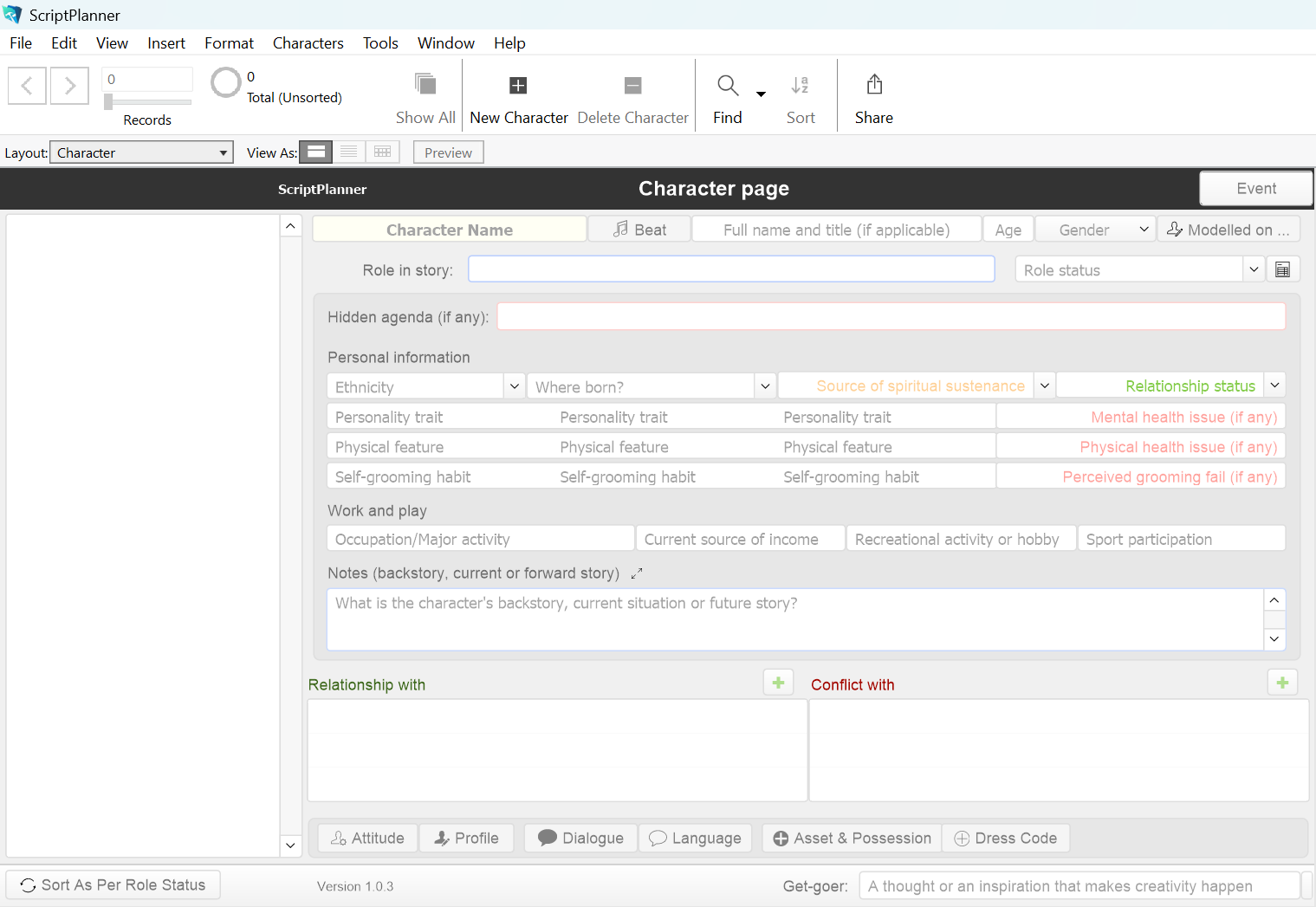
Fig: Character page.
Some pointers regarding the image ...
- the Beat popover button next to the character's name leads to a portal for listing the key moments in the character's life (before and) during the story (and even after the story)
- a facility is provided for character arcs
- the Role Status field is accompanied by an embedded list comprising
- protagonist
- antagonist
- primary character
- secondary character
- tertiary character
- one-off character
- prominent non-speaking role
- the Profile popover button opens to a portal, which is fed into from the Questionnaire layout
Time to have a look at NoteMaker's home page ...
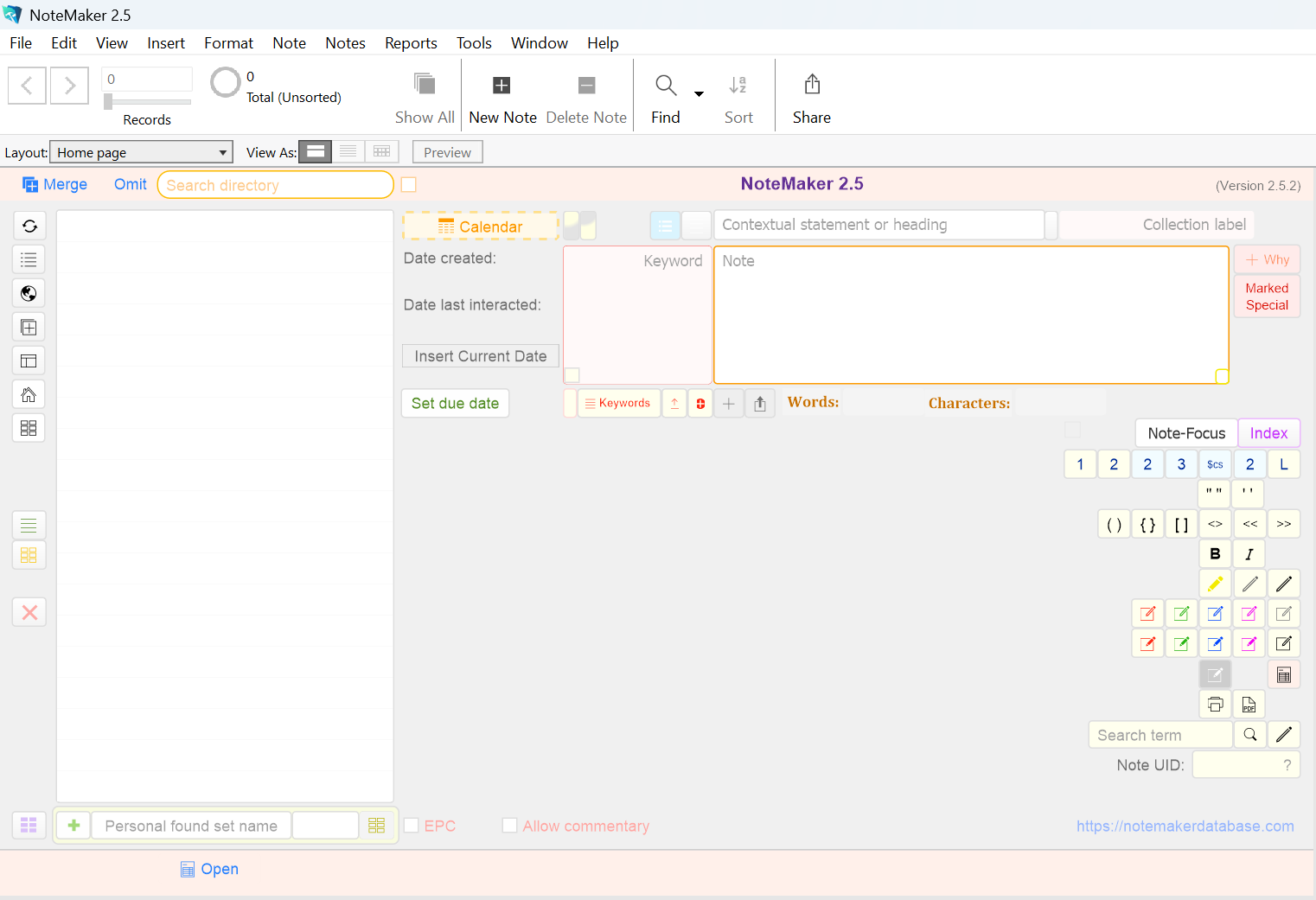
Fig: NoteMaker's home page.
Some pointers regarding the image ...
- the idea behind the design of the home page is to have many functions in proximity to the Note field
- the big empty space on the left is the directory, which lists the headings (contextual statements) of notes (currently empty because no note has been created)
- the Collection field is a means of grouping notes by tagging them with labels (eg, contextual statement = "James Dean", collection label = "Biography")
- Notes can also be linked to each other to create a network-like connections
- if you think the home page is cluttered, a new decluttering checkbox has been introduced (it is situated to the left of the Note-Focus button)
NoteMaker decluttered ...
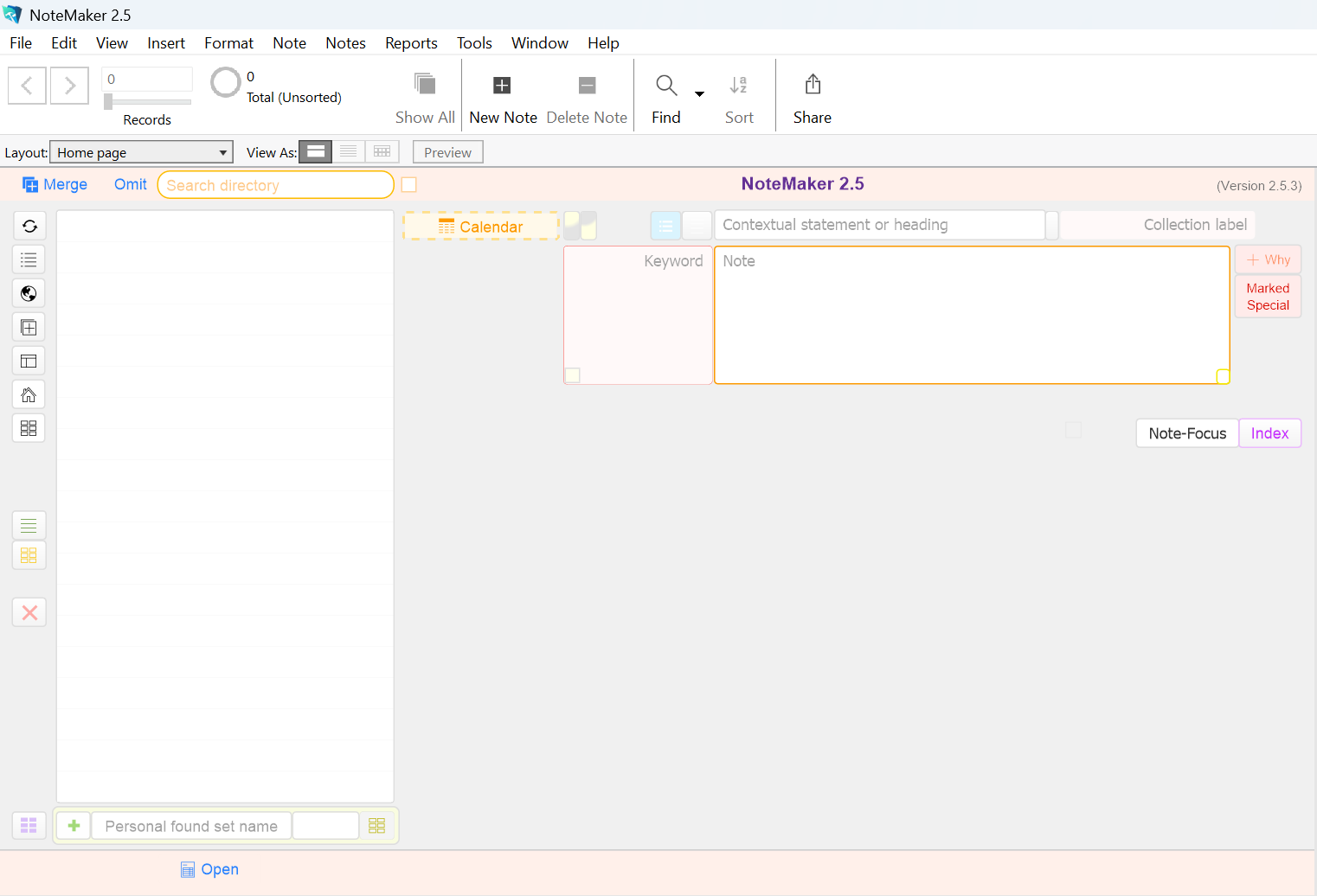
Fig: NoteMaker in declutter mode.
Some pointers regarding the image ...
- in declutter mode, only the essential functions and fields show
- though aesthetically cleaner-looking, the home page loses quicker access to certain functions
- the irony is the Hide checkbox itself is almost hidden (it is next to the Note-Focus Card button - a faint tiny square is possibly seeable in the above image with a magnifying glass)
- the go-to calendar button remains to encourage users to check their calendar
- the Set Due Date button is temporary: once it isn't clicked before a field is filled it will permanently disappear (when clicked, the note becomes an event-note, a calendar item [by the bye, not related to the visal calendar])
Time to have a look at NoteMaker's ReOrderAble list ...
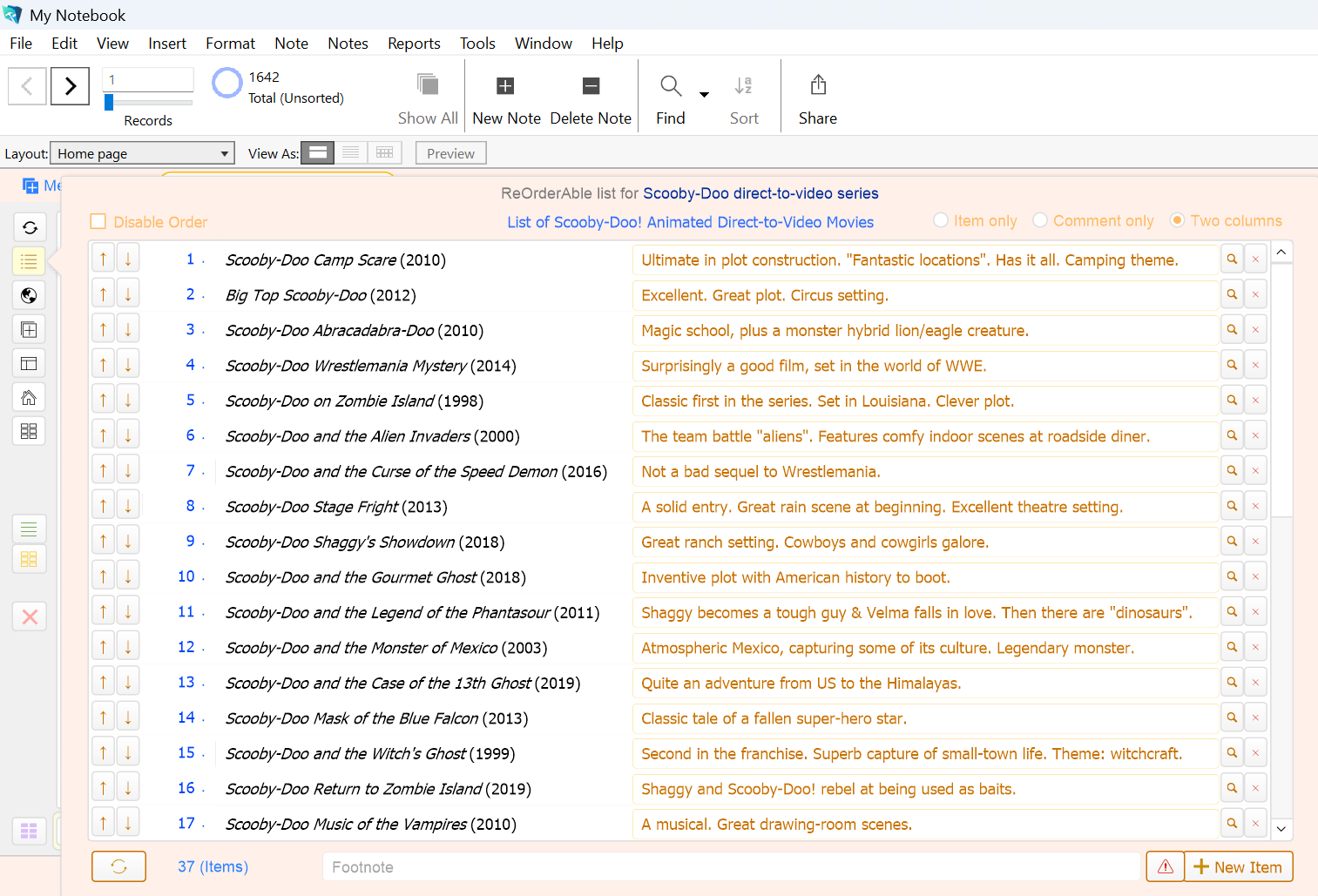
Fig: NoteMaker's ReOrderAble list extension.
Some pointers regarding the screenshot ...
- the ReOrderAble list is one of several options that extend the reach of the Note field
- list whatever you like (eg, your top 50 films, your favourite novels or top 10 recipes)
- items on the list can have their order easily repositioned
- new to v1.4.0 is creating and linking a list-item to a note (notice the new Link button [with the search icon] next to the Delete button).
- when on the home page from the ReOrderAble list a Return button (shown above with a sort-of red "cross" on the left margin) will take you back to the list with the originating item highlighted
- the ReOrderAble list makes for a fantastic sub-directory of notes
Time to have a look at NoteMaker's Storyboard ...
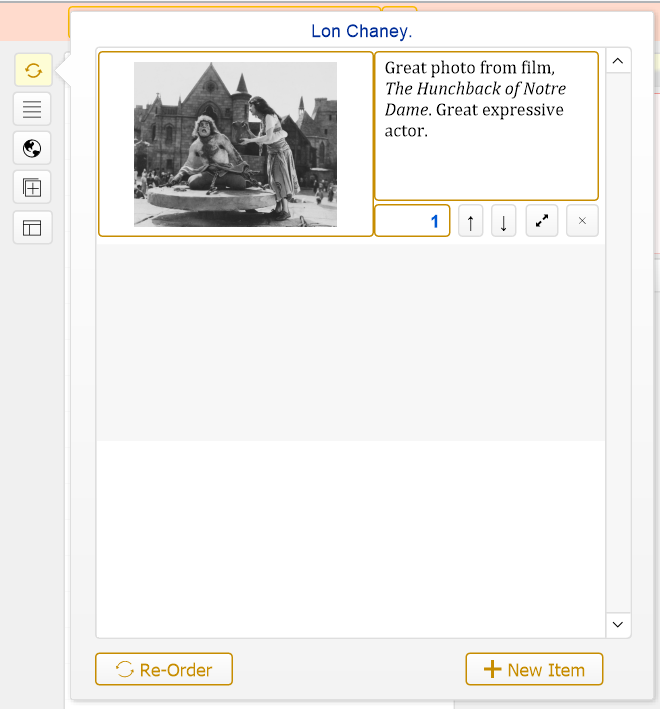
Fig: NoteMaker's Storyboard extension to the Note field.
Some pointers regarding the screenshot ...
- Lon Chaney is one of the greatest actors of the silent-film era; the image is from the 1923 version of The Hunchback of Notre Dame. Another fantastic version is the 1939 film, starring Charles Laughton as the hunchback, Quasimodo.
- storyboards are great for depicting many aspects of life, nature and the universe that have cycles, stages or phases
- storyboards combine visual frames and text (as captions)
- most often, however, the Storybaord extesnion will be used for storing single images (as shown above) or links to documents
Questions and Responses
Why ScriptPlanner?
ScriptPlanner provides a purely database approach to planning screenplays. It provides a level of granularity probably unmatched by any other planning environment for screenplays.
Is ScriptPlanner every screenwriter's dream?
No. Far from it: it could be a nightmare for some screenwriters. It comes down to one's comfort level in working with database systems. Databases tend to be "cut and dry" environments.
As a screenwriter, how should I approach ScriptPlanner?
There are over a hundred fields and dozens of features in ScriptPlanner and yet they need not all be used. It's a little bit of a paradox that the less fields filled, the more poignant become the contents of those fields that are filled.
What is the history behind ScriptPlanner?
Development of ScriptPlanner began about six years ago, but it was a project that received scant attention, the focus always having been on NoteMaker. It is only in the last 16 or 17 months that all resources were put into accelerating ScriptPlanner's development. The effort was frenetic: metaphorically speaking, little time was taken to breathe-in air. There was a period that for a stretch of 12 days a communication blackout was put in place to ensure minimal distraction: it's as if to make atonement for the years of neglect. Exhaustion reigned as testing was relentless to ensure errors are "as scarce as hen's teeth". However, after all that, there is the wonderful result: ScriptPlanner version 1.1.6 is now a wonderfully mature product.
Why use ScriptPlanner when, for example, Final Draft 13 has wonderful planning tools?
Without a doubt, the planning tools in Final Draft and other screenwriting software are superb. However, Final Draft's current v13 does not have a page template for each character's description and backstory (correct as up to 17 November 2025); instead each character has a dedicated row in a spreadsheet, which over time may become cluttered. As a data processor, ScriptPlanner not only provides a page ("record", in database parlance) per character but also links to other internal environments to further delineate character.
Can ScriptPlanner ever replace, say, Final Draft?
Never. For one thing, a screenplay cannot be written in ScriptPlanner. Secondly, Final Draft's planning tools are symbiotic: ongoing planning and writing the screenplay go hand-in-hand in the same workspace (these in-script planning tools are called "Outline Elements" in Final Draft and they're nothing less than marvels).
Who are likely to take to ScriptPlanner?
Unfortunately, not many. For one thing budding screenwriters are unlikely to have too strong an inclination to be involved with business-oriented database-creation software such as FileMaker Pro.
What's in it for those who are screenwriters who have access to FileMaker and also take to ScriptPlanner?
An extremely useful planning tool that works on many levels. The NoteMaker Team is hard-pressed to think what can't be done with ScriptPlanner in terms of preplanning screenplays.
Why NoteMaker?
NoteMaker attempts to make writing notes that are highly searchable and easy to link and group.
Is NoteMaker easy to learn?
Its basic worklow is as easy as 1>2>3: click the New Note button, (1.) fill in the heading
(contextual statement), press Tab, (2.) select
or formulate a collection label, press Enter, and finally (3.) write the note.
(The NoteMaker Team recommends keeping to the basic workflow and only use
other features on a need-to basis. For example, if a list requires only
three items, keep it within the Note Field; if a list comprises 30 items
consider the ReOrderAble list extension).
Should I use just the one file for all my notes?
It's convenient to keep everything in the one place. On the other hand, it could spell clutter. NoteMaker's facility for collection labels and sub-labels help manage all your notes in the one file. For the general user, the NoteMaker Team recommends using the one file (however, students may have multi-purpose files; eg, one for Modern History and another for Ancient History).
What if you have over 1,000 notes? Surely, clutter will reign.
NoteMaker has been especially designed not to feel cluttered whether there are 10 notes or a million notes. ("My Notebook" is the name of the test NoteMaker file the Team is currently using, which, up to 17 November 2025, has 1,718 notes — the Team will testify that there is no sense of clutter with the 1,718 real-world notes: it feels the same as if there were only 100 notes).
If all in one file, what name is suggested for the file?
"My Notes" or "My Notebook" or any other generalised yet descriptive title you see fitting. Please bear in mind, by centralising all notes in the one file, NoteMaker's visual calendar becomes the single go-to calendar.
How does NoteMaker compete with other note-making programs?
It doesn't. NoteMaker approaches making notes in its own way. Some people will take to the approach and others won't. NoteMaker's approach centres on being a data processor rather than a word processor.
In what way is NoteMaker specially helpful for students?
NoteMaker has an exposition called Essay Paragraph Construction (EPC) theory that, coupled with detailed examples, may help students write more effective standalone (or essay-ready) summaries.
So NoteMaker isn't for everbody, only students?
The part of NoteMaker dedicated to students is only a tiny fraction of the coverage offered by the application. NoteMaker is a general-purpose application, intended for all who love making notes.
Product Support

The NoteMaker Team is only too eager to provide help to users of NoteMaker and ScriptPlanner. Please use the Contact Form*. Subject: "Technical Support" or "Question".
(Please limit requests for technical support or asking questions to one per Contact Form).
Equally important are suggestions for improving NoteMaker and ScriptPlanner. On the Contact Form, please enter "Suggestion" in the Subject field.
Why not tell us how you feel about ScriptPlanner or NoteMaker (subject: "Feedback")
Without users providing feedback, it sometimes becomes difficult for the NoteMaker Team to further develop NoteMaker and ScriptPlanner or in which direction to go.
As an ongoing user, it is in your interest to see NoteMaker and ScriptPlanner continue to become more useful. The more powerful the data processors become, the more empowered you become as a user.
Finally, don't hesitate to drop an encouraging note. The Team could do with some of that. Couldn't we all?
* (Alternatively, please send an email to support@notemakerdatabase.com).
Please fill out the form below to touch bases with the NoteMaker Team
(Many thankyous to Google for making it easy to create the structure for a workable contact form).
Thank you for visiting NoteMaker (and ScriptPlanner)!
keep writing, keep making notes, keep learning (and keep being wonderfully creative by preplanning story-ideas for screenplays)
*NOTEMAKER AND SCRIPTPLANNER ARE FREE; however, they are only operational with a preinstalled copy of FileMaker 18, 19, 20, 21 or 22, a database-creation platform, upon which NoteMaker and ScriptPlanner are being built.
Please note:
- the free offer is not an enticement to purchase, or subscribe to, FileMaker Pro (FileMaker Pro is expensive for the hobbyist)
- there is no commercial arrangement of any kind between the NoteMaker Team and Claris, the owners of Filemaker Pro
- the free offer is for those who already have an installed copy of FileMaker version 18, 19, 20, 21 or 22
- if interested in trying out FileMaker Pro, Claris offer a 45-day free trial of their incredible software
Download NoteMaker 2.5.5.2 Download ScriptPlanner 1.1.8.3
Once
downloaded, please drag and drop the NoteMaker or ScriptPalnner file
from your Downloads folder onto your Desktop (remember, because
they're files, they're not installed and have no directory other than
initially to the Downloads folder or the Desktop, once either file is
dragged there).
(Please note: these are only files and once
downloaded will only open and become applications with an installed copy of
FileMaker Pro 18, 19, 20, 21 or 22).
Finally, please let us know if the download process hasn't been a total
success.
CAUTION.
Please do not download to mobile devices (such as smartphones and tablets).
The only devices suitable for NoteMaker and
ScriptPlanner are laptops and desktops. NoteMaker and ScriptPlanner have
not been scaled for mobile devices.
You may visit our sibling website at Wix.
Email contact: support@notemakerdatabase.com
Navigation:
This website was first uploaded on 14 December 2021.